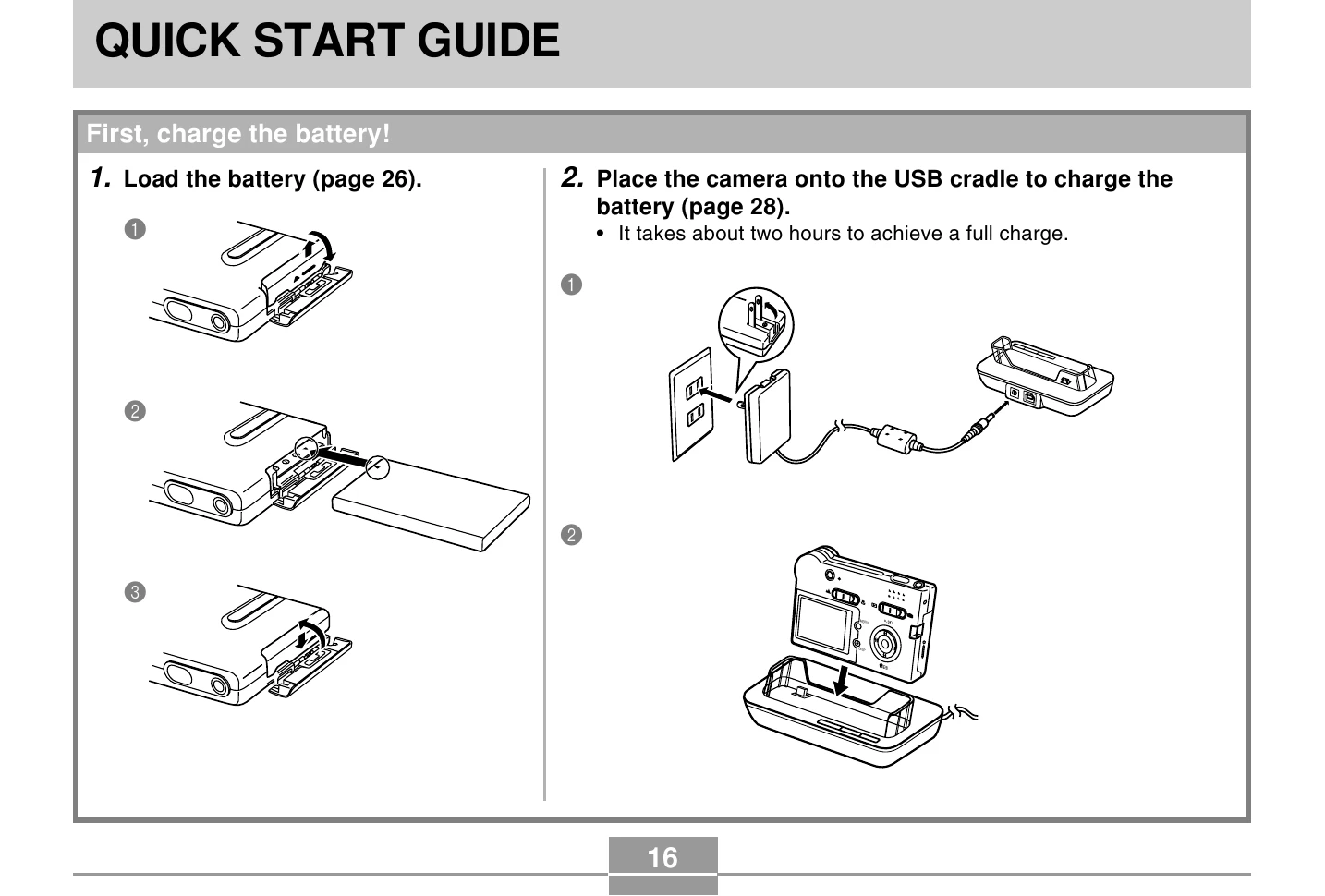
Charging the Battery: Place the camera on the USB cradle connected to a power source. A full charge takes about two hours.
Basic Recording: Turn on the camera, select REC mode, compose your shot using the monitor or viewfinder, and press the shutter button.
Viewing Images: Turn on the camera, select PLAY mode, and use the directional buttons to scroll through recorded images.
Deleting Images: In PLAY mode, select the image to delete, navigate to the 'Delete' option, and confirm.
Using Zoom: In REC mode, access the MENU, select the 'REC' tab, choose 'Digital Zoom', turn it 'On', and use the directional buttons to zoom in or out.
Using Flash: In REC mode, access the MENU, select the 'REC' tab, choose 'Flash', and select the desired flash mode (Auto, Off, On, Red-eye Reduction).