Quick Start Basics
What is a digital camera? A digital camera stores images on a memory card, allowing for countless recordings and deletions. Images can be stored on your computer, printed, or attached to emails.
What you can do with your CASIO camera:
- Premium Auto: Automatically adjusts settings for higher image quality.
- Advanced Dynamic Photo: Extract subjects from images and insert them into others to create unique scenes.
- BEST SHOT: Select a scene, and the camera automatically sets up for perfect images.
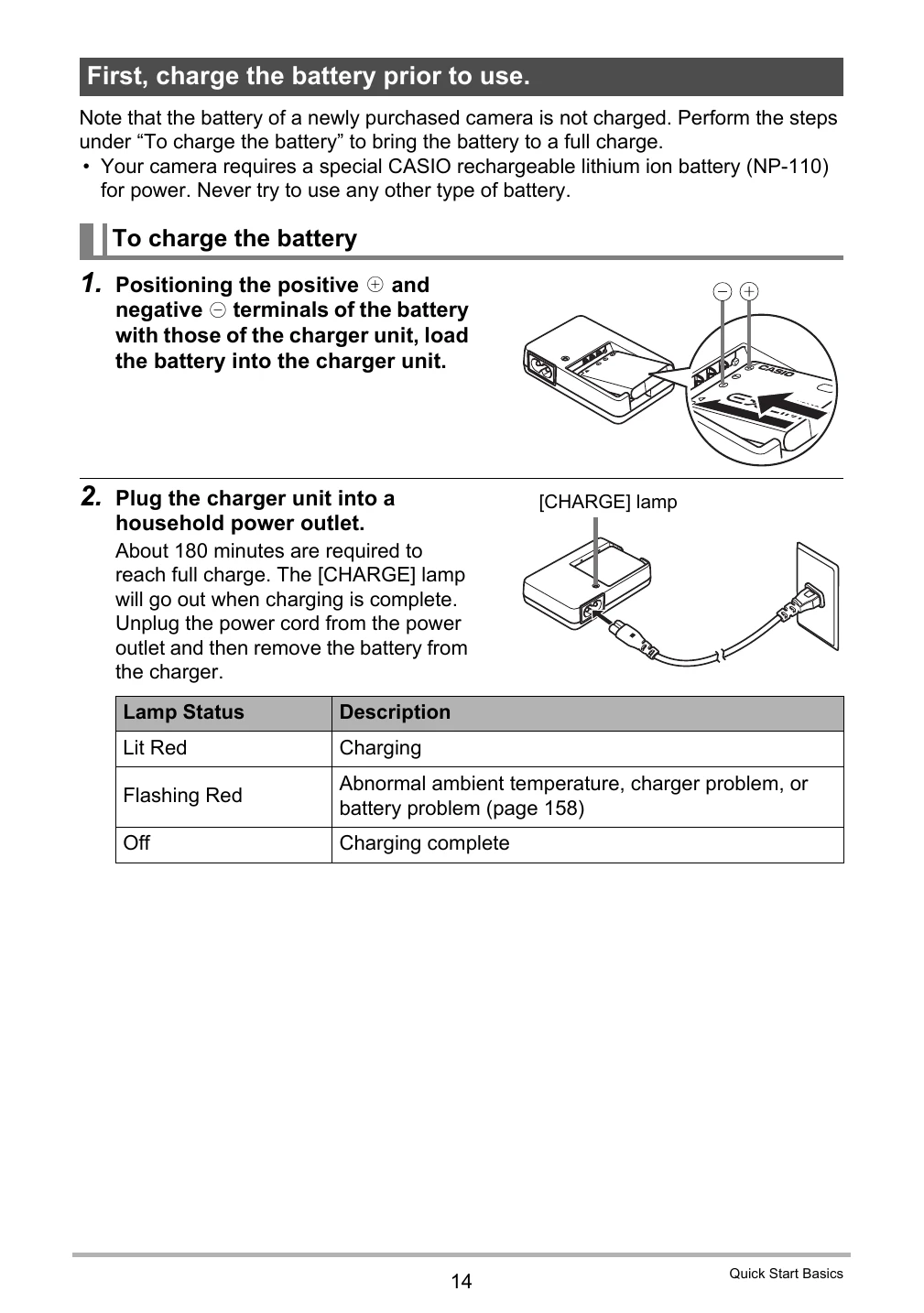
First, charge the battery prior to use.
- Position the battery correctly in the charger unit.
- Plug the charger into a power outlet. The [CHARGE] lamp indicates charging status.
To load the battery
- Open the battery cover.
- Load the battery, ensuring the EXILIM logo faces upwards.
- Close the battery cover and lock it.
Checking Remaining Battery Power
The battery indicator on the monitor screen shows remaining power (Cyan, Amber, Red).
Battery Power Conservation Tips
- Turn off flash when not needed.
- Enable Auto Power Off and Sleep features.
Configuring Basic Settings the First Time You Turn On the Camera
- Press [ON/OFF] to turn on the camera.
- Select the display language.
- Select the date style.
- Set the date and time.
- Select "Apply" and press [SET].
- Select "Auto" or "Premium Auto" as the auto recording mode.
Preparing a Memory Card
A memory card is recommended for greater capacity. The camera comes with built-in memory but not a memory card.
Supported Memory Cards
- SD Memory Card
- SDHC Memory Card
To load a memory card
- Turn off the camera and open the battery cover.
- Load the memory card with the front facing upwards until it clicks.
- Close and lock the battery cover.
To format (initialize) a new memory card
- Turn on the camera and press [MENU].
- Select "Set Up" tab, then "Format", and press [▶].
- Select "Format" and press [SET].
Turning the Camera On and Off
Press [ON/OFF] (Power) to turn on. Press [ON/OFF] (Power) to turn off.
Holding the Camera Correctly
Hold the camera steady with arms against your sides when pressing the shutter button. Ensure fingers and strap do not cover important areas.