Manual for EX-Z25

Manual for EX-Z25

Brand: CASIO

Category: Digital Camera

Document Type:

Language: EN
Uploaded: Aug. 9, 2025, 11:44 p.m.

To begin using your CASIO EX-Z25 digital camera:

  • Charge the battery fully using the provided charger.
  • Insert a compatible memory card (SD or SDHC) if needed.
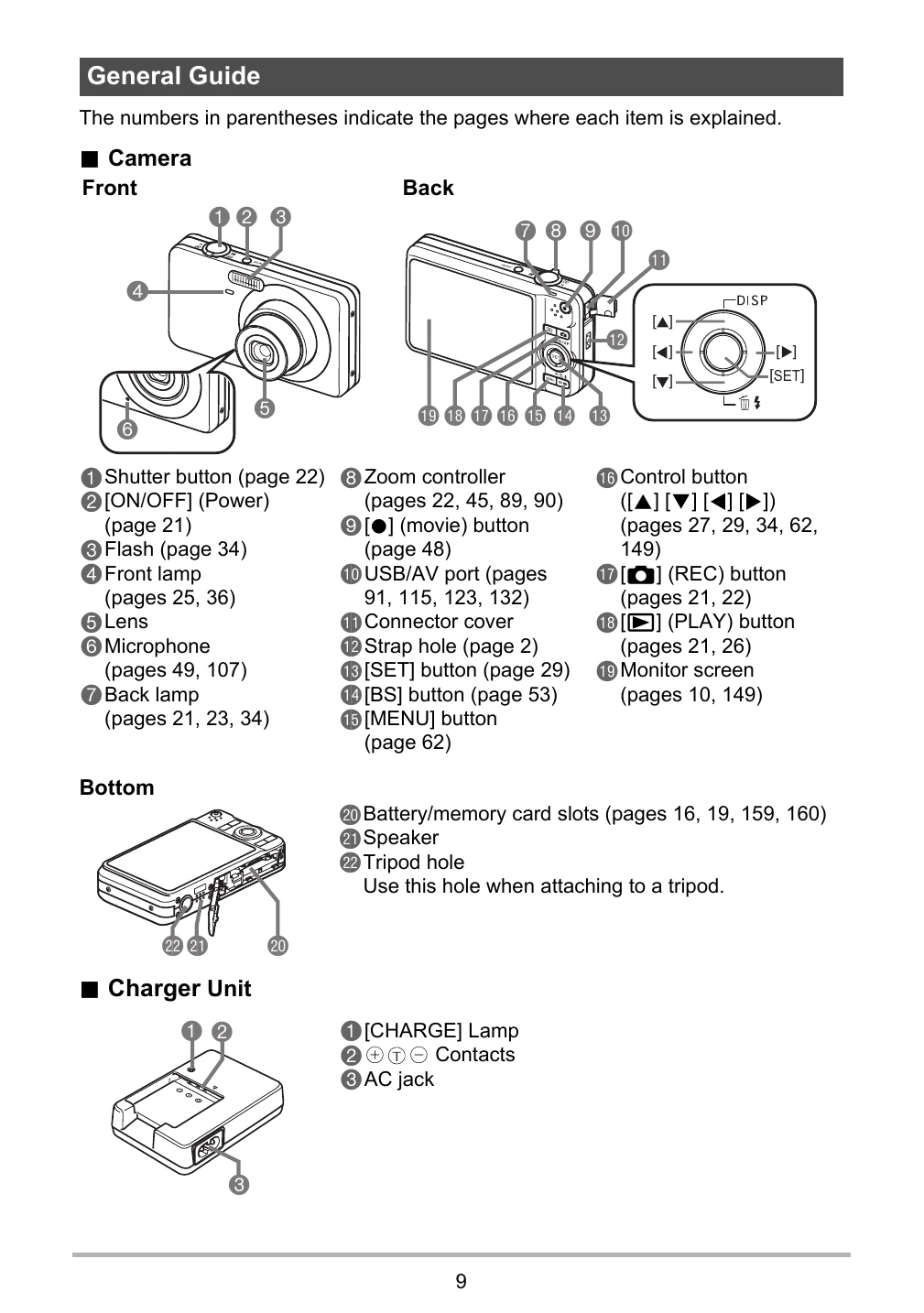
  • Turn on the camera using the [ON/OFF] button.
  • Configure initial settings such as language, date, and time.
  • To take a photo, press the shutter button.
  • Use the zoom controller to adjust framing.
  • To review photos, press the [PLAY] button.
  • Explore features like Dynamic Photo, Make-up Mode, and BEST SHOT for enhanced photography.

Troubleshooting and error codes

When things don't go right... Troubleshooting Display Messages
Privacy Policy