Quick Start Basics
What is a digital camera?
A digital camera stores images on a memory card, allowing for numerous recordings and deletions. Images can be used in various ways: stored on a computer, printed, or attached to emails.
What you can do with your CASIO camera
- Dynamic Photo: Extract moving subjects from Continuous Shutter (CS) images and insert them into other photos to create dynamic scenes.
- Make-up Mode: Smooths skin texture and softens facial shadows for improved portraits.
- BEST SHOT: Automatically adjusts camera settings for selected scenes. AUTO BEST SHOT selects scenes based on shooting conditions.
First, charge the battery prior to use.
New cameras come with uncharged batteries. Use the provided CASIO rechargeable lithium-ion battery (NP-80) and charger (BC-80L). Charging takes approximately 100 minutes. Ensure proper battery insertion and charging practices.
Preparing a Memory Card
While the camera has built-in memory, a commercially available memory card (SD or SDHC) is recommended for greater capacity. Format new memory cards using the camera before first use to ensure compatibility.
Turning the Camera On and Off
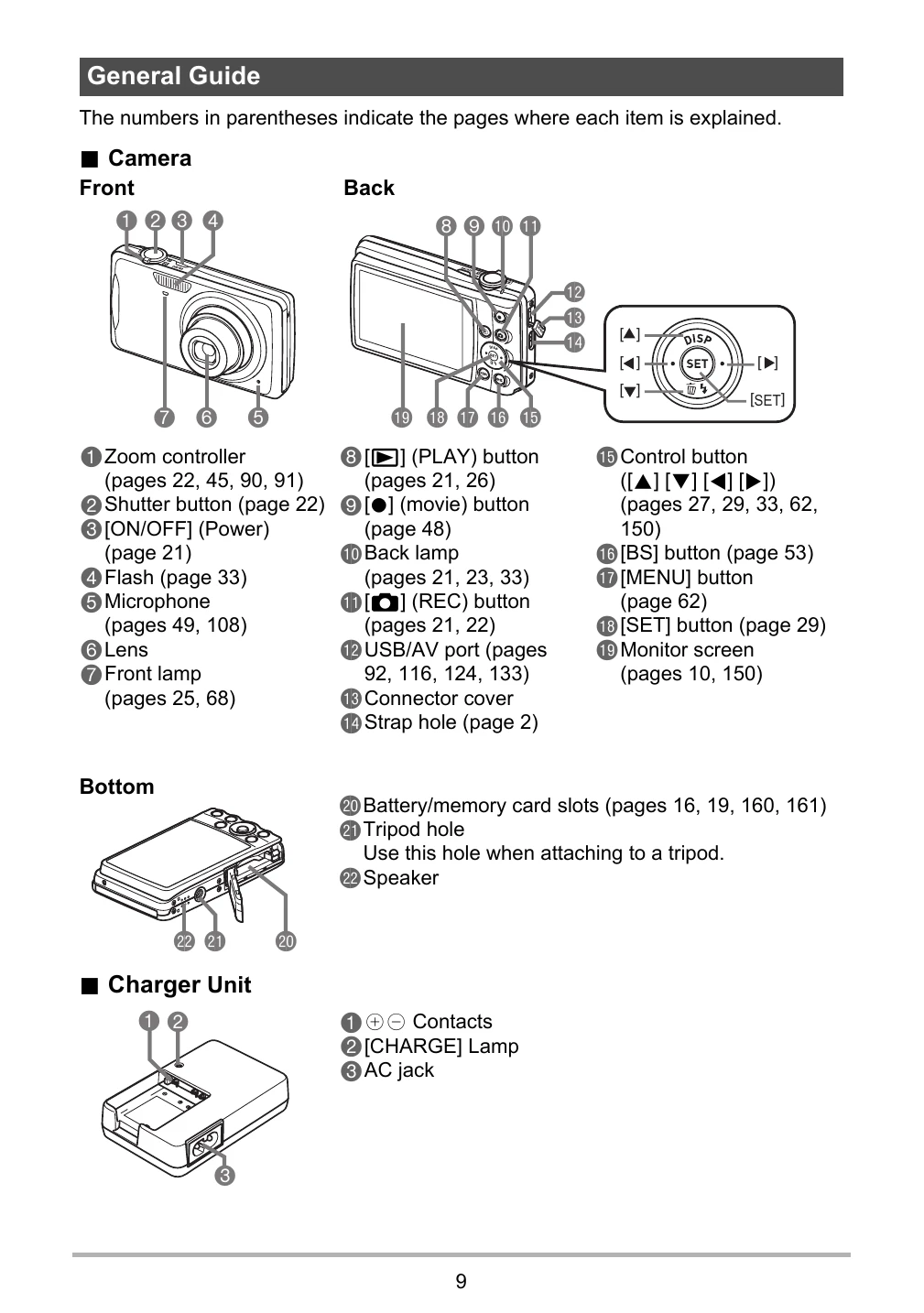
Press [ON/OFF] to power the camera on or off. The lens extends upon powering on in REC mode. Be careful not to obstruct the lens. The camera has Sleep and Auto Power Off functions to conserve battery.
To shoot a snapshot
Turn on the camera by pressing [O] (REC). Point the camera at the subject, zoom if desired, and press the shutter button.