Manual for EX-Z330

Manual for EX-Z330

Brand: CASIO

Category: Digital Camera

Document Type:

Language: EN
Uploaded: Aug. 9, 2025, 11:40 p.m.

Warranty Information

None

  • Charging the Battery: Connect the charger unit to a power outlet and insert the rechargeable lithium-ion battery (NP-80) into the unit. The CHARGE lamp indicates the charging status.
  • Loading the Battery: Open the battery cover, slide the battery with the EXILIM logo facing upwards into the camera until it clicks, and then close the cover.
  • Loading a Memory Card: Turn off the camera, open the battery cover, slide the memory card into the slot until it clicks, and then close the cover.
  • Formatting a Memory Card: Turn on the camera, go to MENU, select the Set Up tab, choose Format, and then select Format again to initialize the card.
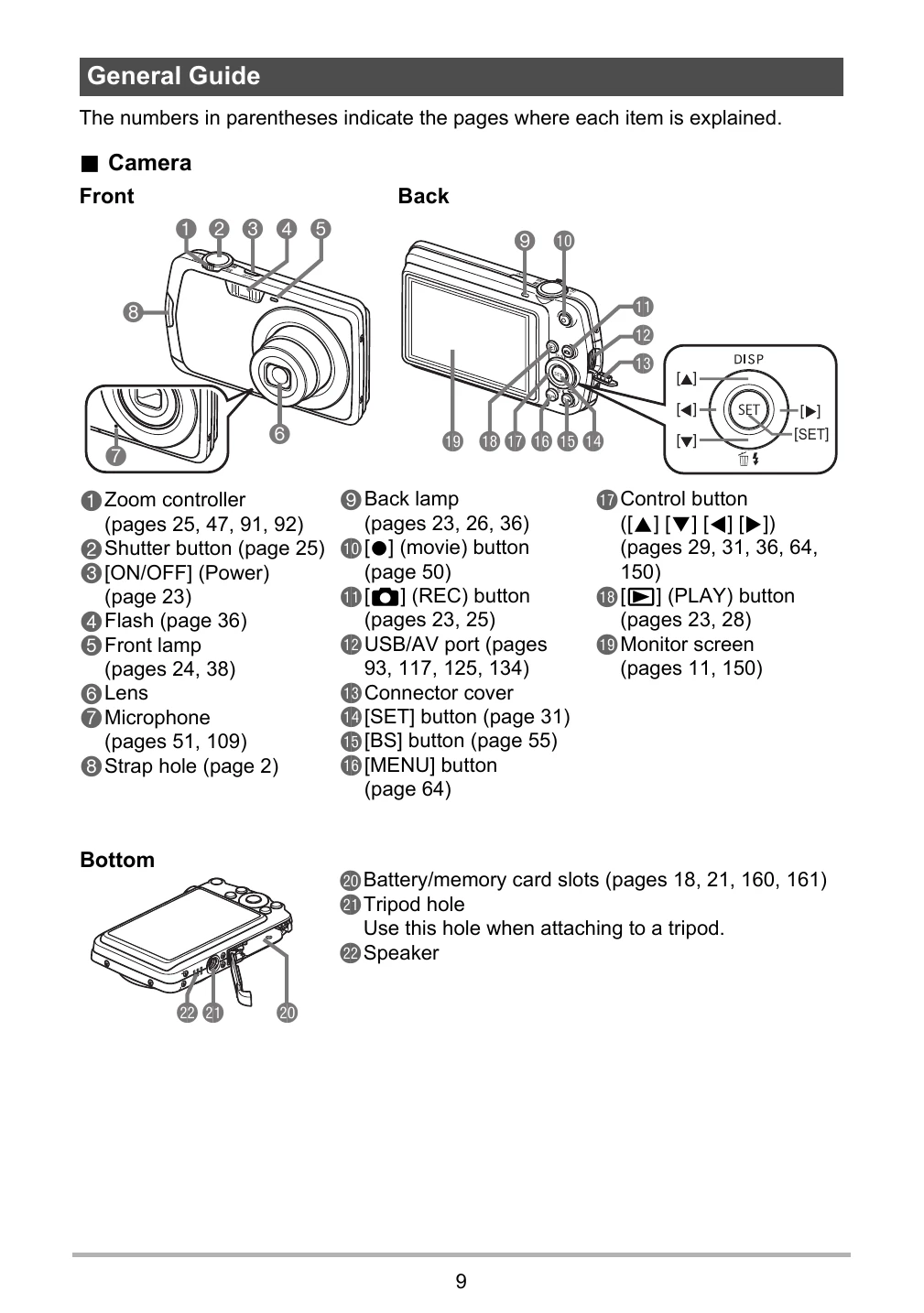
  • Turning the Camera On/Off: Press the [ON/OFF] (Power) button.
  • Taking a Snapshot: Half-press the shutter button to focus and set exposure, then fully press to take the picture.
  • Viewing Images: Press the [PLAY] button to enter PLAY mode and browse images.

Troubleshooting and error codes

When things don't go right... Possible Cause Solution
Camera does not turn on. Battery is dead. Charge the battery.
Cannot record images. Memory card is full. Replace the memory card or delete images.
Images are not saved correctly. Memory card is not inserted correctly. Reinsert the memory card.
Format the memory card. Format the memory card.
Privacy Policy