Manual for EX-Z335

Manual for EX-Z335

Brand: CASIO

Category: Digital Camera

Document Type:

Language: EN
Uploaded: Aug. 9, 2025, 11:42 p.m.

Camera Operations

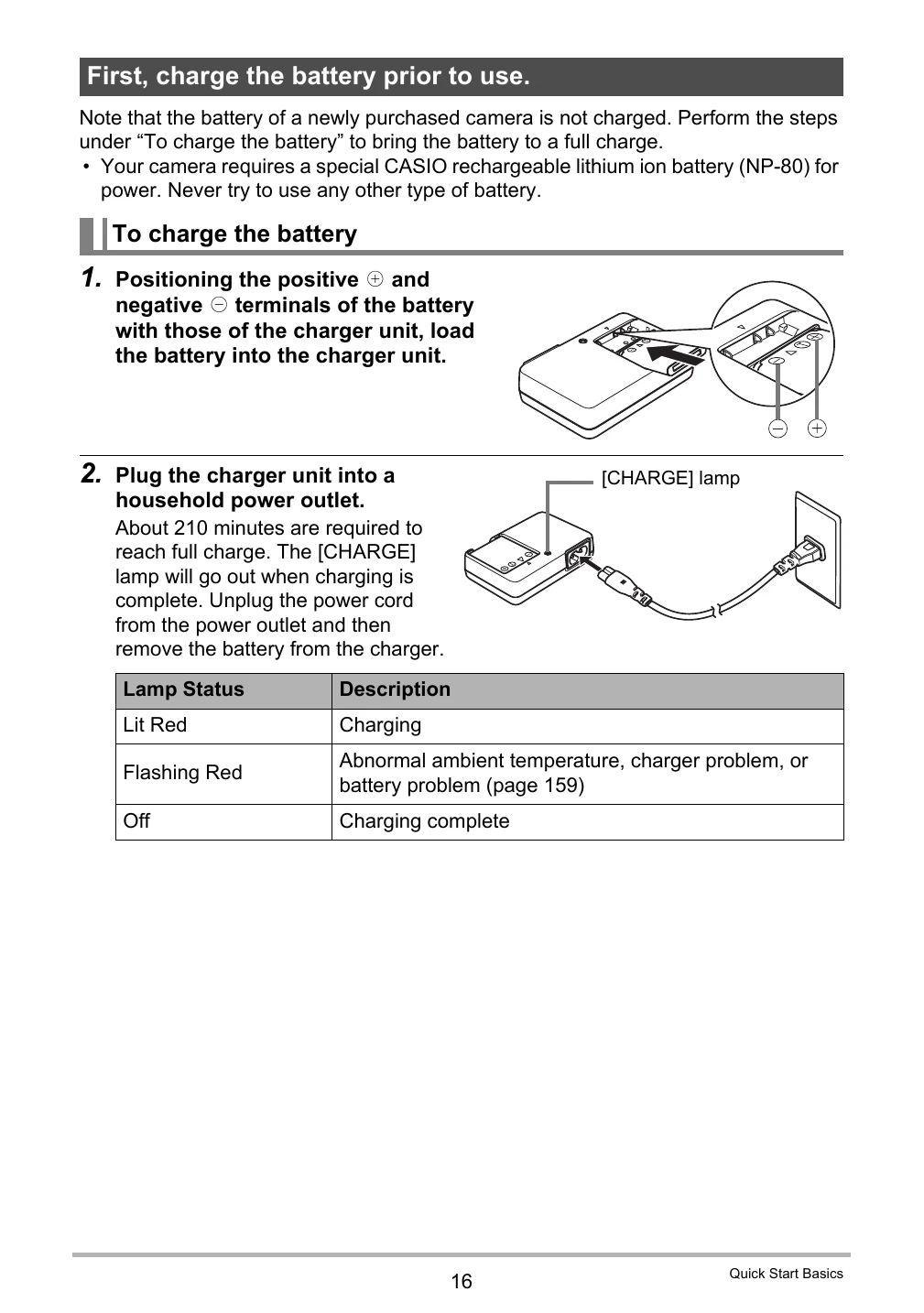
  • Charging the Battery: Ensure the battery is fully charged before use. Insert the battery into the charger unit, connect to a power outlet, and wait for the CHARGE lamp to turn off.
  • Loading the Battery/Memory Card: Open the battery cover, slide the battery or memory card into the designated slot until it clicks, and close the cover.
  • Turning On/Off: Press the ON/OFF button to power the camera on or off.
  • Basic Settings: Upon first startup, configure display language, date, and time.
  • Shooting: Frame your subject using the monitor screen and press the shutter button.
  • Playback: Press the PLAY button to view recorded images and movies.
  • Dynamic Photo: Create unique images by combining subjects with different backgrounds. Follow on-screen prompts for shooting and editing.

Troubleshooting and error codes

When things don't go right... Possible Cause Solution
Camera does not turn on. Battery is not charged. Charge the battery.
Battery runs out quickly. Battery is not fully charged. Charge the battery fully.
cannot record images or movies. Memory card is full or not inserted. Insert a memory card or delete unwanted images.
Images are blurry. Subject was moving or camera shook. Use a tripod or steady your hands.
Privacy Policy