Unpacking: Check all included items against the list provided.
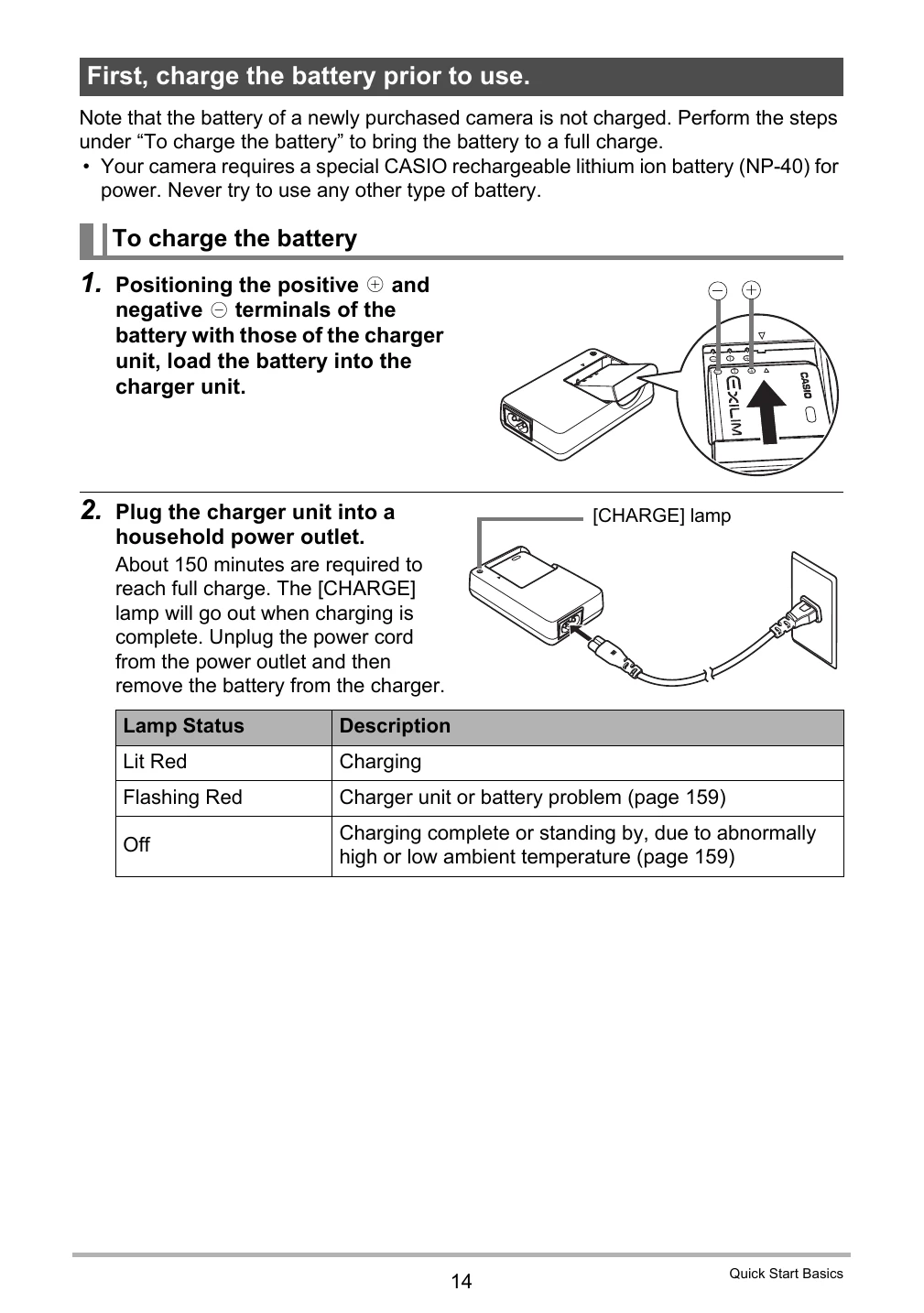
Charging the Battery: Connect the charger unit with the battery to a power outlet. Charging takes about 150 minutes.
Loading the Battery: Open the battery cover, insert the battery with the EXILIM logo facing up, and close the cover.
Turning On/Off: Press the [ON/OFF] button.
Shooting a Snapshot: Press [REC] to turn on the camera, point at the subject, and press the shutter button.
Dynamic Photo: Capture a series of images to create a moving subject that can be inserted into another image. Use Dynamic Studio online to convert these images into movies for various applications.
Make-up Mode: Smoothes skin texture and softens shadows for better portraits.
BEST SHOT: Automatically sets camera settings based on selected scenes for optimal shooting.