Brand: CASIO
Category: Digital Camera
Document Type:
Language: EN
Brand: CASIO
Category: Digital Camera
Document Type:
Language: EN
Uploaded: Aug. 9, 2025, 11:38 p.m.
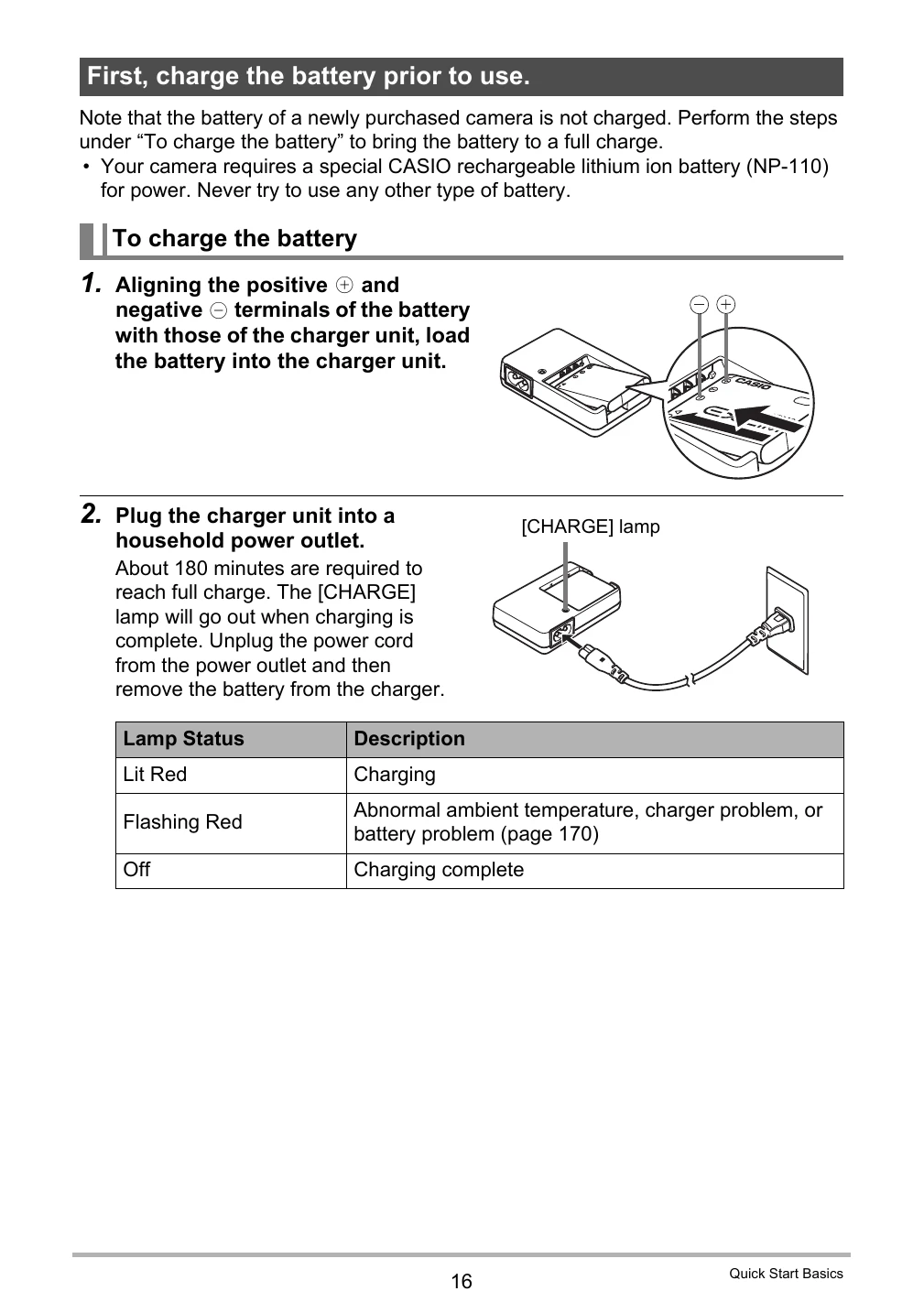
Unpacking & Setup: Unpack your camera and accessories. Charge the battery fully before first use. Insert the battery and memory card (sold separately) if using one. Format the memory card before first use.
Basic Operation: Turn the camera on using the [ON/OFF] button. Compose your shot using the monitor screen and zoom controller. Press the shutter button to take a photo. Use the [MENU] button for advanced settings, and the playback [▶] button to review images.
Key Features: Explore modes like Snapshot, Movie Recording, and Dynamic Photo. Utilize features like High Speed CS/Prerecord CS, High Speed Movie, and HDR Art for creative photography.
| When things don't go right... | Troubleshooting |
|---|---|
| Camera does not turn on | • Charge the battery. • Ensure the battery is loaded correctly. |
| Cannot record images or movies | • Check if the memory card is full or not inserted correctly. • Format the memory card. |
| Images are blurry | • Clean the lens. • Check focus settings. Ensure camera is steady. |
| Screen is blank | • Check battery level. • Turn the camera off and on again. |
| Error message appears | • Refer to the 'Display Messages' section (page 183) for specific error codes and solutions. |