Search
Manual for GV-10
Brand:
CASIO
Category:
Digital Camera
Document Type:
Language:
EN
Uploaded:
Aug. 9, 2025, 11:40 p.m.
Download Manual
Getting Started
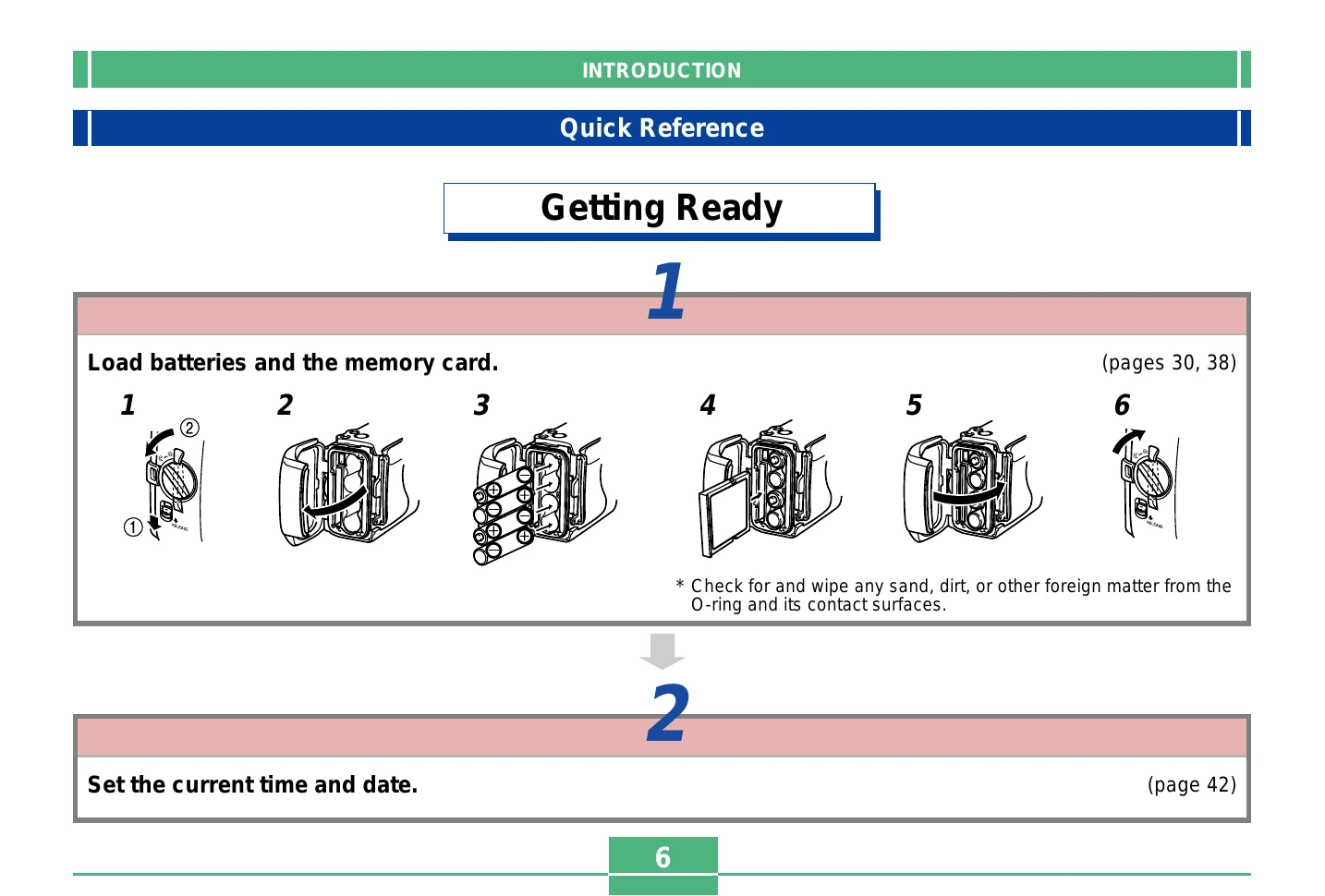
Load batteries and memory card:
Ensure batteries are inserted correctly and the memory card is in place.
Set date and time:
Configure the camera's internal clock.
Recording an Image
Turn the camera ON.
Select snapshot mode.
Frame the shot using the monitor or viewfinder.
Press the shutter button.
Playback
Turn the camera ON and select play mode.
Use the zoom buttons to scroll through images.
Deleting Images
Turn the camera ON and select play mode.
Scroll to the image you want to delete.
Press the WB button to initiate deletion.
Confirm deletion by pressing the shutter button.
Privacy Policy