Manual for QV-R40

Manual for QV-R40

Brand: CASIO

Category: Digital Camera

Document Type:

Language: EN
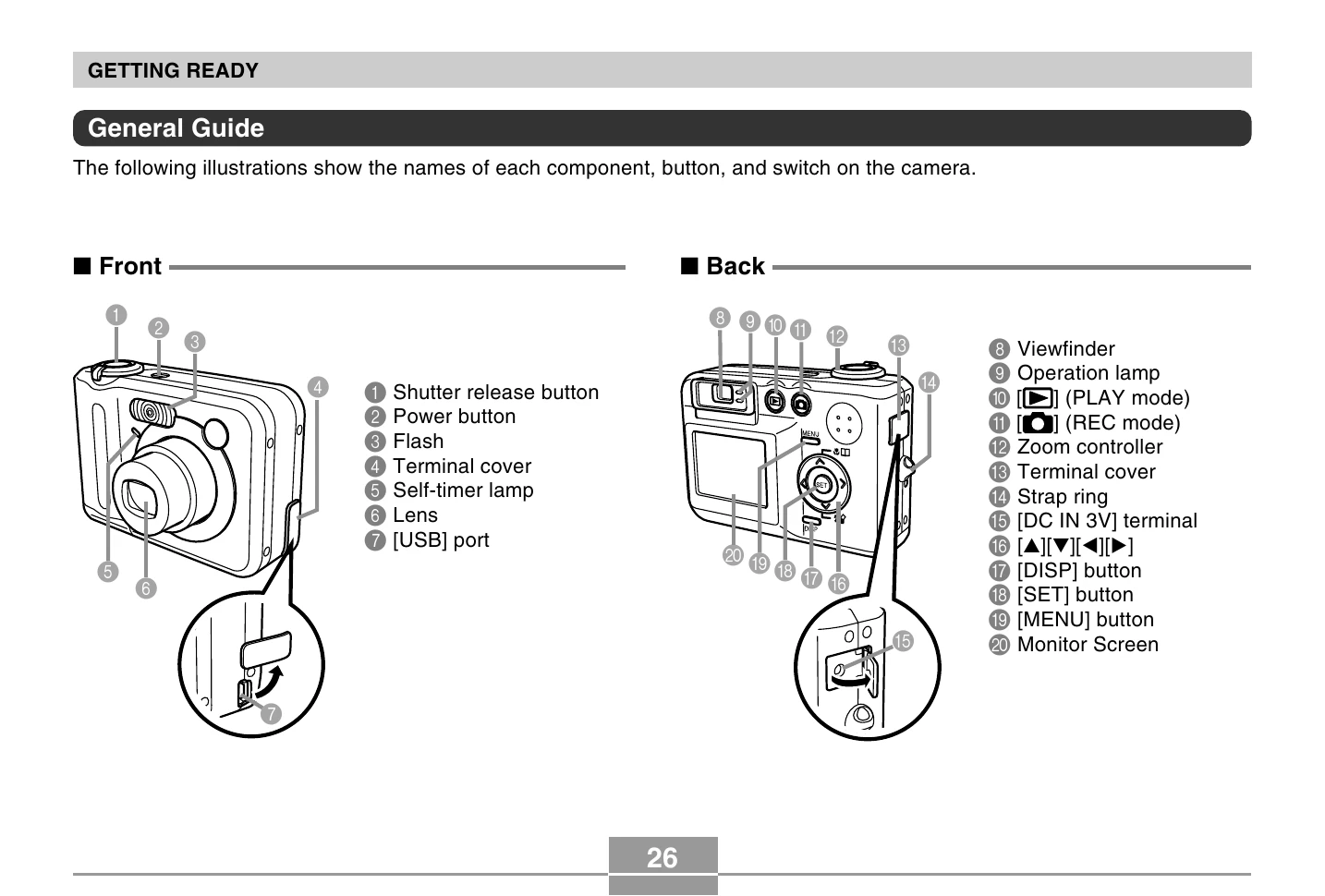
Uploaded: Aug. 9, 2025, 11:38 p.m.

  • Turning the Camera On/Off: Press the power button, [○] (REC) button, or [PLAY] button to turn the camera on. Press the power button to turn it off.
  • Using Menus: Press [MENU] to access on-screen menus for operations. Navigate using the directional buttons and press [SET] to confirm.
  • Recording Images: Press the shutter release button halfway to focus, then fully to record.
  • Zooming: Use the zoom controller to zoom in or out (optical and digital zoom).
  • Flash Settings: Select flash modes like Auto Flash, Flash Off, Flash On, or Red-eye reduction via the menu.
  • Self-timer: Set a 2-second or 10-second delay, or use Triple Self-timer for three consecutive shots.
  • Image Size/Quality: Specify image size (e.g., 2304x1712) and quality (Fine, Normal, Economy) through the menu.

Troubleshooting and error codes

Header 1 Header 2 Header 3 Header 4
Row 1 Data 1 Row 1 Data 2 Row 1 Data 3 Row 1 Data 4
Row 2 Data 1 Row 2 Data 2 Row 2 Data 3 Row 2 Data 4
Row 3 Data 1 Row 3 Data 2 Row 3 Data 3 Row 3 Data 4
Privacy Policy