Brand: Cat
Category: Smartphone
Document Type:
Language: EN
Brand: Cat
Category: Smartphone
Document Type:
Language: EN
Uploaded: Aug. 10, 2025, 12:09 a.m.
The contents of this manual are provided "AS IS", with no warranties expressed or implied.
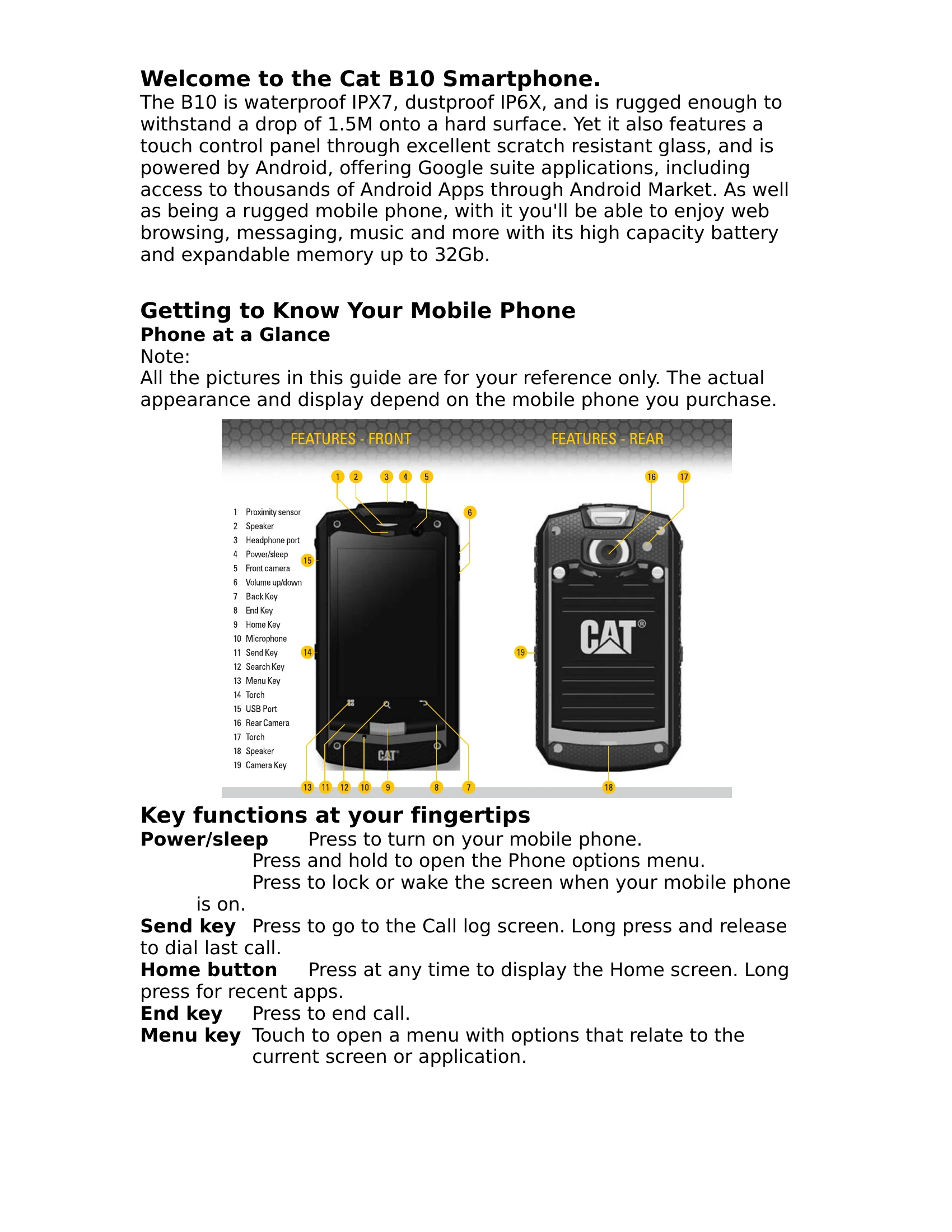
Familiarize yourself with the front and rear features of your Cat B10. This includes the proximity sensor, speaker, headphone port, power/sleep button, front camera, volume controls, back, end, home, send, search, and menu keys. The rear features include the CAT logo, rear camera, torch, speaker, and camera key.
Align metal contacts and insert battery into the compartment.
Connect USB cable to charger and phone, then plug into an electrical outlet.