Brand: Cisco
Category: Networking
Document Type: Installation Guide
Language: EN
Brand: Cisco
Category: Networking
Document Type: Installation Guide
Language: EN
Uploaded: Sept. 12, 2025, 4:26 a.m.
Manual Publish Date: 2020-02-11
| Port | LED Color | Description | Control Source |
|---|---|---|---|
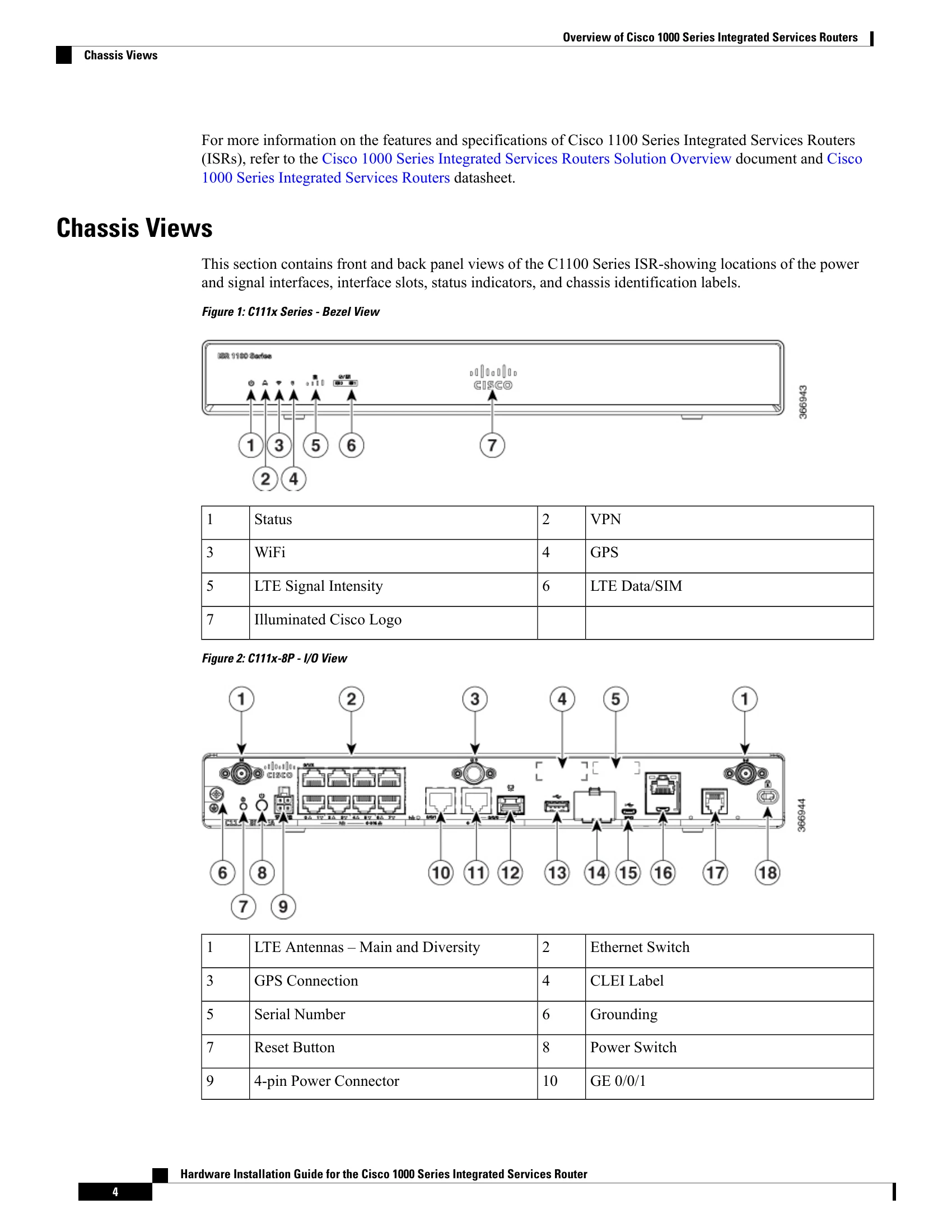
| Cisco Logo | Blue | Illuminated Cisco logo. Indicates router power is good. | Bezel side |
| STATUS (System Status) | Green and Amber | Steady Green - System operates normally. Off—System is not out of reset or BIOS image is not loadable. Blinking Amber—BIOS/Rommon is booting. Steady Amber—BIOS/Rommon has completed booting, and the system is at the Rommon prompt or booting the platform software. |
Bezel side. All models. |
| VPN OK | Green | Off—No tunnel. Steady On—At least one tunnel is up. |
Bezel side |
| LTE RSSI/Mode | Green and Amber | No LEDs On—No Service 1 LED On— RSSI is under -100dBm. 2 LEDs On— Low RSSI, -99dbm <> -90dBm. 3 LEDs On— Medium RSSI -89dBm > -70dBm. 4 LEDs On—High RSSI, > -69dBm. Green— LTE Amber—3G |
Bezel Side |
| GPS | Green | Off: GPS not configured On: GPS configured Blink: GPS Acquiring |
Bezel Side |
| WLAN | Green, Red, and Amber | Green— Normal operating condition with at least one wireless client association. Red—Ethernet link is not operational or Ethernet failure. Amber—Software upgrade is in progress. |
Bezel side |
| Ethernet Switch GE LAN Ports, Non-PoE | Green | Off— No link Steady On—link Blink— TXD/RXD data |
I/O side |