Brand: Cisco
Category: Networking
Document Type: Installation Guide
Language: EN
Brand: Cisco
Category: Networking
Document Type: Installation Guide
Language: EN
Uploaded: Sept. 12, 2025, 4:30 a.m.
Manual Publish Date: 2002-03-01
None
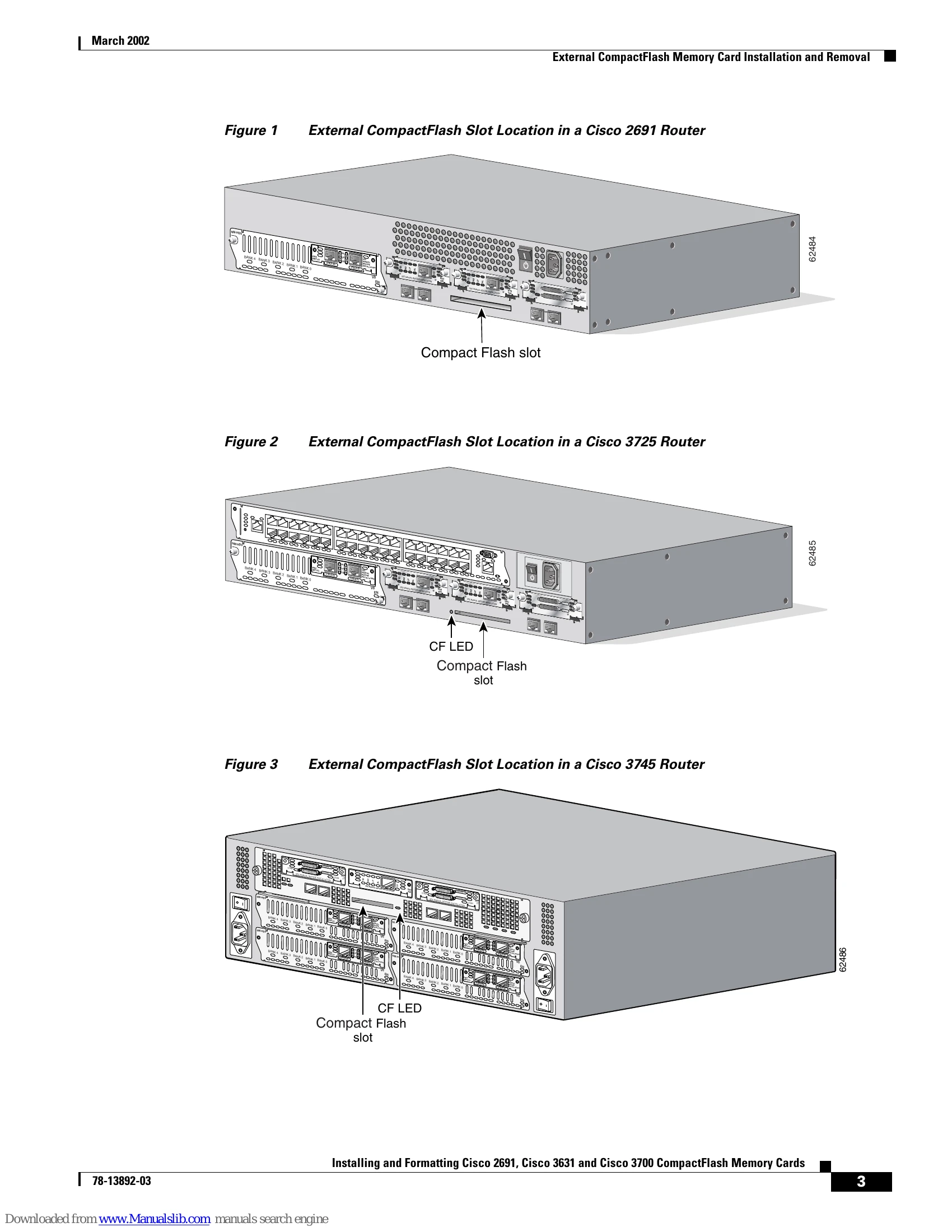
This document provides instructions for installing and formatting CompactFlash memory cards in Cisco 2691, Cisco 3631, and Cisco 3700 modular routers. It covers both external and internal CompactFlash memory card installation and removal. Procedures for formatting cards with Class B (LEFS) or Class C (DOS-like) file systems are detailed, along with file and directory operations specific to each file system. The guide also includes important safety precautions regarding electrostatic discharge (ESD) and handling of electronic components. Specific steps are outlined for accessing and manipulating the CompactFlash cards within various router models, including removing chassis covers or plug-in CPU/mainboards when necessary.
| CF LED is lit or blinking | The CompactFlash memory card is not seated properly or is being accessed. | Do not remove the CompactFlash memory card while the CF LED is lit or blinking. Doing so may cause the router to reload or the card to be damaged. Wait until the LED is off before attempting removal. |
| Cannot boot from CompactFlash | The CompactFlash memory card is formatted with a standard DOS file system. | Format the CompactFlash memory card with a Class B or Class C Flash file system. Class B (LEFS) or Class C file systems ensure proper formatting for ROM monitor recognition and booting. |
| Files are deleted but space is not released. | In Class B file systems, deleted files occupy space until the squeeze command is executed. | Execute the squeeze {flash: | slot0:} command to release the memory space occupied by deleted files. The dir command will not show deleted files, but show will until squeeze is run. |