Brand: Cisco
Category: Networking
Document Type: Installation Guide
Language: EN
Brand: Cisco
Category: Networking
Document Type: Installation Guide
Language: EN
Uploaded: Sept. 12, 2025, 4:24 a.m.
Manual Publish Date: 2013-01-01
This manual contains Cisco's standard warranty information for its products.
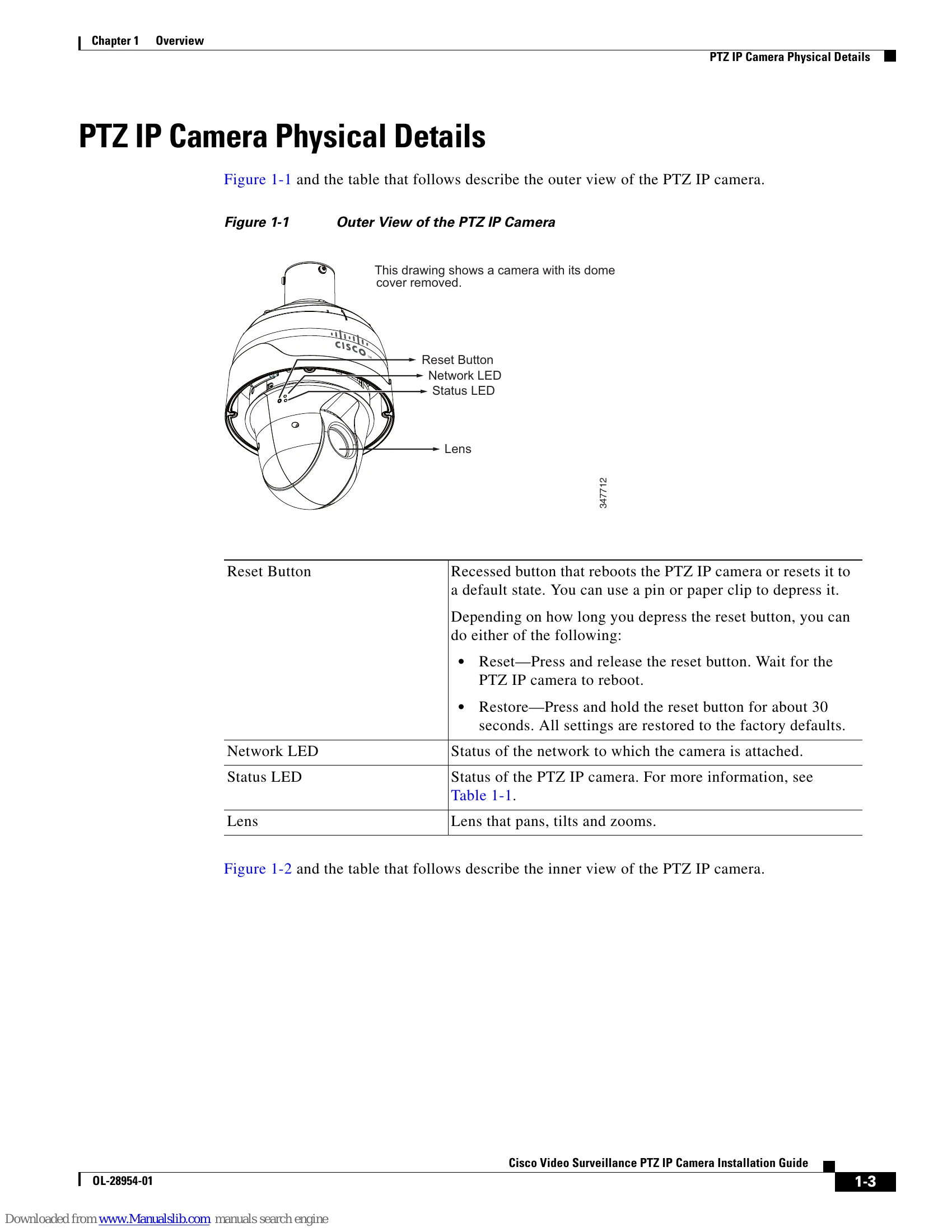
| LED | Status |
|---|---|
| Green | Camera is done booting and is available for use. |
| Steady Red | Power on and system booting. |
| Red LED unlighted | Power off. |
| Steady Red + blinking Green every 1 sec. | Network works (heartbeat) |
| Steady Red + Green LED unlighted | Network fail |
| Steady Red + blinking Green every 2 sec. | Audio mute (heartbeat). |
| Blinking Red every 0.15 sec. + blinking Green every 1 sec. | Upgrading firmware |
| Blinking Red every 0.15 sec. + blinking Green every 0.15 sec. | Restore default |