Receiving a call:
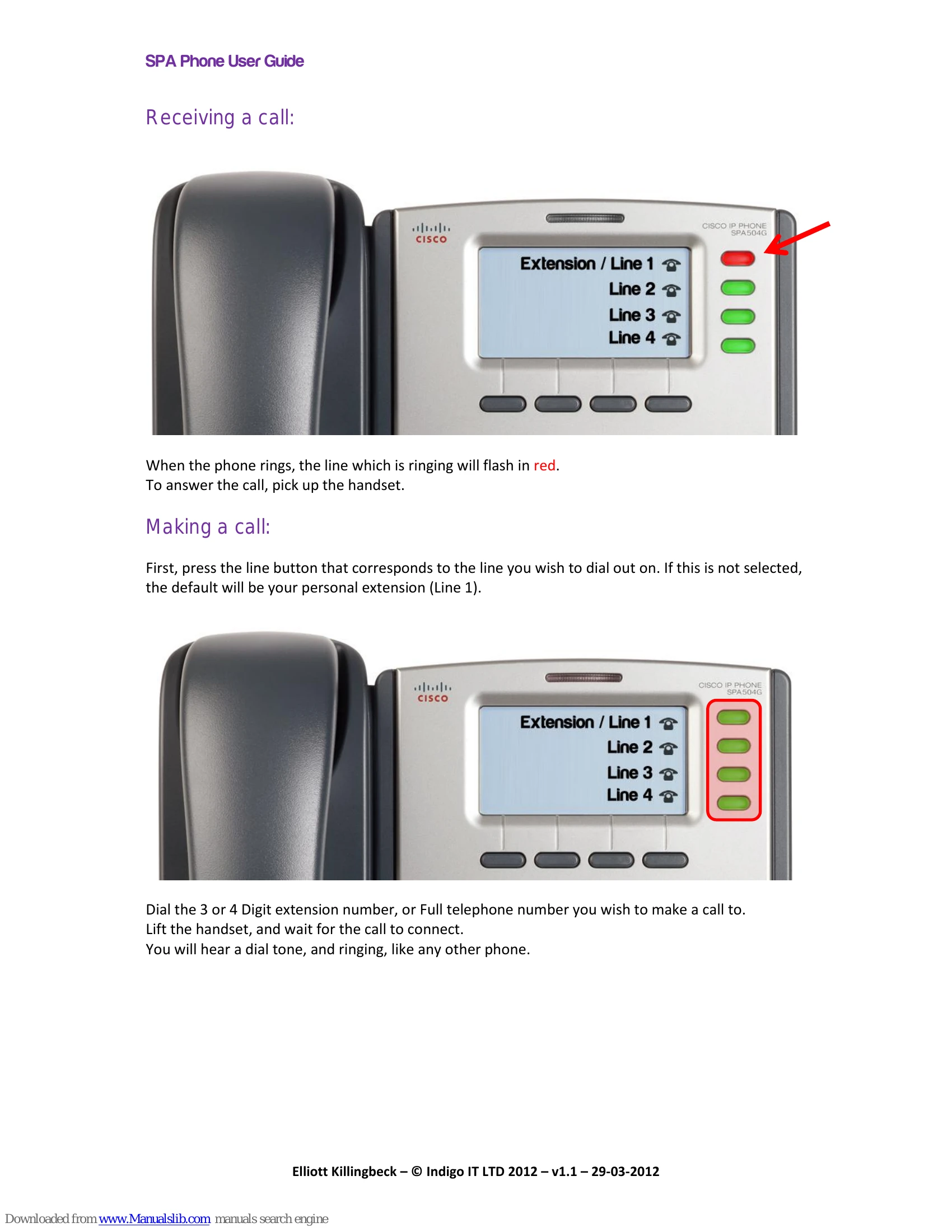
When the phone rings, the line which is ringing will flash in red. To answer the call, pick up the handset.
Making a call:
First, press the line button that corresponds to the line you wish to dial out on. If this is not selected, the default will be your personal extension (Line 1).
Dial the 3 or 4 Digit extension number, or Full telephone number you wish to make a call to. Lift the handset, and wait for the call to connect.
Transferring a call:
During a call, the screen will display CONF and XFER above option buttons 3 and 4. To transfer a call, press the XFER button (Button 4).
Dial the 3 or 4 Digit extension number, or Full telephone number you wish to transfer the call to. If the recipient picks up the call, you can now announce the call to them, and then press the XFER button (Button 4) again, to complete the transfer.
Setting up a 3-way conference:
During a call, the screen will display CONF and XFER above option buttons 3 and 4. To setup a conference call, press the CONF button (Button 3).
Dial the 3 or 4 Digit extension number, or Full telephone number you wish to bring into the conference. If the recipient picks up the call, you can now announce the call to them, and then press the CONF button (Button 3) again, to conference them in.
Retrieving voicemails (Internally):
If a voicemail is waiting in the system, a red bar will light up at the top of the phone, and an envelope icon will appear next to the line on which the voicemail was received.
To retrieve the voicemail, press the line button which corresponds to the line on which the voicemail was recorded. Then press the envelope button on the bottom panel of the phone.
Retrieving voicemails (Externally):
To retrieve a voicemail when you are not able to access the VoIP system, dial 0208 069 0000.
Using the personal directory:
On the home screen, press the DIR button (Button 2), to open the personal directory. Press the number 1 button on the keypad to add an entry.
Checking call history:
You are able to check your call history, up to 60 calls old. To do this, press the menu button on the bottom panel of the phone.
Do Not Disturb:
Do not disturb will stop any calls being put through to your phone. To enable this, press DND on the home screen (Button 4).
Call Pickup:
To pick up a call that is ringing on a different phone in the office, simply lift your phones handset, and dial *87.
Call Holding:
To put a call on hold, press the hold button on the bottom panel of the phone. To pick up another call, press the line button that is ringing, after you have put the original call on hold.