Quick Start Guide for SPA 232

Quick Start Guide for SPA 232

Brand: Cisco

Category: Telephony

Document Type: Quick Start Guide

Language: EN
Uploaded: Nov. 21, 2025, 6:34 p.m.

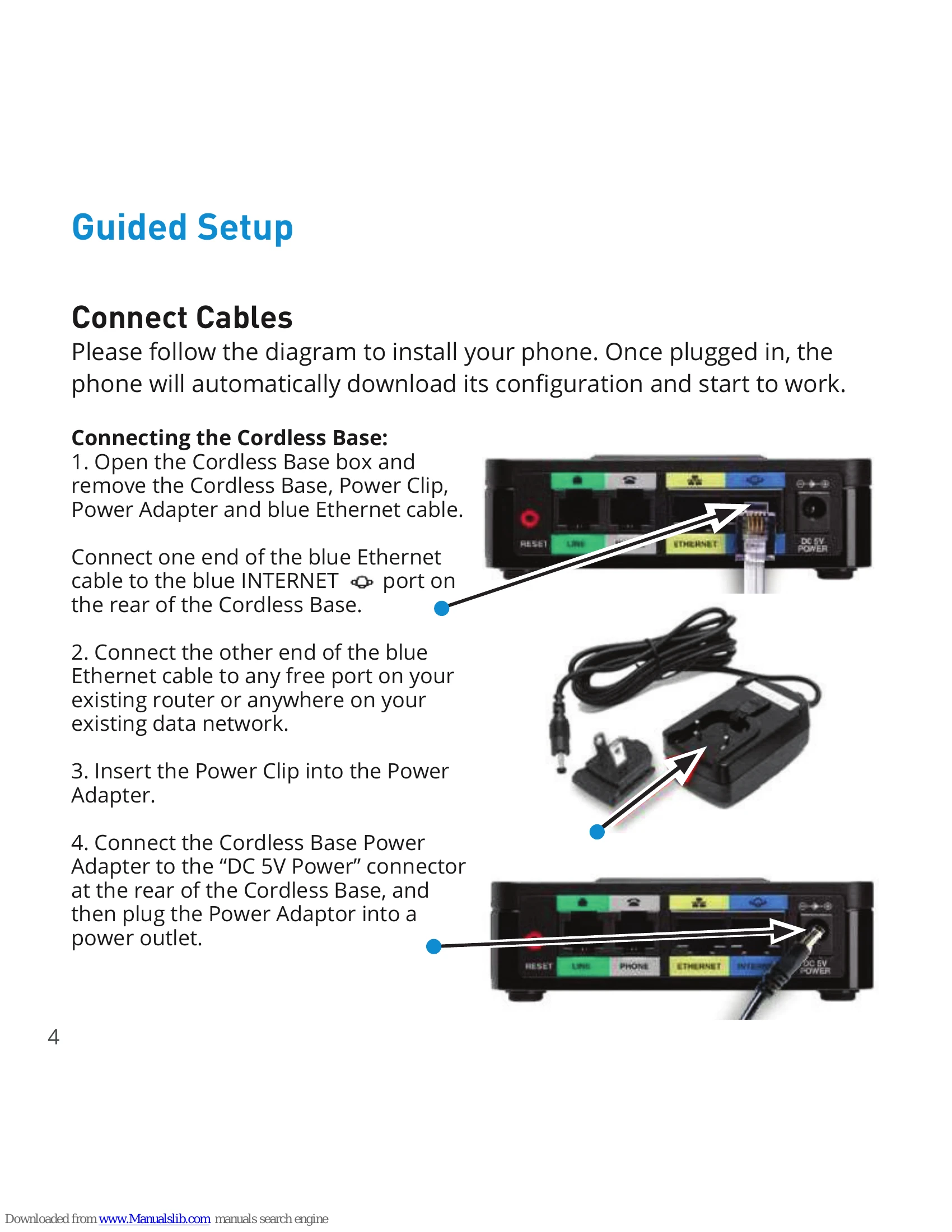
Connecting the Cordless Base

  1. Open the Cordless Base box and remove the Cordless Base, Power Clip, Power Adapter and blue Ethernet cable.
  2. Connect one end of the blue Ethernet cable to the blue INTERNET port on the rear of the Cordless Base.
  3. Connect the other end of the blue Ethernet cable to any free port on your existing router or anywhere on your existing data network.
  4. Insert the Power Clip into the Power Adapter.
  5. Connect the Cordless Base Power Adapter to the “DC 5V Power” connector at the rear of the Cordless Base, and then plug the Power Adaptor into a power outlet.

Setting up the Cordless Handsets

  1. Open Cordless Handset box and remove the Cordless Handset, Power Clip, Power Adapter, and Charging Cradle.
  2. Remove the protective film from the Handset and Charging Cradle.
  3. Insert the Power Clip into the Power Adapter.
  4. Connect the Power Adapter to the Charging Cradle in the port shown.
  5. Install the optional Belt Clip on the Cordless Handset.

For optimal battery performance, please charge the phone for a minimum of 10 hours before using.

Once the phone has been plugged in and operational, the voicemail box is functional with a default greeting.

Privacy Policy