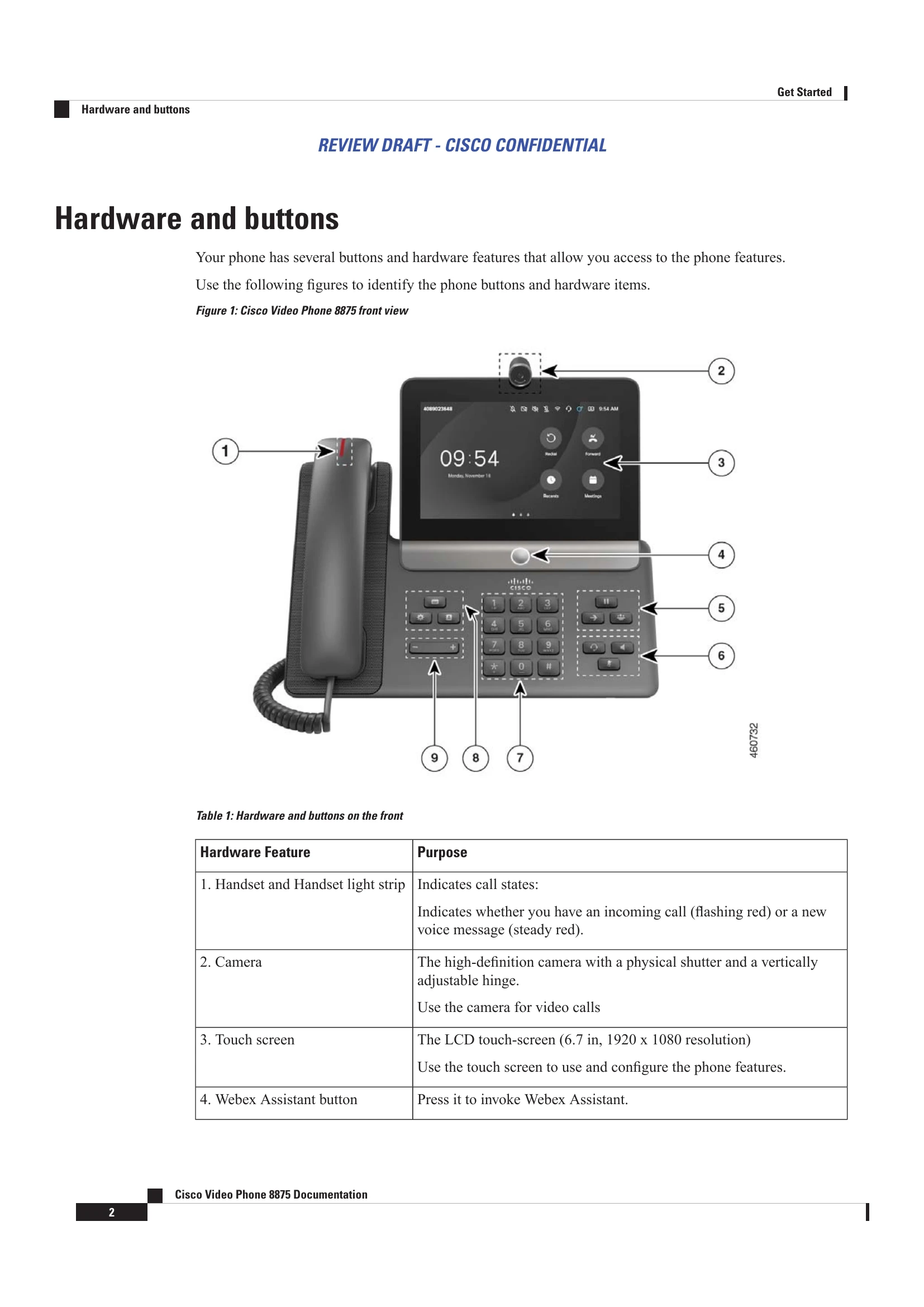
Get Started: Includes an overview of the Cisco Video Phone 8875, its hardware and buttons, and instructions for connecting the phone via wired or wireless networks. It also covers wall mounting procedures.
Calls: Details on making, answering, and managing calls, including single/multiple lines, emergency calls, putting calls on hold, silencing rings, muting, adjusting audio volume, and switching audio paths.
Meetings: Information on joining meetings and controlling video streams.
Contacts: Functions for searching, adding, and managing contacts, as well as accessing recents and dialing.
Settings: Covers setting time zones, language, connecting to Wi-Fi and Bluetooth, managing ringtones and volume, restarting, and resetting the phone.
Product Safety and Security: Information on power outages, regulatory domains, external devices, Bluetooth performance, power options, network congestion, and various warnings and compliance statements.