Brand: COBRA
Category: Electronics
Document Type: Quick Start Guide
Language: EN
Brand: COBRA
Category: Electronics
Document Type: Quick Start Guide
Language: EN
Uploaded: Aug. 10, 2025, 12:38 a.m.
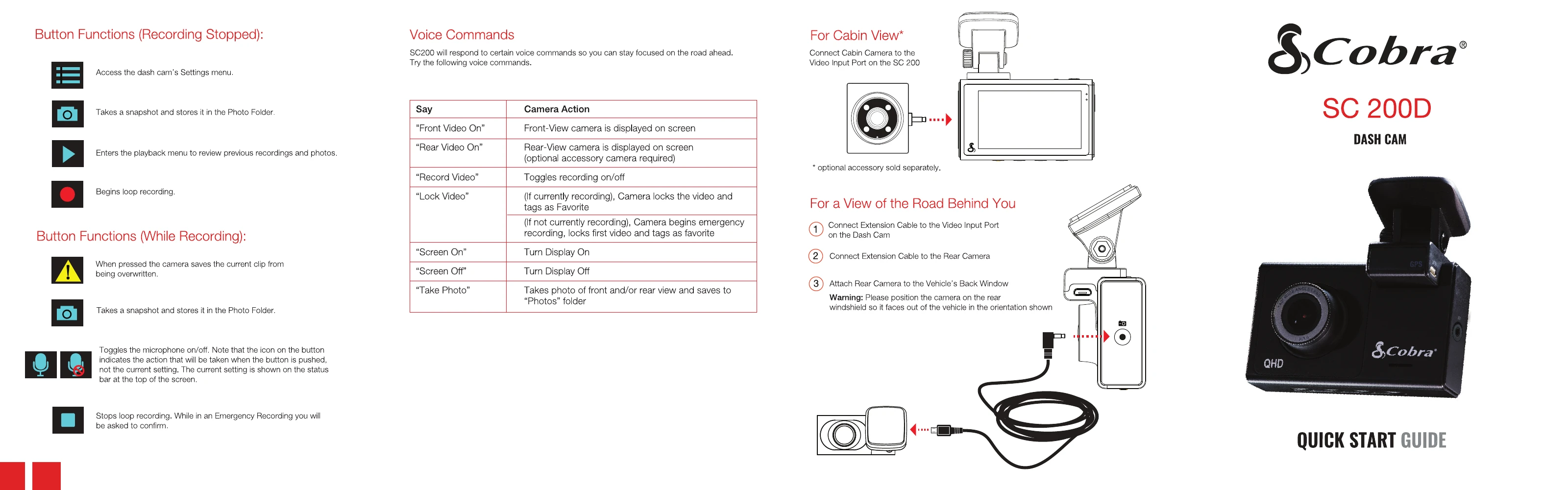
SC200 will respond to certain voice commands so you can stay focused on the road ahead. Try the following voice commands:
| Say | Camera Action |
|---|---|
| "Front Video On" | Front-View camera is displayed on screen |
| "Rear Video On" | Rear-View camera is displayed on screen (optional accessory camera required) |
| "Record Video" | Toggles recording on/off |
| "Lock Video" | (If currently recording), Camera locks the video and tags as Favorite (If not currently recording), Camera begins emergency recording, locks first video and tags as favorite |
| "Screen On" | Turn Display On |
| "Screen Off" | Turn Display Off |
| "Take Photo" | Takes photo of front and/or rear view and saves to "Photos" folder |
Connect Cabin Camera to the Video Input Port on the SC 200
* optional accessory sold separately.