Manual for C8XVR

Manual for C8XVR

Brand: Conceptronic

Category: Electronics

Document Type: Manual

Language: EN
Uploaded: April 20, 2026, 7:34 p.m.

Basic Operations

Starting Up and Shutting Down

  • Ensure power supply voltage and ground connection are correct.
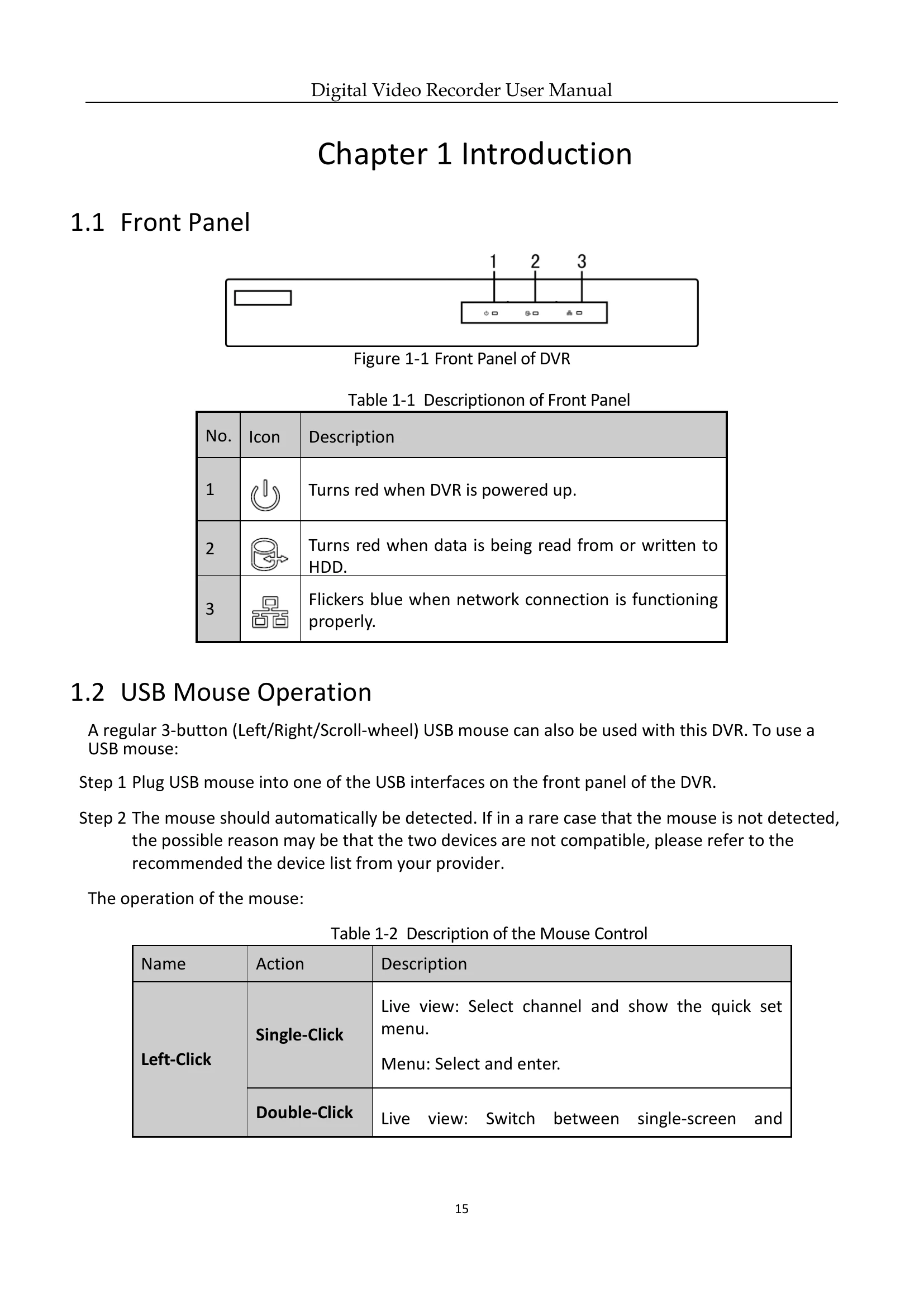
  • Plug in the power supply and turn on the rear power switch. The power indicator LED will light up.
  • To shut down, navigate to Menu > Shutdown and select 'Shutdown'. Confirm and then turn off the rear power switch.

Device Activation

  • For first-time access, activate the device by setting an admin password.
  • Input the password in 'Create New Password' and 'Confirm New Password' fields. A strong password is recommended.
  • Click 'OK' to save and activate. An attention box may appear regarding GUID export for password resetting.

Unlock Pattern Login

  • Configure an unlock pattern for device login.
  • Draw a pattern using the 9 dots on the screen, connecting at least 4 dots.
  • Redraw the same pattern to confirm.

Troubleshooting and error codes

Issue Possible Reasons Steps
No image displayed on the monitor after the device is starting up normally.
  • No VGA or HDMI connections.
  • Connection cable is damaged.
  • Input mode of the monitor is incorrect.
  • Verify device is connected via HDMI or VGA cable. Reboot if necessary.
  • Check connection cable integrity.
  • Ensure monitor input mode matches the device output mode.
There is a beep sound after a new bought device starts up.
  • No HDD is installed in the device.
  • The installed HDD has not been initialized.
  • The installed HDD is not compatible or is broken-down.
  • Verify at least one HDD is installed. Install a compatible HDD if none is present.
  • If not installing HDD, disable 'Audible Warning' in 'HDD Error' settings.
  • Verify the HDD is initialized via 'Menu > HDD > General'. Initialize if 'Uninitialized'.
  • Verify HDD detection and condition. Replace if 'Abnormal'.
Privacy Policy