Installation Guide for DWR-720 /PW

Installation Guide for DWR-720 /PW

Brand: D-Link

Category: Networking

Document Type: Installation Guide

Language: EN
Uploaded: Sept. 12, 2025, 4:24 a.m.

Warranty Information

Refer to the User Manual on Telkom.d-link.co.za for detailed warranty information.

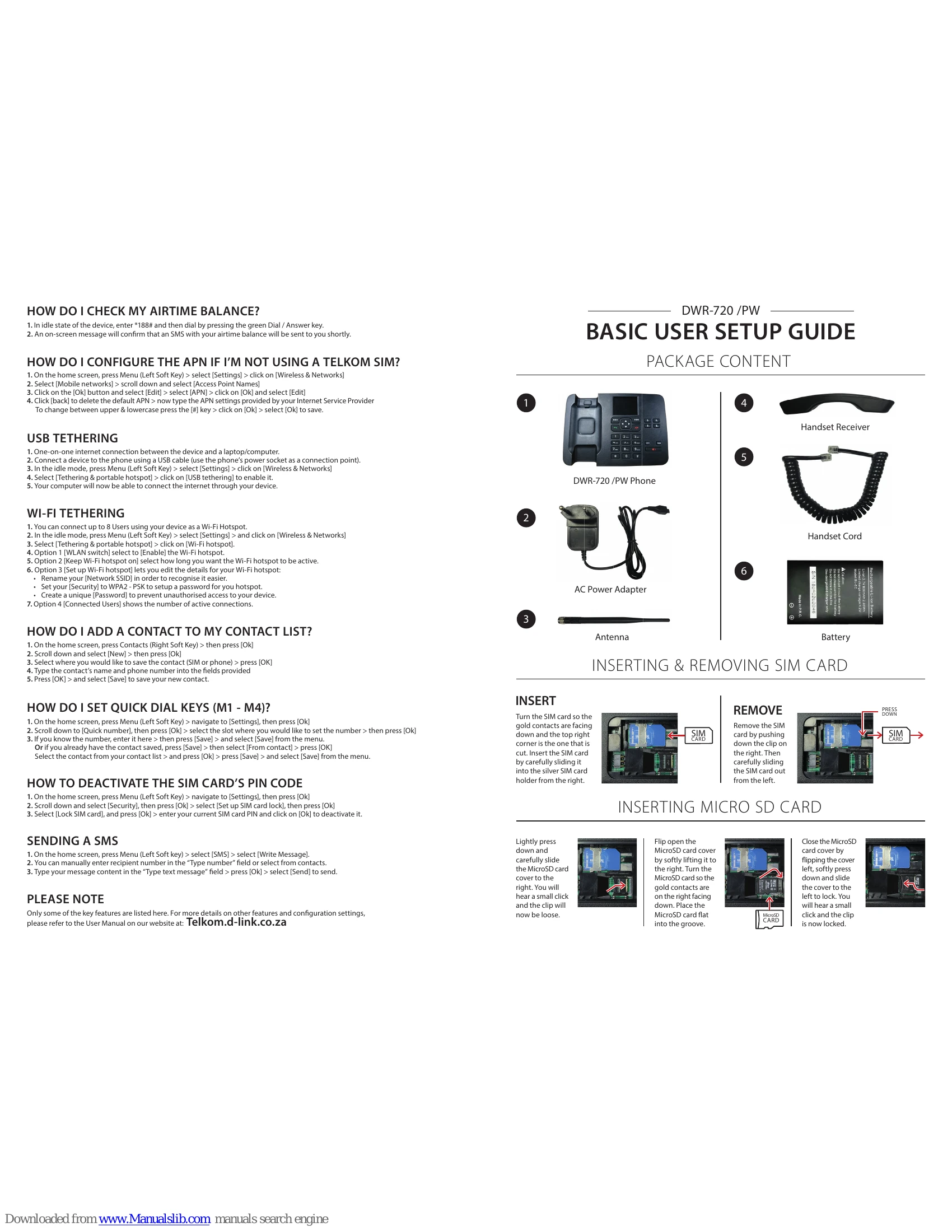
HOW TO CHECK MY AIRTIME BALANCE?

1. In idle state, dial *188# and press Dial/Answer key. 2. An SMS with your airtime balance will be sent shortly.

HOW DO I CONFIGURE THE APN IF I'M NOT USING A TELKOM SIM?

1. Go to Settings > Wireless & Networks > Mobile networks > Access Point Names. 2. Edit the APN settings provided by your Internet Service Provider.

USB TETHERING

1. Connect the device to a laptop/computer using a USB cable. 2. Go to Settings > Wireless & Networks > Tethering & portable hotspot > USB tethering.

WI-FI TETHERING

1. Go to Settings > Wireless & Networks > Tethering & portable hotspot > Wi-Fi hotspot. 2. Enable the hotspot, set its active duration, and configure Network SSID and Security (WPA2-PSK) with a unique Password.

HOW DO I ADD A CONTACT TO MY CONTACT LIST?

1. Go to Contacts > New. 2. Select SIM or phone, enter name and number, then Save.

HOW DO I SET QUICK DIAL KEYS (M1 - M4)?

1. Go to Settings > Quick number. 2. Select a slot, enter the number or choose 'From contact', then Save.

HOW TO DEACTIVATE THE SIM CARD'S PIN CODE

1. Go to Settings > Security > Set up SIM card lock > Lock SIM card. 2. Enter current SIM PIN and deactivate.

SENDING A SMS

1. Go to SMS > Write Message. 2. Enter recipient number and message content, then Send.

Troubleshooting and error codes

Problem Solution
MY PHONE SAYS MOBILE NETWORK NOT AVAILABLE WHEN DIALLING 1. If new installation, SIM card may take 24-48 Hrs to activate.
2. Check for mobile service/coverage in your area.
3. Ensure SIM card is inserted correctly.
4. If prompted for PIN, enter it and select 'OK'.
5. If problem persists, phone Telkom on 081 180.
MAKING AND ENDING A CALL 1. Enter number and press Dial/Answer key.
2. For hands-free, press Loud Speaker icon.
3. Pick up handset to use receiver.
4. Press End/Power key or hang up to end call.
Privacy Policy