Manual for Precision 3660 Tower

Manual for Precision 3660 Tower

Brand: Dell

Category: Desktop Computer

Document Type: Manual

Language: EN
Uploaded: Sept. 12, 2025, 4:18 a.m.

Manual Publish Date: 2022-12-01

Warranty Information

Consult warranty coverages and contact Dell sales for purchase options.

  • Safety First: Always disconnect power, ground yourself, and handle components carefully to prevent damage and ensure personal safety.
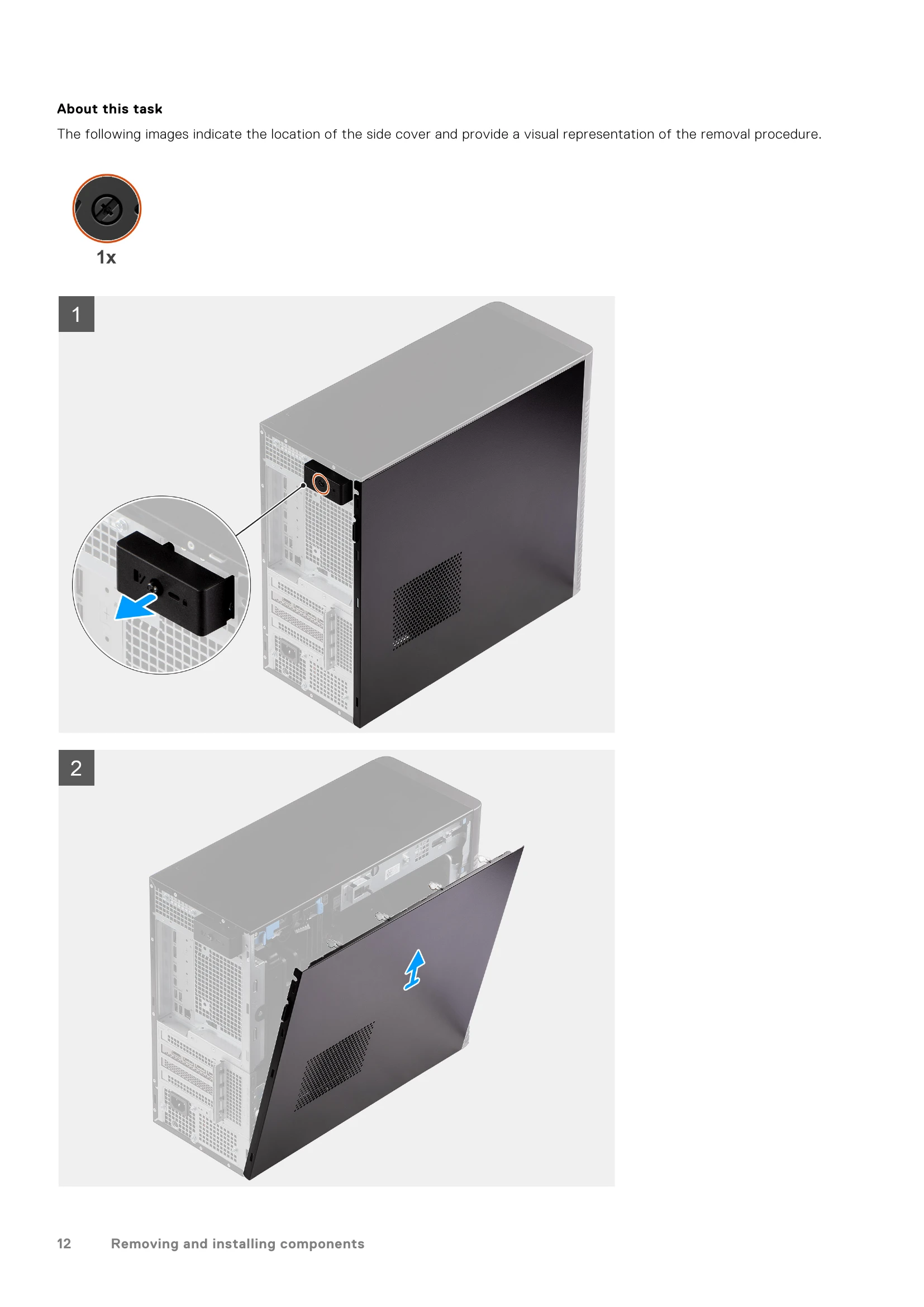
  • Component Access: Procedures cover removing and installing components like side covers, front bezels, storage drives (HDD/SSD), memory modules, GPUs, power supplies, and the system board.
  • System Maintenance: Instructions are provided for BIOS updates via Windows, USB, or the F12 boot menu, as well as system and setup password management.
  • Troubleshooting: The manual details system limitations, diagnostic LED behaviors, and recovery options, including OS recovery and hard resets.
  • Support: Information on self-help resources and contacting Dell for assistance is included.

Troubleshooting and error codes

Amber White Problem description Suggested resolution
2 2 Unrecoverable SPI Flash Failure
  • Run the Dell Support Assist/Dell Diagnostics tool.
  • If problem persists, replace the system board.
2 1 CPU failure
  • If problem persists, replace the system board.
2 2 System board failure (included BIOS corruption or ROM error)
  • Flash latest BIOS version
  • If problem persists, replace the system board.
2 3 No memory/RAM detected
  • Confirm that the memory module is installed properly.
  • If problem persists, replace the memory module.
2 4 Memory/RAM failure
  • Reset the memory module.
  • If problem persists, replace the memory module.
2 5 Invalid memory installed
  • Reset the memory module.
2 6 System board / Chipset Error / Clock failure / Gate A20 failure / Super I/O failure / Keyboard controller failure
  • If problem persists, replace the memory module.
  • Flash latest BIOS version
  • If problem persists, replace the system board.
3 1 CMOS battery failure
  • Reset the CMOS battery connection.
  • If problem persists, replace the RTS battery.
3 2 PCI or Video card/chip failure
  • Replace the system board.
3 3 BIOS Recovery image not found
  • Flash latest BIOS version
  • If problem persists, replace the system board.
3 4 BIOS Recovery image found but invalid
  • Flash latest BIOS version
  • If problem persists, replace the system board.
3 5 Power rail failure
  • EC ran into power sequencing failure.
  • If problem persists, replace the system board.
3 6 SBIOS Flash corruption
  • Flash corruption detected by SBIOS
  • If problem persists, replace the system board.
3 7 Intel ME (Management Engine) Error
  • Timeout waiting on ME to reply to HECI message
  • If problem persists, replace the system board.
4 2 CPU Power Cable Connection Issue
Privacy Policy