Brand: Dell
Category: Desktop Computer
Document Type: Manual
Language: EN
Brand: Dell
Category: Desktop Computer
Document Type: Manual
Language: EN
Uploaded: Sept. 12, 2025, 4:18 a.m.
Manual Publish Date: 2023-02-01
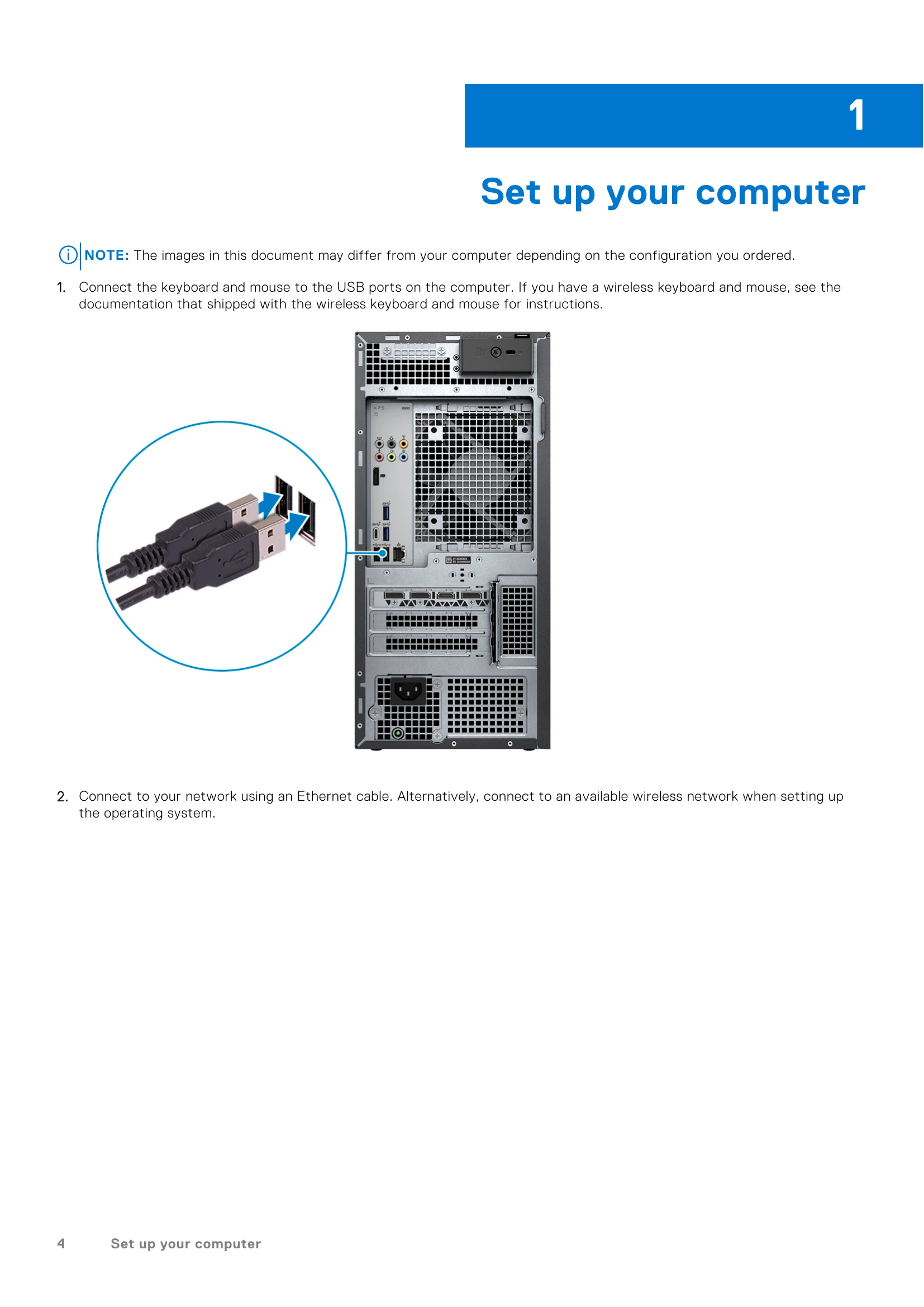
1. Connect Peripherals: Plug your keyboard and mouse into the USB ports. Connect to your network via Ethernet or Wi-Fi.
2. Connect Display: Connect your monitor to the appropriate video port on the graphics card.
3. Power On: Connect the power cable and press the power button on the computer.
4. Finish Setup: Follow the on-screen instructions for Windows setup, including network connection and Microsoft account sign-in.
5. Dell Apps: Explore pre-installed Dell applications like My Dell, SupportAssist, Dell Update, and Dell Digital Delivery for enhanced system management and support.