Manual for Inspiron 16 5625

Manual for Inspiron 16 5625

Brand: Dell

Category: Laptop

Document Type: Manual

Language: EN

Uploaded: Sept. 12, 2025, 4:26 a.m.

Manual Publish Date: 2022-10-01

Warranty Information

None

Setup:

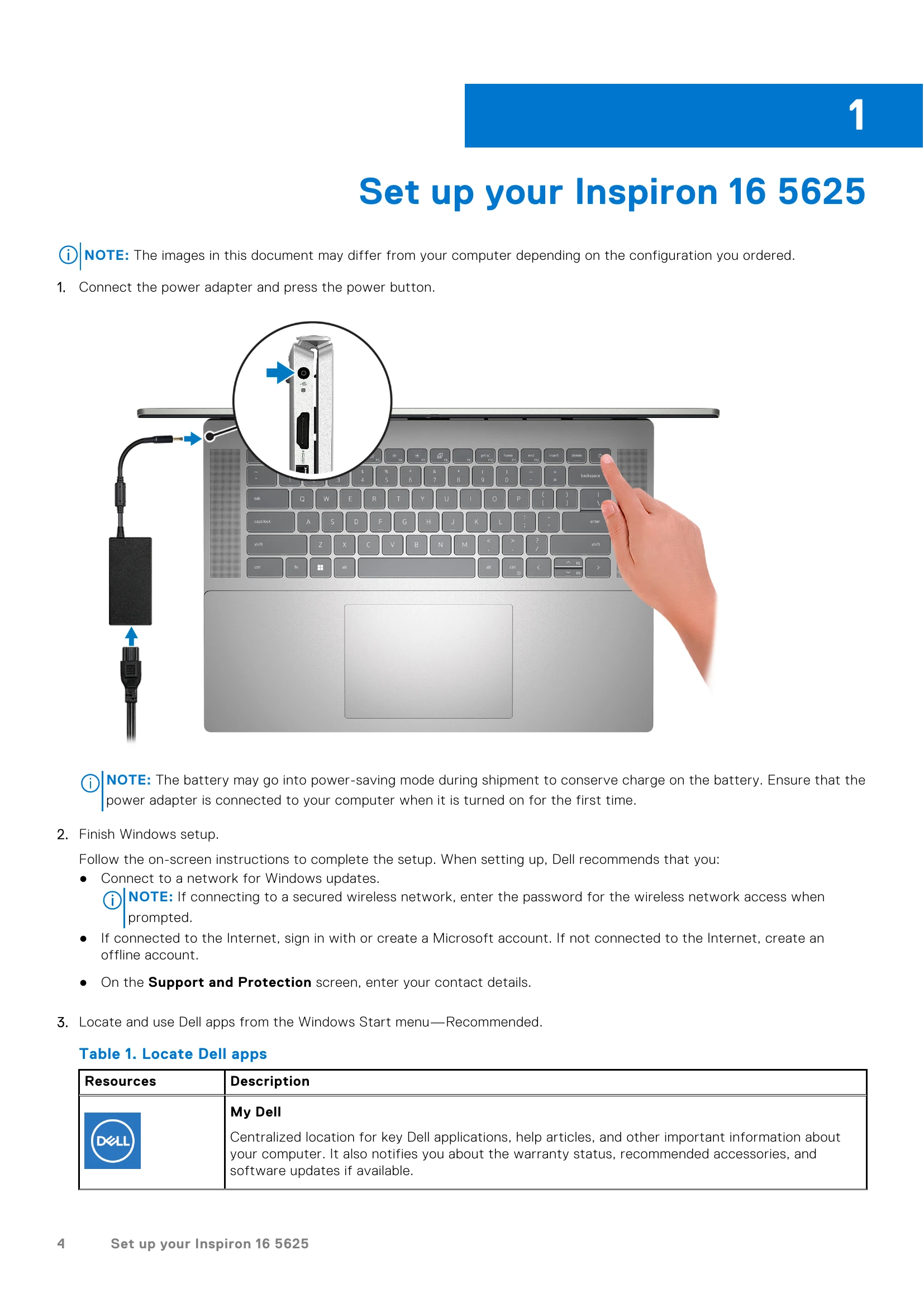
  1. Connect the power adapter and press the power button.
  2. Finish Windows setup by following on-screen instructions, connecting to a network, and signing in with or creating a Microsoft account.
  3. Locate and use Dell apps from the Windows Start menu, such as My Dell, SupportAssist, Dell Update, and Dell Digital Delivery.

Key Features:

  • Ports: USB 3.2 Gen 1, USB 3.2 Gen 2 Type-C with Power Delivery/DisplayPort, HDMI 1.4, Headset jack, SD-card slot.
  • Display: Options include Full High Definition (FHD+) and 3K resolutions with ComfortView/ComfortView Plus.
  • Audio: Realtek ALC3254 audio controller with stereo conversion and headset jack.
  • Storage: Supports M.2 2230/2280 solid-state drives with PCIe NVMe Gen4 x4 interface.
  • Keyboard: Standard backlit or non-backlit keyboard with QWERTY layout and optional function key behavior customization.
  • Camera: RGB FHD camera with privacy shutter and camera-status light.
  • Touchpad: Precision touchpad with multi-touch gestures.
  • Security: Optional fingerprint reader.
Privacy Policy