Brand: Dell
Category: Storage Hardware
Document Type: Installation Guide
Language: EN
Brand: Dell
Category: Storage Hardware
Document Type: Installation Guide
Language: EN
Uploaded: Nov. 21, 2025, 7:09 p.m.
Manual Publish Date: 2007-10-01
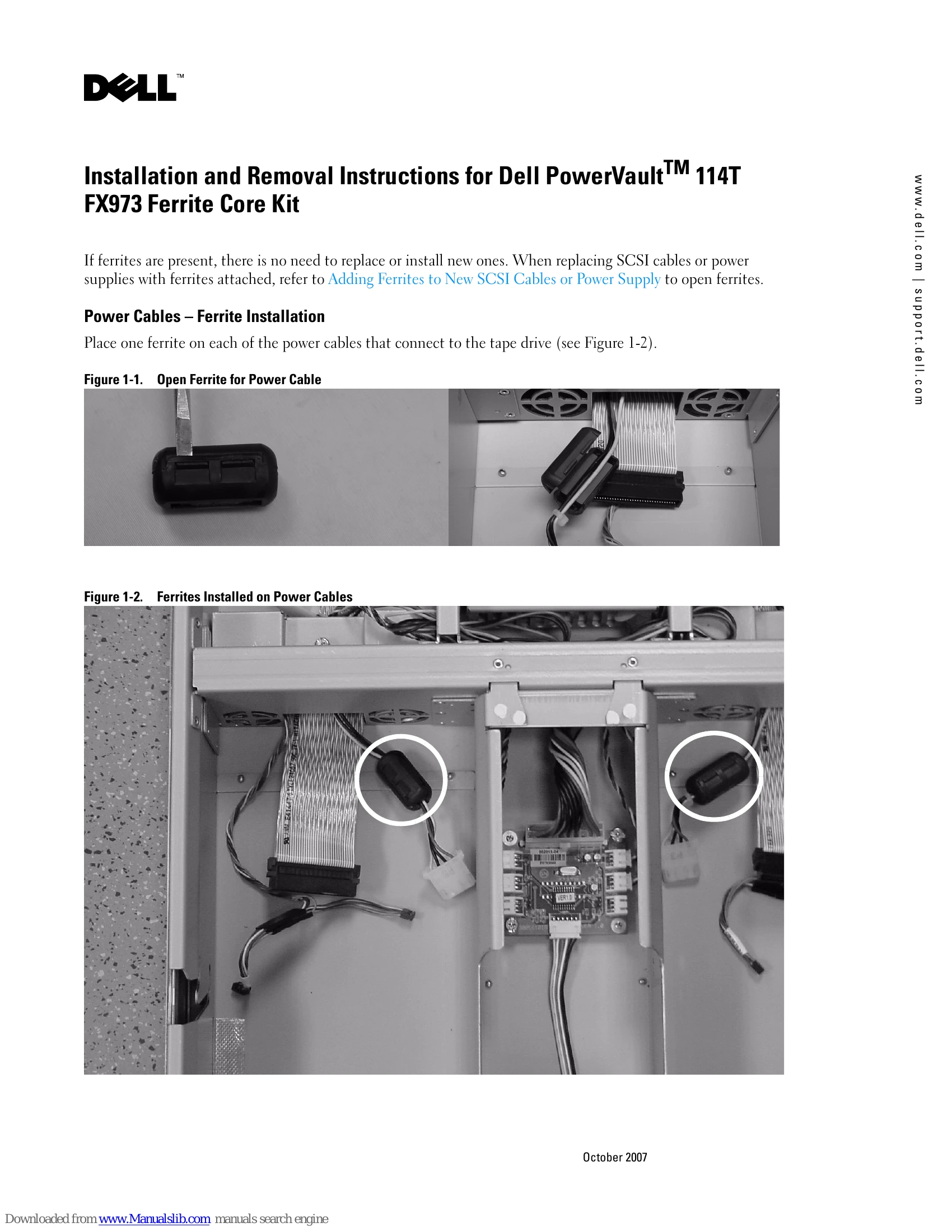
Place one ferrite on each of the power cables that connect to the tape drive.
Remove the backing from the adhesive tape and adhere the open ferrites to the back bays underneath the SCSI cables.
Close the ferrites to complete the installation on SCSI cables.
Use your fingers and/or a flat blade screwdriver to pry open the ferrites surrounding the power and SCSI cables.
Please make sure the ferrites are placed on your new SCSI cable or power supply.