Brand: DENQBAR
Category: Generator
Document Type: Manual
Language: EN
Brand: DENQBAR
Category: Generator
Document Type: Manual
Language: EN
Uploaded: April 20, 2026, 7:48 p.m.
No specific warranty period is mentioned in the provided pages.
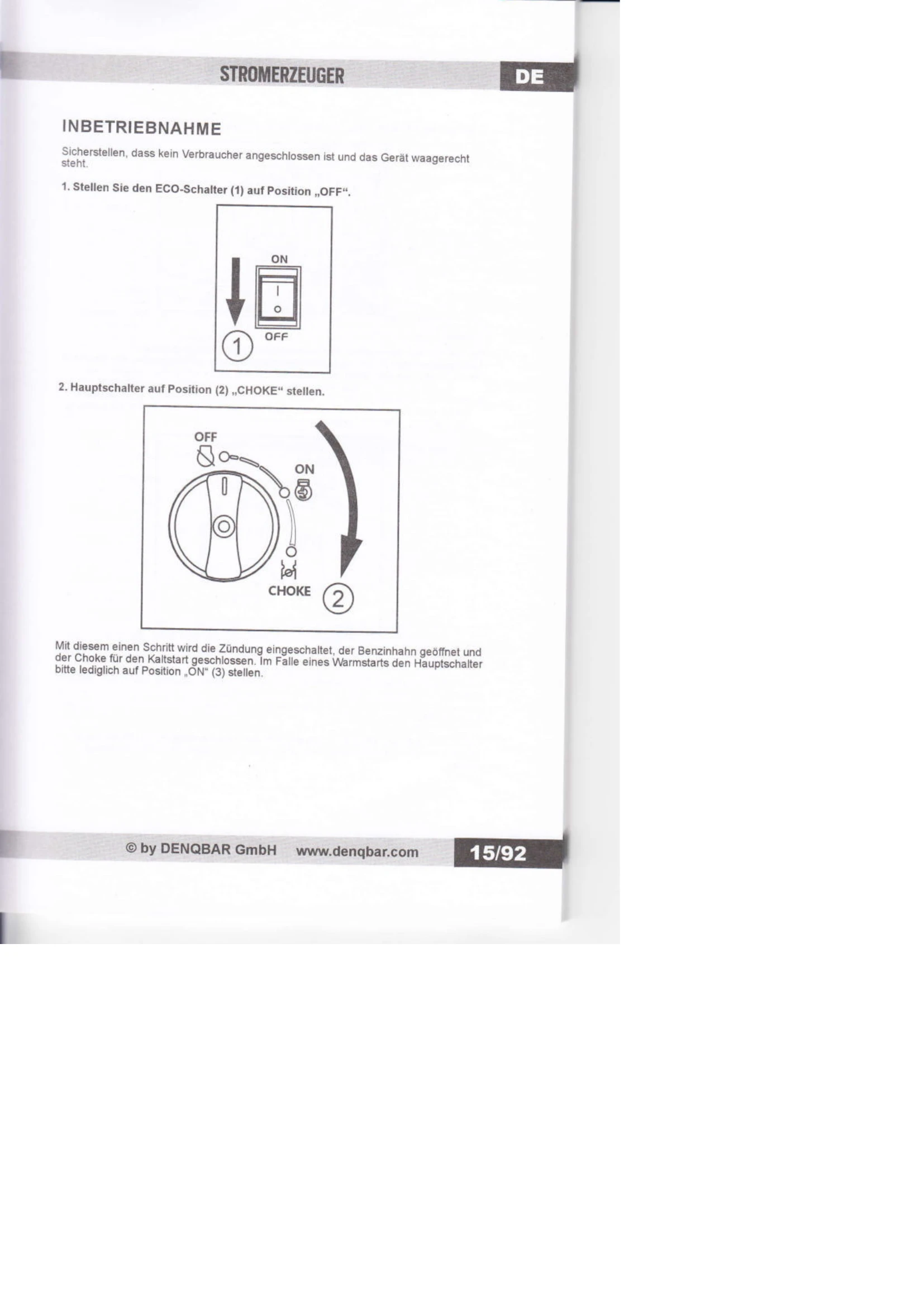
Starting the Generator:
Using the Generator (AC/DC):
Turning off the Generator:
| TROUBLESHOOTING | |||
|---|---|---|---|
| Engine does not start | |||
| Enough gas? | YES | NO | Fill in gasoline |
| Main switch turned to position "Choke"/ "ON"? | YES | NO | Turn the main switch to position "Choke"/ "ON" |
| NO | YES | ||
| Enough oil? | YES | NO | Fill in oil |
| Does the spark plug work? | YES | NO | Replace spark plug |
| no | spark | ||
| Generator has to be repaired by authorized specialist. | |||
| If the engine still does not start, please send the generator to one of our authorized dealers for repair. | |||
| Inspection: 1. Pull off plug connector from the spark plug, clean spark plug and plug connector. 2. Disassemble spark plug and insert into plug connector. 3. Connect spark plug to earth. 4. Pull the wire starter and see whether there is an ignition spark. |
|||
| Connected consumers do not turn on | |||
| Is the operating display on? | YES | NO | Please send generator to authorized dealer for repair. |
| Is there a short circuit in the connected consumer? | YES | NO | 1. Exchange consumer. 2. Have consumer repaired. |
| NO | YES | ||
| Please send generator to authorized dealer for repair. | |||