Brand: DEWALT
Category: Vacuum Cleaner
Document Type: Manual
Language: EN
Brand: DEWALT
Category: Vacuum Cleaner
Document Type: Manual
Language: EN
Uploaded: Sept. 12, 2025, 4:27 a.m.
WARNING: Always observe the safety instructions and applicable regulations.
WARNING: To reduce the risk of serious personal injury, turn appliance off and disconnect appliance from power source and remove battery pack before making any adjustments or removing/installing attachments or accessories. An accidental start-up can cause injury.
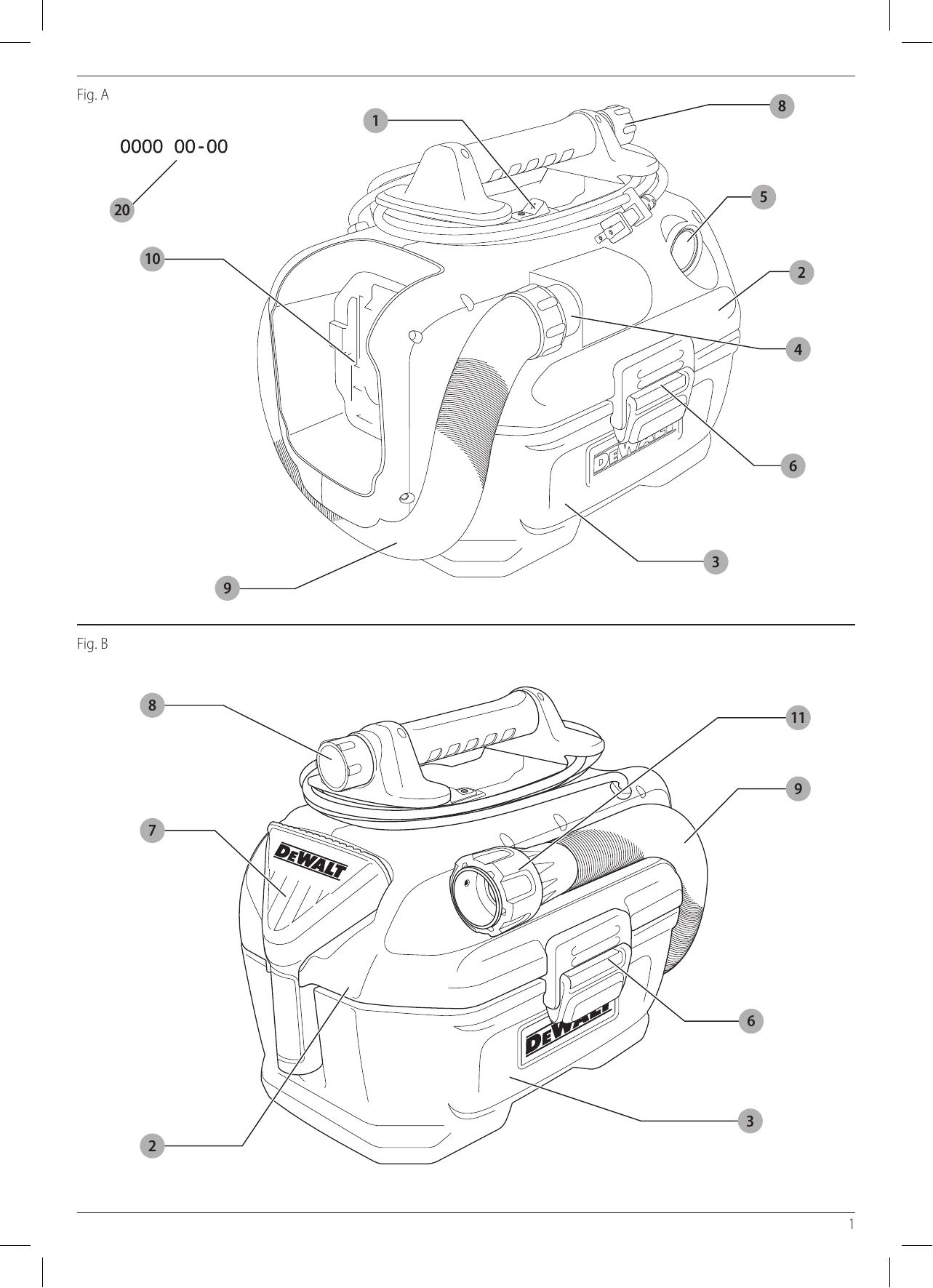
To switch the appliance on, set the on/off switch 1 to position I.
To switch the appliance off, set the on/off switch 1 to position O.
This vacuum runs either on mains power or battery power. The vacuum will switch between AC (mains) and DC (battery) power automatically.
Always turn the vacuum off when work is finished and before unplugging.
Tidy the mains cable when the vacuum is not in use.
NOTE: The mains cable power source is only designed to power the operation of the vacuum and will not charge an installed battery pack.
NOTE: We recommend not mixing wet and dry substances. When switching substances, empty and clean the tank first.
In the vacuum mode, your DEWALT vacuum can function as a dust collector for applications producing dust or debris. Your DEWALT vacuum is fitted with the DEWALT AirLock connection system. This system allows for a fast, secure connection between the suction hose 9 and a power tool. The AirLock connector 11 connects directly to DEWALT compatible tools or through the use of the included AirLock adapter 12.
NOTE: When using an adapter ensure it is firmly attached to the tool outlet before following the steps below.
NOTE: The ball bearings inside collar lock into slot and secure the connection. The power tool is now securely connected to the dust extractor.
WARNING: Always operate the appliance with the dust filter 16 in place.
WARNING: Always use the appliance in upright position. Do not tilt the appliance, in order to prevent liquids collected in the tank from entering the motor housing.
WARNING: If foam or liquid escapes from the machine, switch off immediately.
CAUTION: Clean the water level limiting device regularly and examine it for signs of damage.
If by mistake the appliance is used without the dust filter in place, a shut-off feature will be actuated when the liquid level in the tank has reached its maximum. A float valve will block the suction opening, after which the suction stops and the motor speed increases.
| Problem | Solution |
|---|---|
| Motor does not run | Check power cord, plugs and outlet, or battery contact, charging condition of battery |
| Ensure the on/off/tool control switch is in the ON position l. | |
| Suction capacity decreases | Remove blockages in the suction nozzle, suction tube, suction hose, float valve or filters. |
| Check for proper installation of the filters. | |
| Clean or replace the filters. | |
| Empty canister, refer to Empty Tank under Operation. | |
| Vacuum stops running | Thermal overload has been tripped:
|
| Dust comes out while vacuuming | Check for proper installation of the Filter and dust tank. Ensure filter is not damaged; replace if necessary. Ensure filter seals are in place and are secure. |
| If furthermore dust comes out while vacuuming contact your seller or check the location of your nearest authorised DEWALT repair agent in the DEWALT catalogue or contact your DEWALT office at the address indicated in this manual. | |
| If Shut-off Feature Engages | 1. Turn off the vacuum immediately. 2. Empty the tank as described above. 3. Clean the suction opening filter as described in Cleaning the Suction Opening Filter. 4. Remember to put the dust filter in place before resuming work. |