Brand: Doro
Category: Mobile Phone
Document Type:
Language: EN
Brand: Doro
Category: Mobile Phone
Document Type:
Language: EN
Uploaded: Aug. 10, 2025, 12:11 a.m.
This product is guaranteed for 12 months from the date of purchase.
| Issue | Solution |
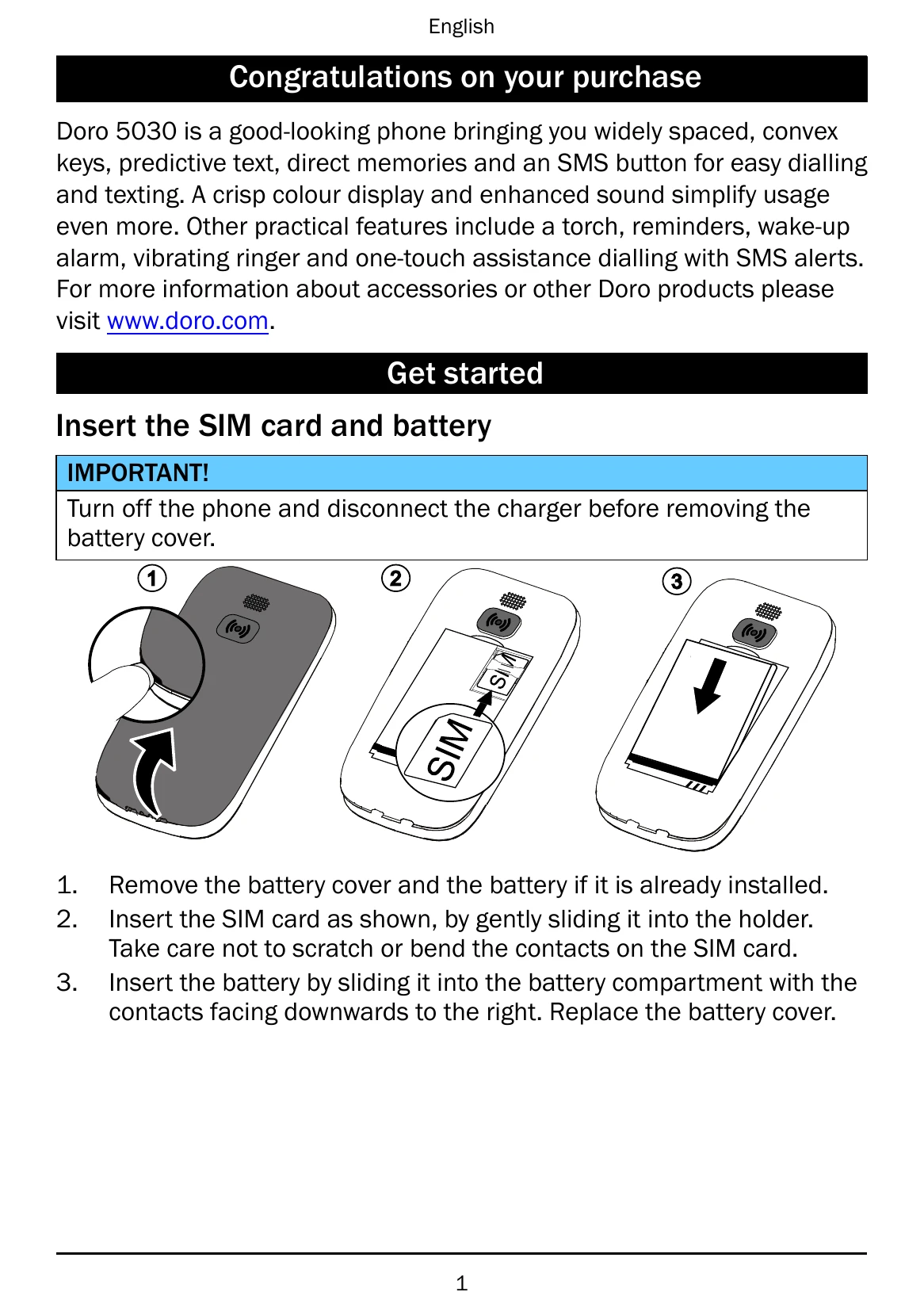
| Phone cannot be switched on | Battery charge low: Connect power adapter and charge for 3 hours. Battery incorrectly installed: Check battery installation. |
| Failure to charge the battery | Battery or charger damaged: Check battery and charger. Battery should only be charged in temperatures between 0°C and 40°C. Charger incorrectly connected: Check charger connections. |
| Standby time decreases | Battery charge capacity too low: Install new battery. Too far from base station: Find stronger signal or turn off phone temporarily. |
| Failure to place or receive calls | Call barring activated: Deactivate call barring. PIN code not accepted: Enter PUK code or contact service provider. SIM card error: Check SIM condition, installation, or clean it. Failure to connect to network: Contact service provider. Weak signal: Try again from another location or later. |
| Echo or noise | Regional problem: Hang up and redial. |