Brand: Doro
Category: Mobile Phone
Document Type:
Language: EN
Brand: Doro
Category: Mobile Phone
Document Type:
Language: EN
Uploaded: Aug. 10, 2025, 12:10 a.m.
24-month manufacturer's warranty covering faults from date of purchase.
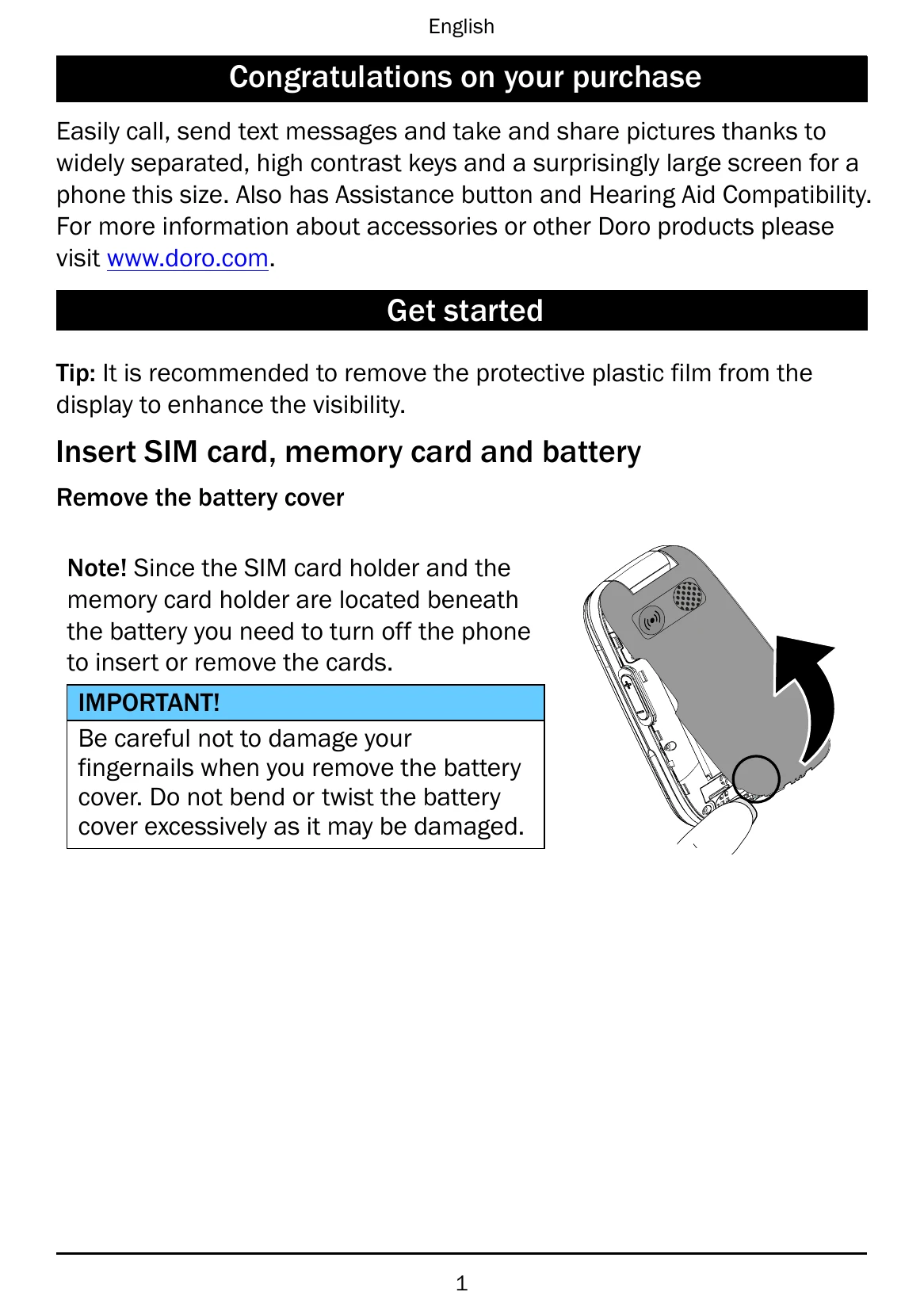
Getting Started: Remove protective film from display. Insert SIM and optional memory card. Charge the phone using the provided adapter or a USB port. Remove the battery cover carefully to avoid nail damage.
Turning On/Off: Press and hold the power button. Confirm with Yes. If a PIN is required, enter it.
Navigation: Use the arrow buttons to scroll. Press the left selection button for the Menu and the right selection button for the Phonebook. Press OK to confirm actions.
Text Entry: Press numerical keys repeatedly for characters. Press # for case and numeral options. Use predictive text or manual input.
| Problem | Solution |
|---|---|
| Phone cannot be switched on | Charge the battery for 3 hours. Check battery installation. |
| Battery charge low | Connect the power adapter and charge the battery for 3 hours. Full capacity after 3-4 charges. |
| Failure to charge the battery | Check battery and charger. Ensure charging temperatures are between 0°C and 40°C. Check charger connections. |
| Standby time decreases | Install a new battery. Move to an area with better signal or turn off the phone temporarily if constantly searching. |
| Call barring activated | Deactivate call barring. Contact service provider if the issue persists. |
| Wrong PIN code entered too many times | Enter the PUK code or contact your service provider. |
| SIM card damaged | Check SIM card condition. Contact service provider if damaged. |
| SIM card incorrectly installed | Check installation, remove and reinstall the SIM card. |
| SIM card dirty or damp | Wipe the contact surfaces with a clean cloth. |
| SIM card invalid | Contact your service provider. |
| No coverage of GSM service | Contact your service provider. |
| Too far from base station | Try again from another location. |
| Network congestion | Try calling at a later time. |
| Echo or noise | Hang up and redial. |
| Phonebook memory full | Delete contacts to free up memory. |
| Function not supported or subscribed from network | Contact your service provider. |