Brand: ELECTROLUX
Category: Oven
Document Type: Manual
Language: EN
Brand: ELECTROLUX
Category: Oven
Document Type: Manual
Language: EN
Uploaded: Sept. 12, 2025, 4:13 a.m.
None
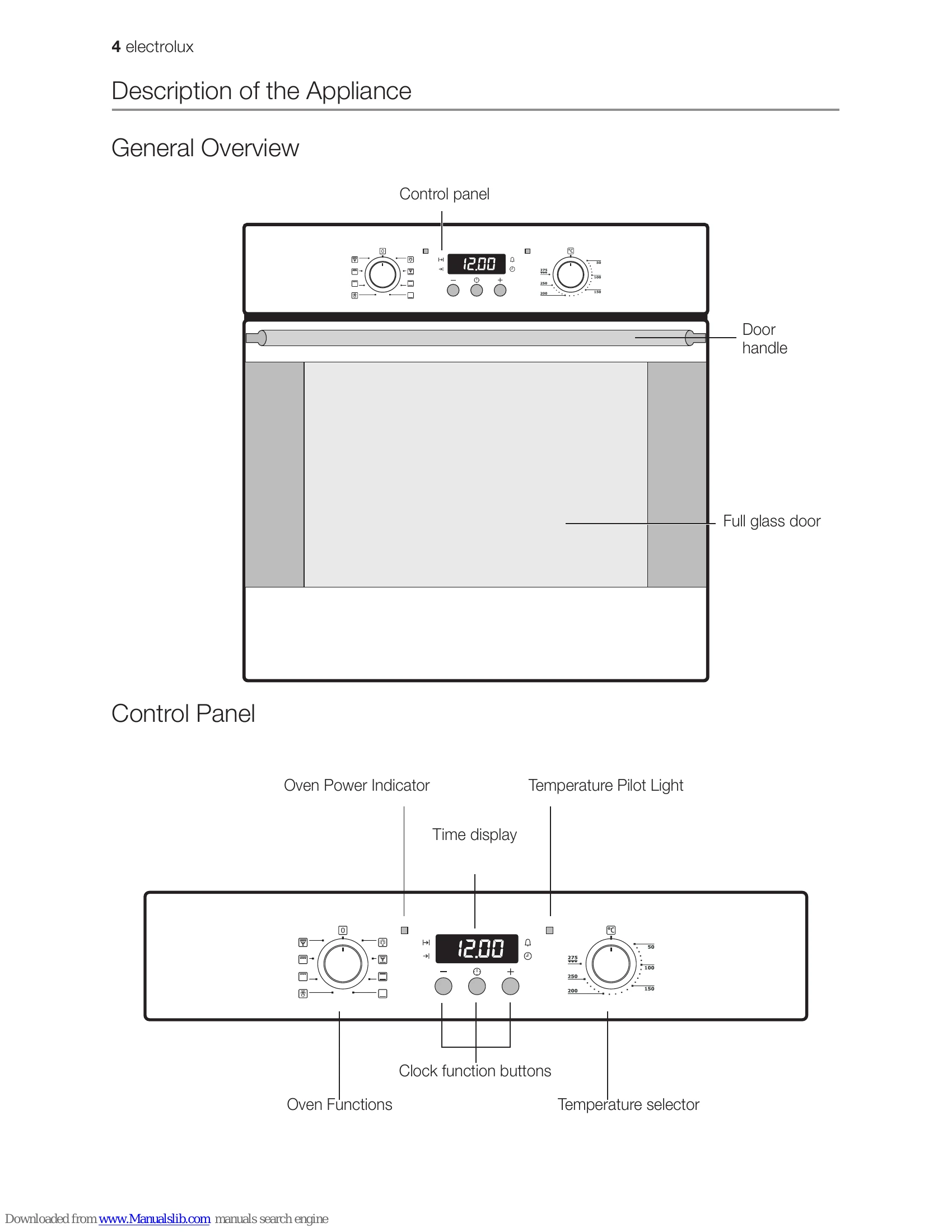
1. Turn the oven functions dial to the desired function.
2. Turn the temperature selector to the desired temperature.
The power indicator is lit as long as the oven is in operation.
The temperature pilot light is lit as long as the oven is heating up.
3. To turn the oven off, turn the oven functions dial and the temperature selector to the Off position.
The fan switches on automatically in order to keep the appliance's surfaces cool. When the oven is switched off, the fan continues to run to cool the appliance down, then switches itself off automatically.
| Problem | Possible cause | Remedy |
|---|---|---|
| The oven does not heat up | The oven is not switched on | Switch the oven on |
| The clock is not set | Set the current time on the clock | |
| The required settings have not been set | Check the settings | |
| The house wiring fuse (in the fuse box) has tripped | Check the fuse If the fuses trip several times, please call a qualified electrician | |
| The oven lighting is not operating | The oven light bulb is faulty | Replace the oven bulb |