Brand: EPSON
Category: Camera
Document Type: Manual
Language: EN
Brand: EPSON
Category: Camera
Document Type: Manual
Language: EN
Uploaded: Nov. 21, 2025, 9:16 p.m.
Manual Publish Date: 1999-07-01
Epson America makes no representations or warranties, express or implied, and shall not be liable for any damages.
Your EPSON PhotoPC 800 is a high-resolution, two-megapixel, USB and serial digital camera. It features three user modes with varying levels of control, from fully automatic to advanced settings for intermediate and expert photographers. The camera includes a built-in microphone for voice messages, an LCD screen for preview and playback, and the ability to display images on a TV or projector, or transfer them to a computer. You can also upload pictures, text, and graphics for presentations.
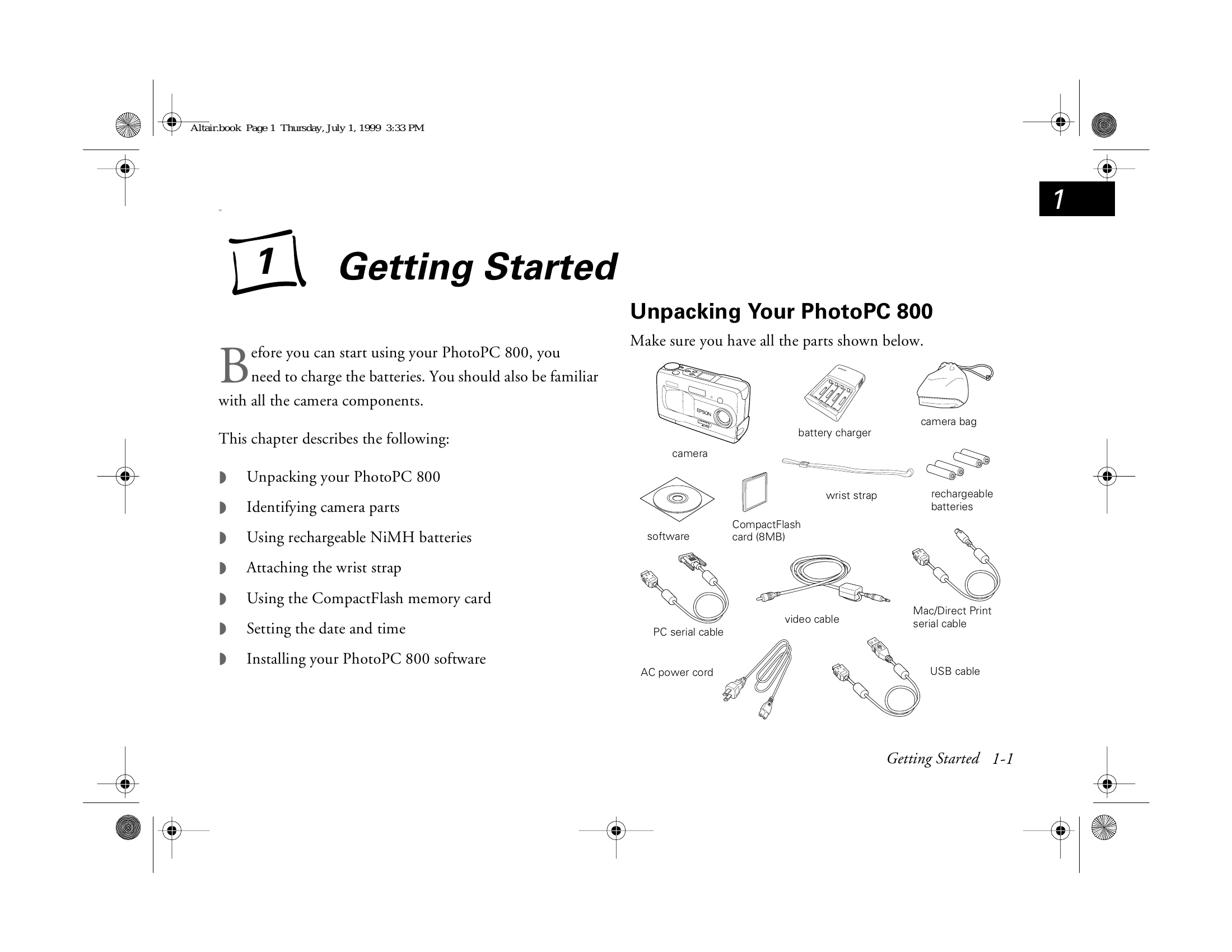
The PhotoPC 800 captures images at 1600 x 1200 pixel resolution in 24-bit color, with the option to interpolate to 1984 x 1488 pixels using EPSON's HyPict™ technology. It comes with cables, batteries, charger, camera case, handstrap, and an 8MB CompactFlash™ card. A CD-ROM with software utilities for downloading, editing, organizing, and printing is also included.
Key features include:
The camera software suite includes Sierra Imaging Image Expert™ for transferring, organizing, editing, and printing, and the EPSON Photo!3™ application with TWAIN driver.
| Problem | Possible Cause | Solution |
|---|---|---|
| Camera does not turn on. | Batteries are dead. | Replace or recharge batteries. |
| Cannot take pictures. | Memory card is full or not inserted. | Replace or format memory card, or insert memory card correctly. |
| Pictures are blurry. | Focus is incorrect or camera moved. | Ensure correct focus is achieved, or hold camera steady. |