Introduction
Your EPSON PhotoPC 3000Z is an ultra-high resolution, three megapixel, USB and serial digital camera with 3x optical zoom. It includes three different user modes: manual, programmed, and automatic point-and-shoot.
PhotoPC 3000Z Features
- 3.34 million pixel CCD sensor
- 3x optical zoom
- Bright lens (F2.0)
- 24-bit color or monochrome image capture
- Resolutions up to 2544 x 1904 pixels (interpolated)
- Produces A3-sized prints
- Uncompressed Tiff file format
- 16MB CompactFlash card
- 25-second QuickTime Movie capture
- Built-in microphone and speaker for up to 10-second audio recordings per picture
- 1.8-inch LCD screen
- Video and audio output
- 2x digital zoom, panorama, interval, and continuous shooting
- Macro mode shots as close as 2.36 inches (6 cm)
- Adjustments for white balance, exposure, sensitivity, aperture, shutter speed, and focus
- Built-in flash with leading and trailing slow synchronized modes
- Four rechargeable NiMH AA batteries and a fast charger
- Automatic date and time recording
- Fully USB-compatible
Software
Includes Sierra Imaging Image Expert, EPSON Photo!3, EPSON File Converter, EPSON Auto Downloader, and EPSON Photo! Print2.
Optional Accessories
Universal AC adapter, additional/replacement NiMH batteries, NiMH Power Pak, EPSON Image Authentication System (IAS) software, optional flash, lenses, filters, CompactFlash memory cards, and PCMCIA adapters.
Using Your Documentation
This User's Guide, Quick Reference Guide, and electronic Image Expert User's Guide provide comprehensive information.
Safety Instructions
Read all safety instructions carefully to reduce the risk of electric shock, fire, or explosion. Do not expose the camera to rain or moisture. Keep away from heat sources and children. Do not attempt to service the camera yourself.
Setting Up Your Camera
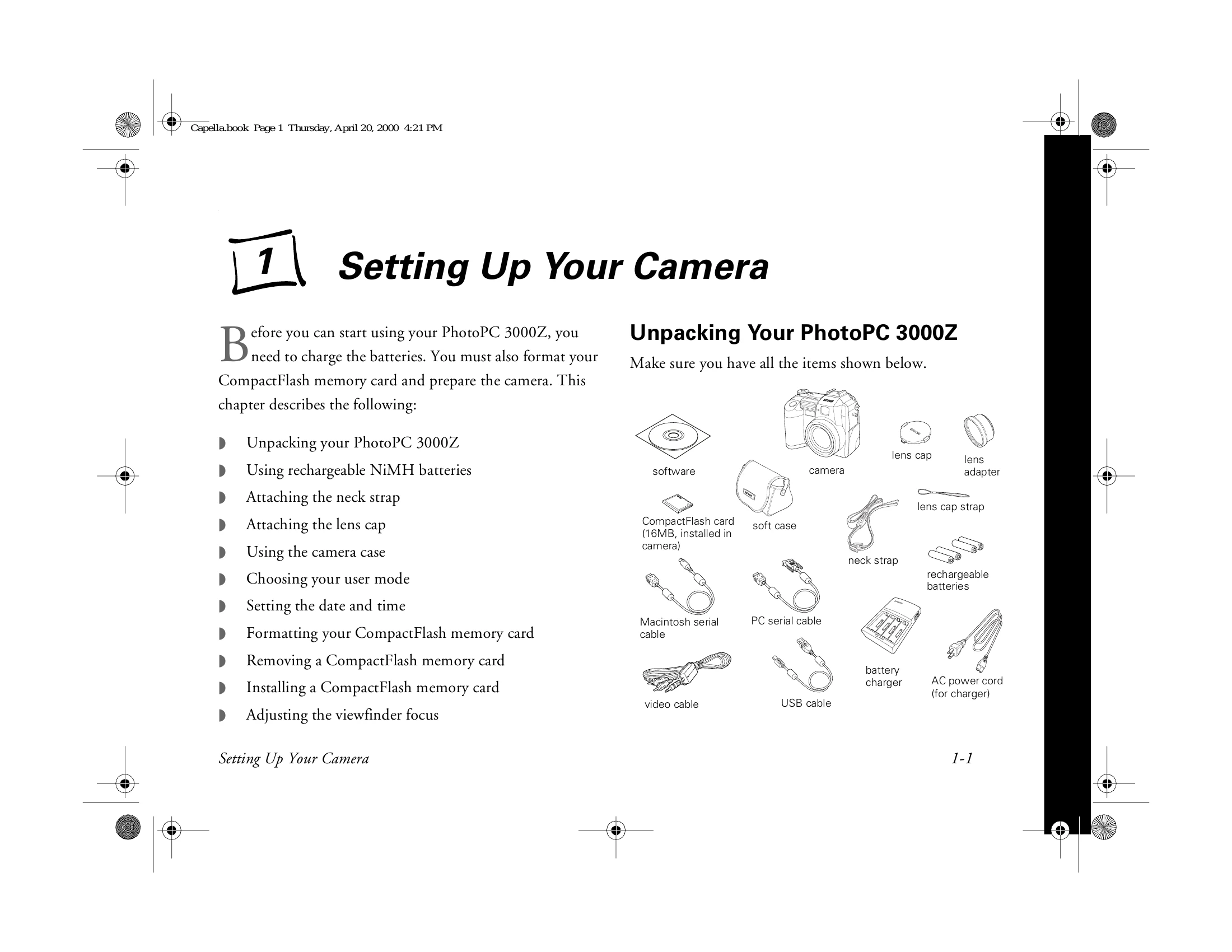
This includes unpacking, charging batteries, installing batteries, attaching neck strap and lens cap, using the camera case, choosing user mode, setting date and time, formatting memory card, and adjusting viewfinder focus.
Taking Pictures
This section covers using the camera dial, reading the status display panel, checking battery and picture counter, taking pictures with the viewfinder or LCD screen, setting image quality, using the flash, taking pictures with the timer, selecting color or black and white mode, using programmed subject settings, enabling confirmation screen, and adding sound to pictures.
Capturing Video Clips and Special Shots
Recording video clips, continuous shooting, and interval shooting.
Framing, Focusing, and Zooming
Taking digital zoom pictures, panoramic pictures, close-ups with macro mode, and adjusting the focus.
Adjusting Exposure and Color Settings
Adjusting exposure, changing automatic exposure value, setting shutter speed and aperture, using aperture priority, adjusting sensitivity, white balance settings, custom white balance, metering method, and fixed condition settings.
Playing Back Photos
Playing back pictures one by one or multiple pictures, deleting pictures, locking and unlocking pictures, adding audio recordings, and playing back audio recordings.
Adjusting Camera Settings
Setting auto power off time, alert sounds, LCD brightness, camera volume, time and date, and language.
Creating DPOF Files for Processing
Introduction to DPOF, making and changing DPOF files, deleting DPOF files, and reading error messages.
Using Your Camera With Your Computer or Video Device
Installing software, connecting the camera, and transferring photos, sound files, and video clips.
Getting Photos Into Your Computer
Transferring photos, sound files, and video clips; saving files in albums; downloading files automatically; getting images into TWAIN-compliant applications; and importing images.
Getting Your Photos Into Documents
Importing images, copying and pasting, using drag and drop, and transferring images.
Printing Your Photos
Opening photos from memory card or computer, and printing photos.
Operating the Camera From Your Computer
Taking pictures with Image Expert, using self timer, and taking pictures with EPSON Photo!3.
Presenting Your Photos
Uploading images, converting files, and capturing screens.
Section 3: Troubleshooting and Reference
Maintenance, handling the camera, cleaning, storing, solving camera problems, and solving connection and software problems.
Specifications
Camera, Power, Technical, Environmental, Safety, Photographic, Photo Processing Time and File Size.
Optional Accessories
AC adapter, Tripod, Converter Lens or Filter, Flash, PCMCIA Adapter.
Regulatory Information and Warranty
Declaration of Conformity, FCC Compliance Statement, Warranty.