Manual for R-D1

Manual for R-D1

Brand: EPSON

Category: Camera

Document Type: Manual

Language: EN
Uploaded: Nov. 21, 2025, 9:14 p.m.

Warranty Information

Warranty information is not explicitly detailed in this section of the manual.

Introduction

  • Main Features: World's first rangefinder digital camera, capable of mounting existing lenses (Leica M/L mount), provides accurate framing with parallax auto compensation, stable focus with bright rangefinder, supports CCD-RAW data (ERF format) processed by EPSON PhotoRAW or EPSON RAW Plug-In.
  • Safety Instructions: Follow all warnings and instructions to avoid injury and damage. Avoid extreme temperatures, liquids, and direct sunlight. Do not insert objects into openings or force components.
  • Using the Strap: Attach the strap securely. Do not swing the camera or pull the strap too tightly.
  • Using the Battery: Charge the Li-ion battery before first use. Mishandling can cause injury.
  • When storing the battery: Remove and store separately in a cool, dry place, out of reach of children. Discharge completely before long-term storage.
  • When disposing of the battery: Discharge completely. Cover terminals with tape. Dispose of according to local laws (recycle or KCA).
  • When using the battery charger: Use only the provided Epson charger for the specified battery. Avoid wet hands and high humidity. Use the correct power source.

Getting Started

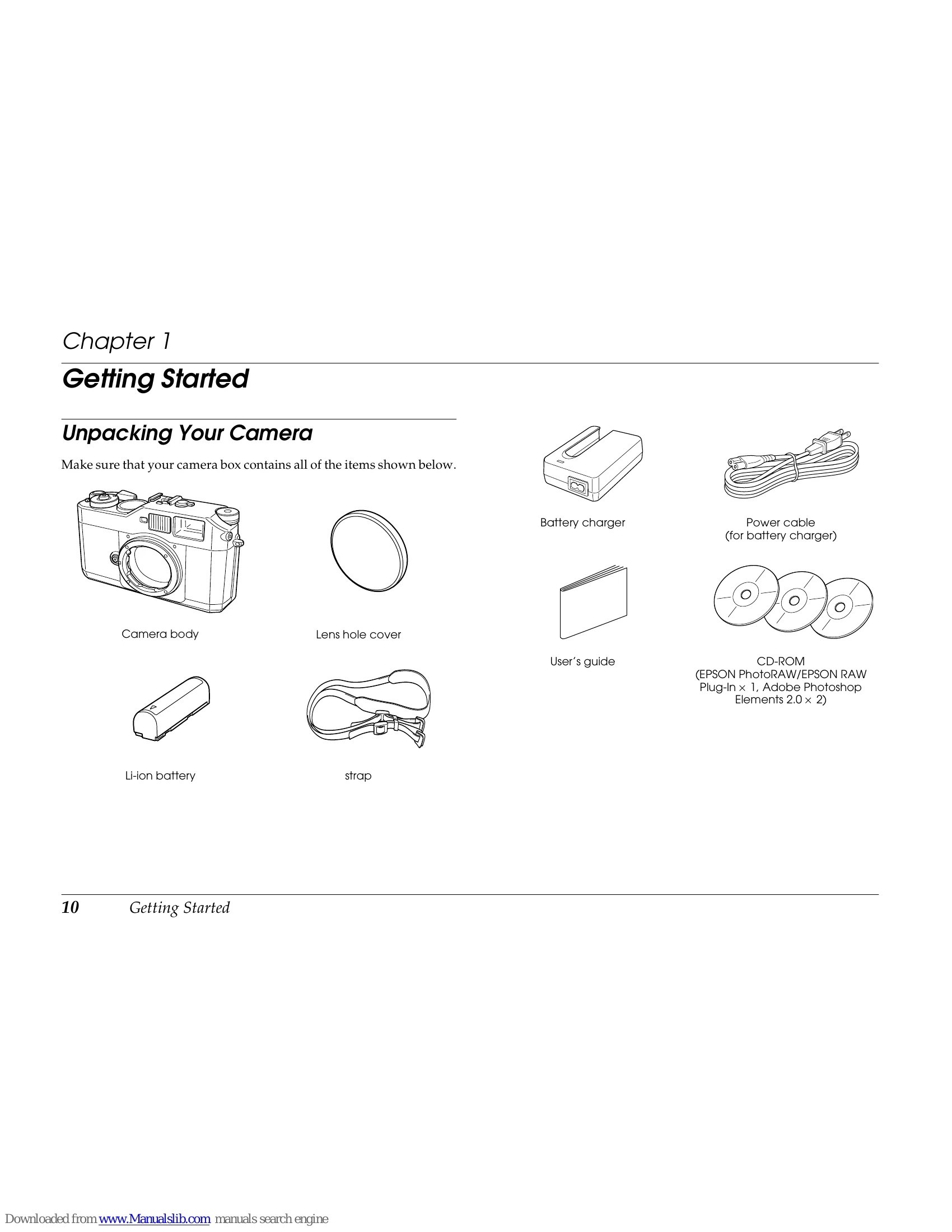
  • Unpacking: Ensure all items (camera body, lens hole cover, battery charger, power cable, user's guide, Li-ion battery, strap, CD-ROM) are present.
  • Camera Parts: Familiarize yourself with the front, back, and top views, identifying controls like the shutter-release button, LCD monitor, JOG dial, and various levers/buttons.
  • Attaching the Strap: Follow step-by-step instructions with diagrams.
  • Using the Battery: Charge the Li-ion battery fully before use. Insert the battery correctly.
  • Installing/Removing Memory Card: Ensure the camera is off. Insert the card until it clicks. Do not remove while the LED is lit. Format the card in the camera.
  • Mounting/Removing Lenses: Align marks to mount M (Bayonet) lenses. Use M-Bayonet adapter for L mount lenses. Follow specific instructions for each type.
  • Setting Up Your Camera: Turn the power on. Set the date and time, date format, and language via the LCD monitor and menus.
  • Power Save Timer: Configure automatic LCD turn-off to save battery.
  • Assigning USER Button: Customize the USER button function (Delete, Lock, Magnify, etc.).
  • Confirming Current Settings: View current camera settings on the LCD monitor.

Troubleshooting and error codes

Error message Description
Cannot delete. The image is locked. Unlock the image using the lock function in the Main menu and delete the image again.
Cannot delete. The SD card is write-protected. Release the write-protect switch from the lock position, and delete again.
Cannot lock. The SD card is write-protected The SD card is already locked as the write-protect switch is in the lock position.
Cannot unlock. The SD card is write-protected. Release the write-protect switch from the lock position.
Privacy Policy