Manual for ET-2400

Manual for ET-2400

Brand: EPSON

Category: Printer

Document Type: Manual

Language: EN
Uploaded: Nov. 21, 2025, 9:03 p.m.

Product Basics

See these sections to learn about the basic features of your product.
  • Control Panel Buttons and Lights
  • Product Parts Locations
  • The Power Off and Sleep Timers
  • Using the Epson Smart Panel Mobile App
  • Voice-activated Printing
  • Epson Connect Solutions for Smartphones, Tablets, and More
  • Setting Up Printing on a Chromebook
  • Android Printing Using the Epson Print Enabler
  • Using Epson Print and Scan App with Windows Tablets

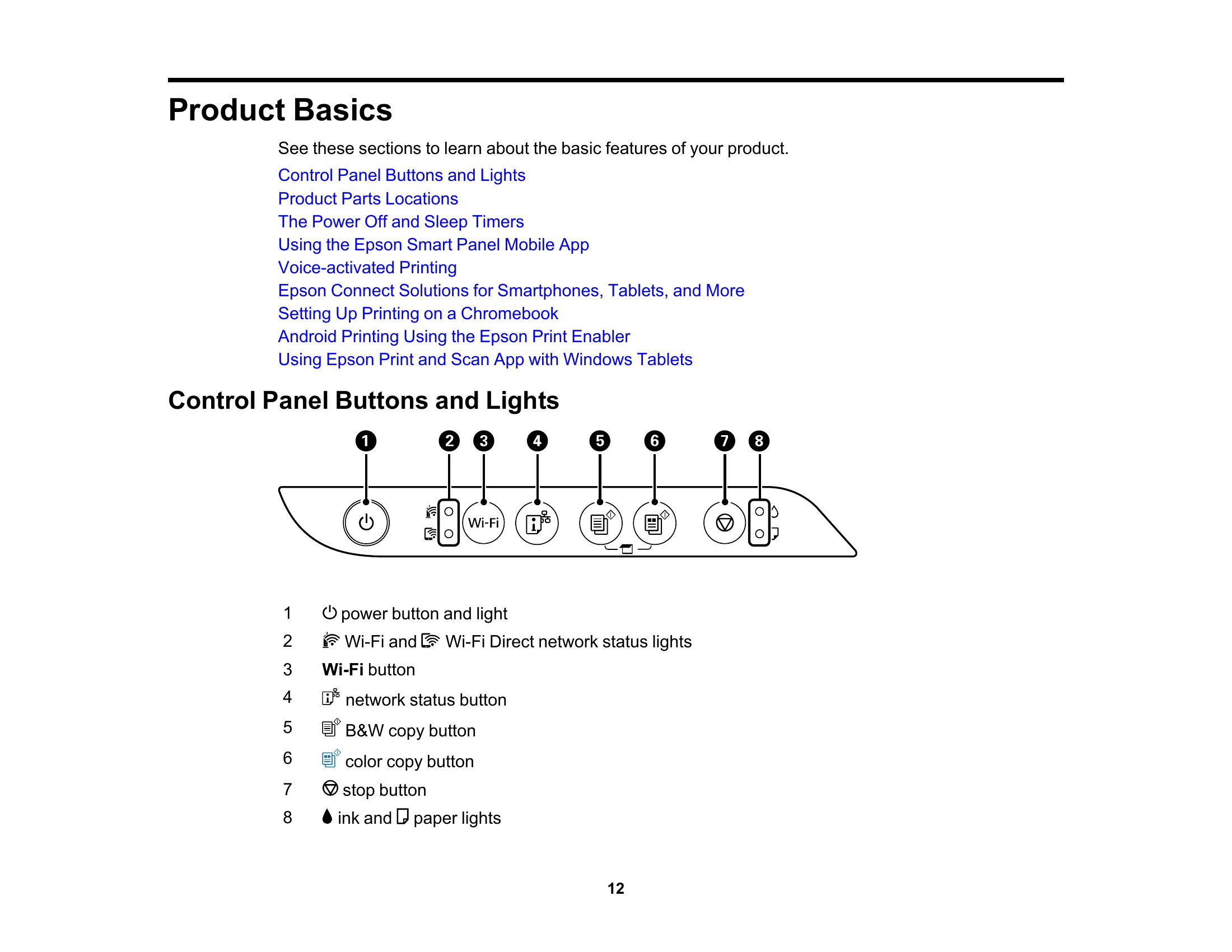
Control Panel Buttons and Lights

Control Panel Buttons and Lights
  • 1 power button and light
  • 2 Wi-Fi and Wi-Fi Direct network status lights
  • 3 Wi-Fi button
  • 4 network status button
  • 5 B&W copy button
  • 6 color copy button
  • 7 stop button
  • 8 ink and paper lights

Troubleshooting and error codes

Light status Condition/solution
power light is on The product is turned on.
Wi-Fi light is on The product is connected to a wireless network.
Wi-Fi Direct light is on The product is connected to a device using Wi-Fi Direct.
Privacy Policy