Manual for ET-2800/ET-2803

Manual for ET-2800/ET-2803

Brand: EPSON

Category: Printer

Document Type: Manual

Language: EN
Uploaded: Nov. 21, 2025, 8:19 p.m.

Product Basics

Learn about the basic features of your Epson product.

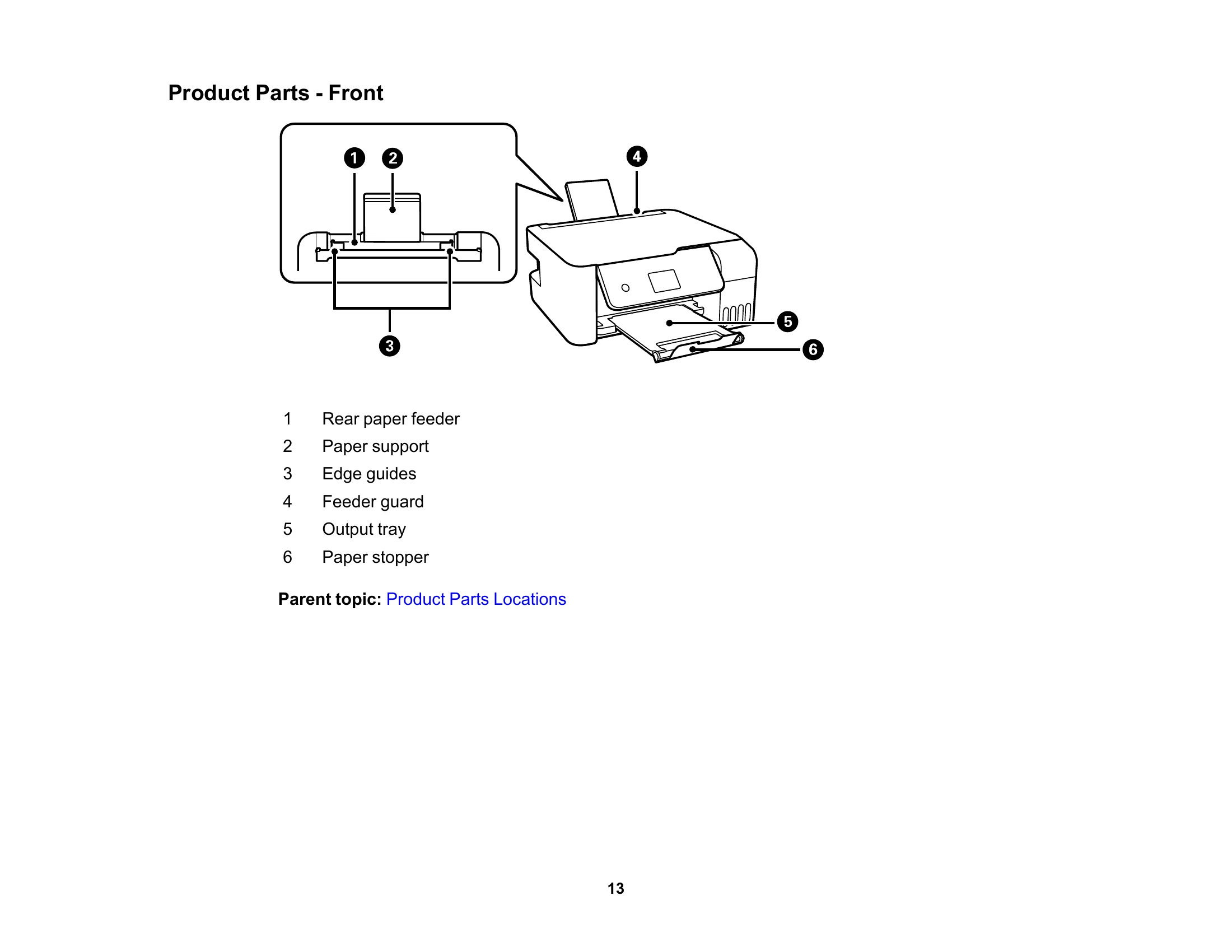
  • Product Parts Locations: Identify the parts of your printer.
  • Using the Control Panel: Navigate and use the printer's control panel.
  • Using Power Saving Settings: Configure sleep mode and power off timers to save energy.
  • Using the Epson Smart Panel Mobile App: Control your printer from your smartphone or tablet.
  • Voice-activated Printing: Print using voice commands.
  • Epson Connect Solutions: Utilize services like Epson Email Print, Remote Print, and Scan to Cloud.
  • Mobile Printing: Set up printing from Chromebooks, Android devices, Fire OS, and Windows 10 Mobile.
  • Using Epson Print and Scan App with Windows Tablets: Print and scan from Windows tablets.
  • Using the Mopria Print Service: Print using the Mopria standard.

Troubleshooting and error codes

Icons Description
Wi-Fi icon No Wi-Fi connection.
Wi-Fi error icon A Wi-Fi network error has occurred or the product is searching for a connection.
Wi-Fi connected icon A Wi-Fi connection is established. The number of bars indicates the connection's signal strength.
Wi-Fi Direct icon No Wi-Fi Direct connection.
Wi-Fi Direct connected icon A Wi-Fi Direct connection is established.
Privacy Policy