Quick Start Guide for 5025UB

Quick Start Guide for 5025UB

Brand: EPSON

Category: Projector

Document Type: Quick Start Guide

Language: EN
Uploaded: Nov. 21, 2025, 6:32 p.m.

Warranty Information

Includes a two-year projector warranty and a 90-day lamp warranty.

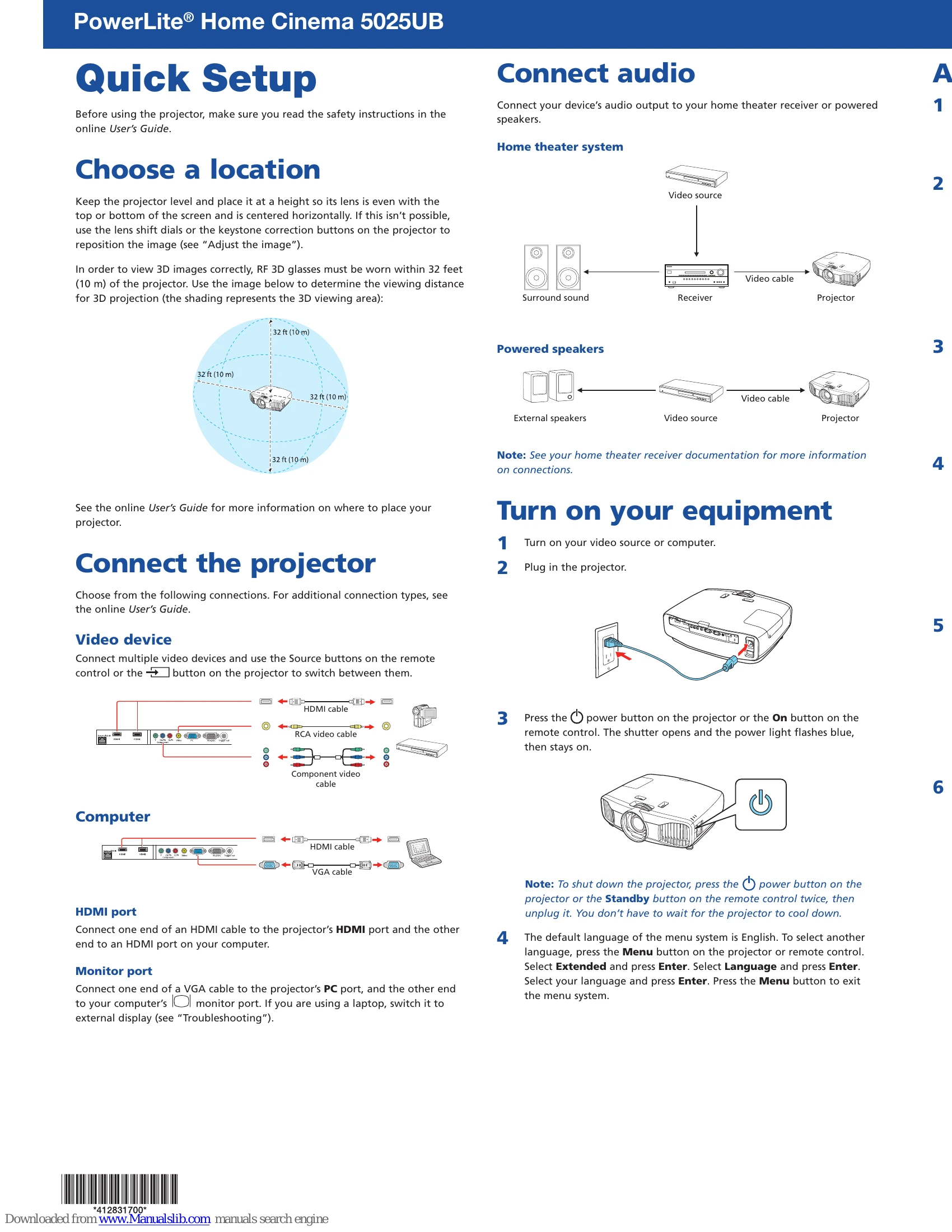
  1. Connect Audio: Connect your device's audio output to your home theater receiver or powered speakers.
  2. Choose a Location: Place the projector level with the screen, adjusting for height and centering. Consider the 3D viewing distance (within 32 feet/10 m).
  3. Connect the Projector: Connect video devices using HDMI or VGA cables to the appropriate ports.
  4. Turn on Equipment: Turn on your video source/computer, plug in the projector, and press the power button to turn it on. Select the desired language if prompted.
  5. Adjust the Image: Use the Source buttons to select the image, then adjust lens shift, zoom, and focus for optimal display. Use the keystone correction buttons if the projector is at an angle.
  6. View 3D Images: Connect a 3D-compatible device, turn it on, and play content. Press the 2D/3D button on the remote and ensure 3D glasses are on and paired.

Troubleshooting and error codes

Problem Solution
Blank screen or "No signal" message
  • Ensure the projector power light is blue and not flashing.
  • Press the Source button on the remote or projector to select the correct input.
  • If using a Windows laptop, press the function key (e.g., Fn + F7) to display on an external monitor.
  • If using a Mac laptop, go to System Preferences > Displays, click Arrangement, and select "Mirror Displays."
3D images not displaying properly
  • Press the 2D/3D button to switch to 3D mode.
  • Ensure you are within the 3D viewing range (see "Choose a location").
  • Check that your 3D glasses are on and have not entered standby mode.
  • Press Menu > Signal > 3D Setup > 3D Format and select "Auto."
  • Verify that your video device and media are 3D-compatible.
Privacy Policy