Brand: EPSON
Category: Projector
Document Type: Manual
Language: EN
Brand: EPSON
Category: Projector
Document Type: Manual
Language: EN
Uploaded: Nov. 21, 2025, 6:04 p.m.
No warranty information is available in the provided pages.
Turning on the Projector and Projecting:
Press the Power button on the remote control or the projector to turn it on. Follow on-screen prompts for initial setup. Ensure the lens cap is removed and the projector is aimed at the screen. Adjust focus and zoom for a clear image.
Turning Off:
Press the Power button to turn off the projector. Allow it to cool down before unplugging.
Adjusting the Projected Screen:
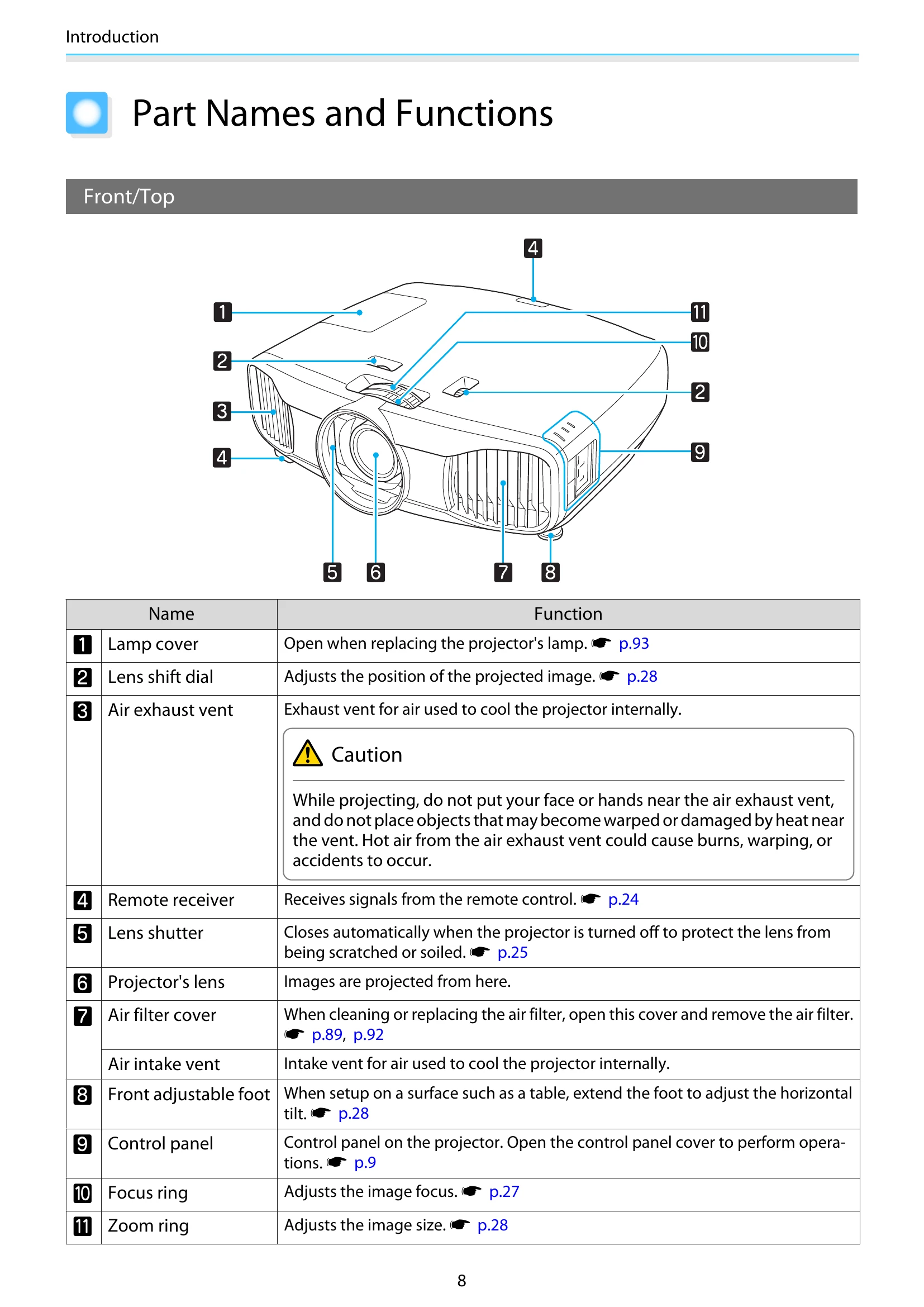
Use the Focus ring on the projector to adjust image sharpness. Use the Zoom ring to adjust image size. Lens shift allows for vertical and horizontal image position adjustments without moving the projector.
Adjusting the Image:
Select Color Mode to optimize the image for your surroundings (e.g., Living Room, Cinema). Fine-tune image quality using Absolute Color Adjustments, including hue, saturation, brightness, gamma, and RGB settings.
| Indicator | Status | Function |
|---|---|---|
| Lamp | Flashes orange | Time to replace the lamp. Shows projector errors. |
| Lamp | Flashes orange | Internal temperature too high. Shows projector errors. |
| Indicator (General) | Flashes | Warm-up or cool-down in progress. Shows projector status. |