Installation Guide for System 6300

Installation Guide for System 6300

Brand: Four-Phase Systems

Category: Computer Systems

Document Type: Installation Guide

Language: EN
Uploaded: Nov. 21, 2025, 8:10 p.m.

Manual Publish Date: 1984-11-15

Warranty Information

Warranty information not explicitly stated in the provided pages.

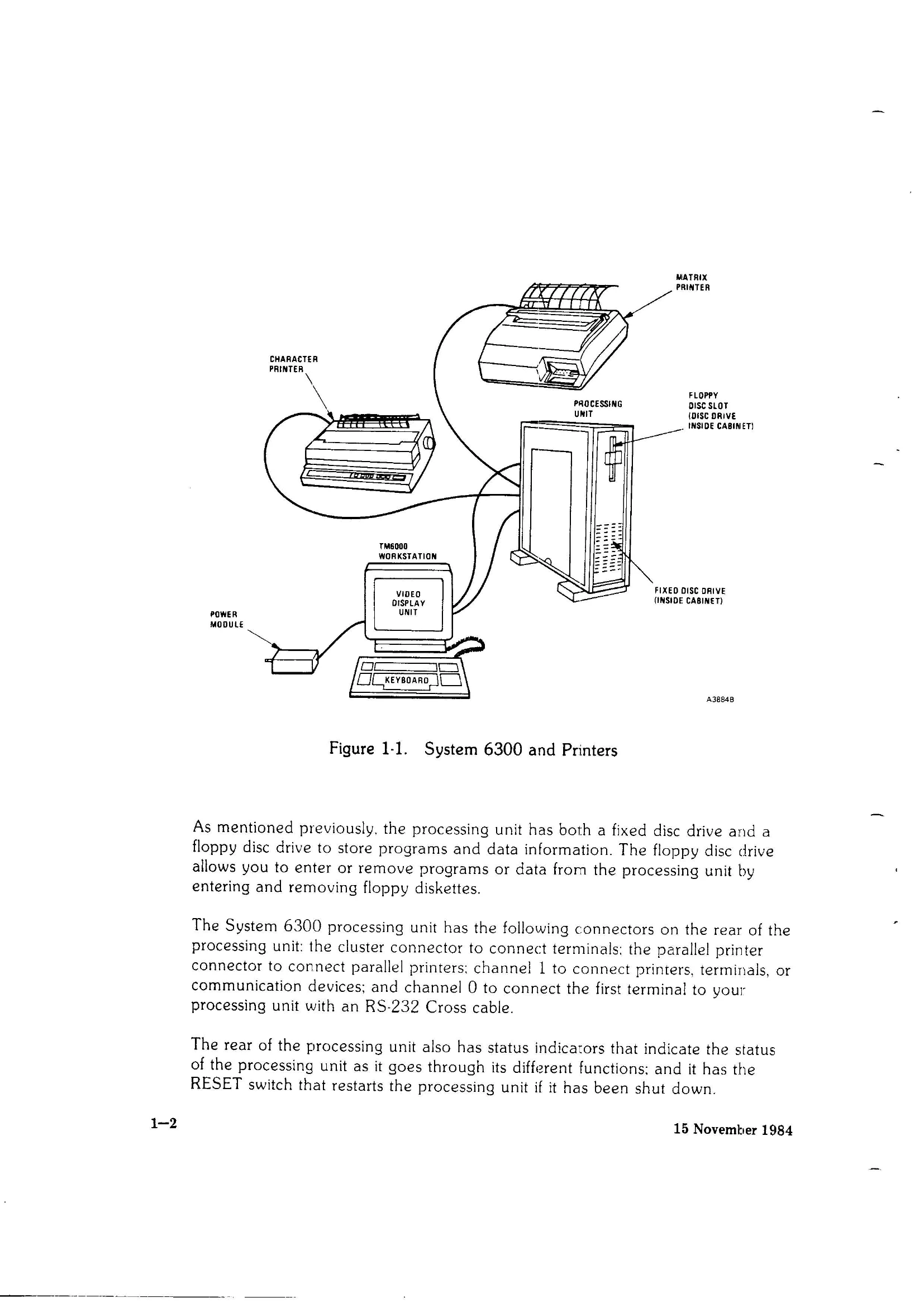
To start your System 6300, get acquainted with the system by reading the introduction, choose an appropriate site, unpack the processing unit, workstation, and cables. Install and plug in the system, perform the initial power-up, and load software as per the System 6300 Software Installation Guide. The system includes a processing unit, TM6000 workstation, peripherals, and necessary cabling. The processing unit uses an MC68010 microprocessor with expandable memory and supports up to eight terminals. The TM6000 workstation is an intelligent terminal with a video display, keyboard, and power module.
Privacy Policy