Normal Shutter Release:
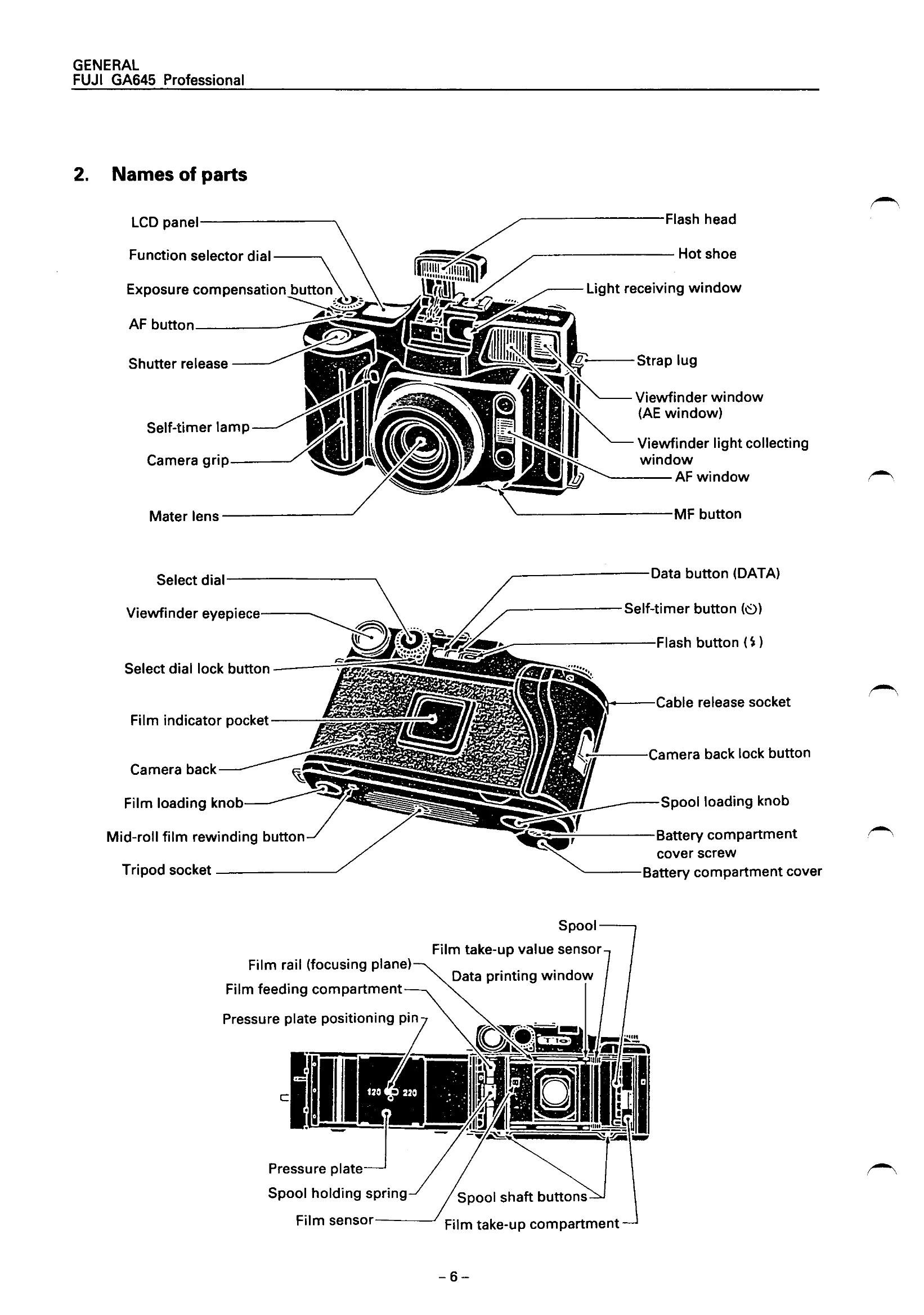
Press the shutter release. The camera performs light measuring, focusing, and displays settings on the LCDs. The lens extends, and upon waiting for the second switch (SP2) to be pressed, exposure occurs. A buzzer sounds, LEDs indicate shooting end, and the lens retracts. Film advances, and data is printed.
Cable Release:
Using a cable release triggers a simultaneous input of SP1 and SP2, bypassing the SP2 waiting step.
Battery Check:
The camera displays battery status: OK (lights, ~4.1V), Warning (lights, ~3.9V), or NG (blinks).
Light Measurement:
The light measuring IC output is AD-converted for accurate light measurement. Flash firing level is adjusted under low light conditions.
Film Speed Setting:
Input film speed (ISO) using the select dial and up-down switch before loading film. The set ISO is displayed on the top LCD.
LCD Displays:
Two LCDs are present: one on the camera top (LCD) and one in the viewfinder (FLCD). Both are controlled by the U101 CPU.