Brand: FUJICA
Category: Camera
Document Type:
Language: EN
Brand: FUJICA
Category: Camera
Document Type:
Language: EN
Uploaded: Aug. 9, 2025, 11:49 p.m.
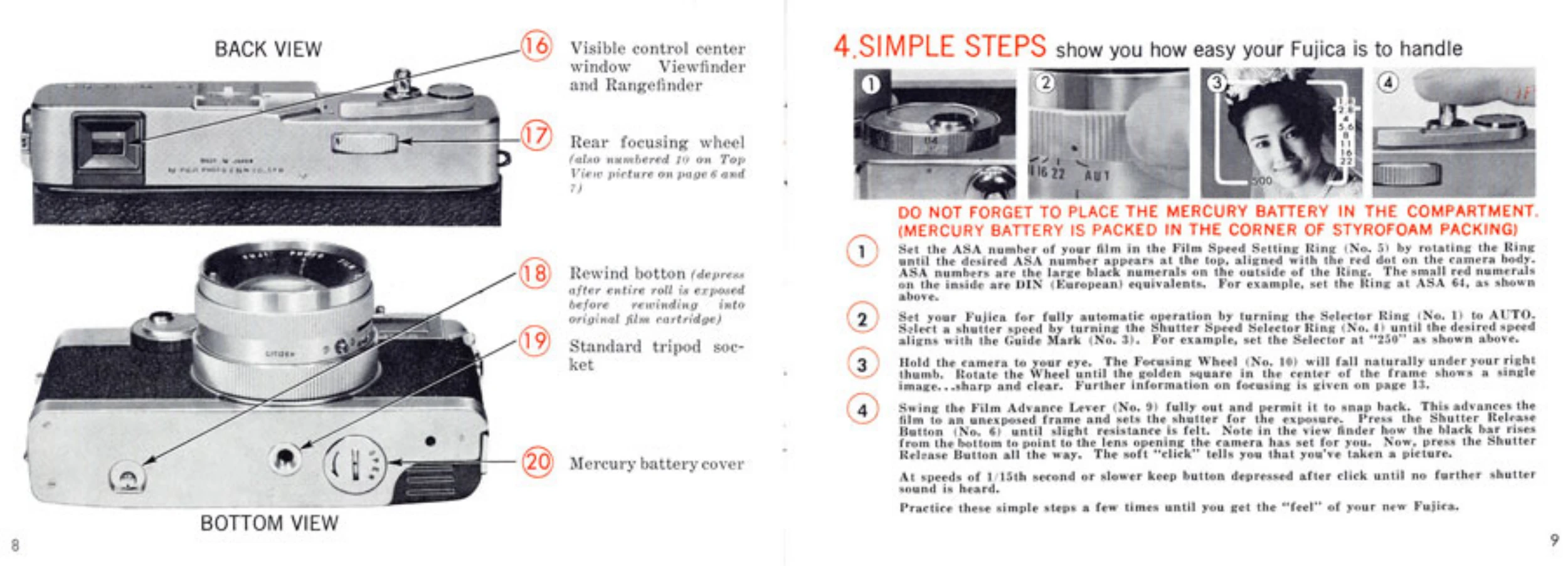
Setting Film Speed: Rotate the Film Speed Indicator to match your film's ASA number and align it with the red dot.
Opening the Camera: Pull down the Back Slide Lock to open the camera back.
Preparing the Take-Up Spool: Push in the direction of the arrow and rotate the spool until the slot is visible.
Inserting Film: Place the 35mm cartridge in the chamber with the leader at the bottom. Insert the film end into the Take-Up Spool Slot, ensuring sprocket teeth engage perforations.
Advancing Film: Gently hold the cartridge, press the shutter release, and use the film advance lever to wind the film onto the spool. Close the back.
Taking a Picture: Press the shutter release halfway to check exposure; a black bar indicates the lens opening. Press fully to take the picture. For slow speeds (1/15s or slower), hold the button after the click until the sound stops.
| Header 1 | Header 2 | Header 3 | Header 4 |
|---|---|---|---|
| Row 1 Data 1 | Row 1 Data 2 | Row 1 Data 3 | Row 1 Data 4 |
| Row 2 Data 1 | Row 2 Data 2 | Row 2 Data 3 | Row 2 Data 4 |
| Row 3 Data 1 | Row 3 Data 2 | Row 3 Data 3 | Row 3 Data 4 |