Manual for FinePix S100FS

Manual for FinePix S100FS

Brand: Fujifilm

Category: Camera

Document Type:

Language: EN
Uploaded: Aug. 9, 2025, 11:51 p.m.

Warranty Information

Fujifilm warrants the Media to be free from defects for ninety (90) days from the date of receipt.

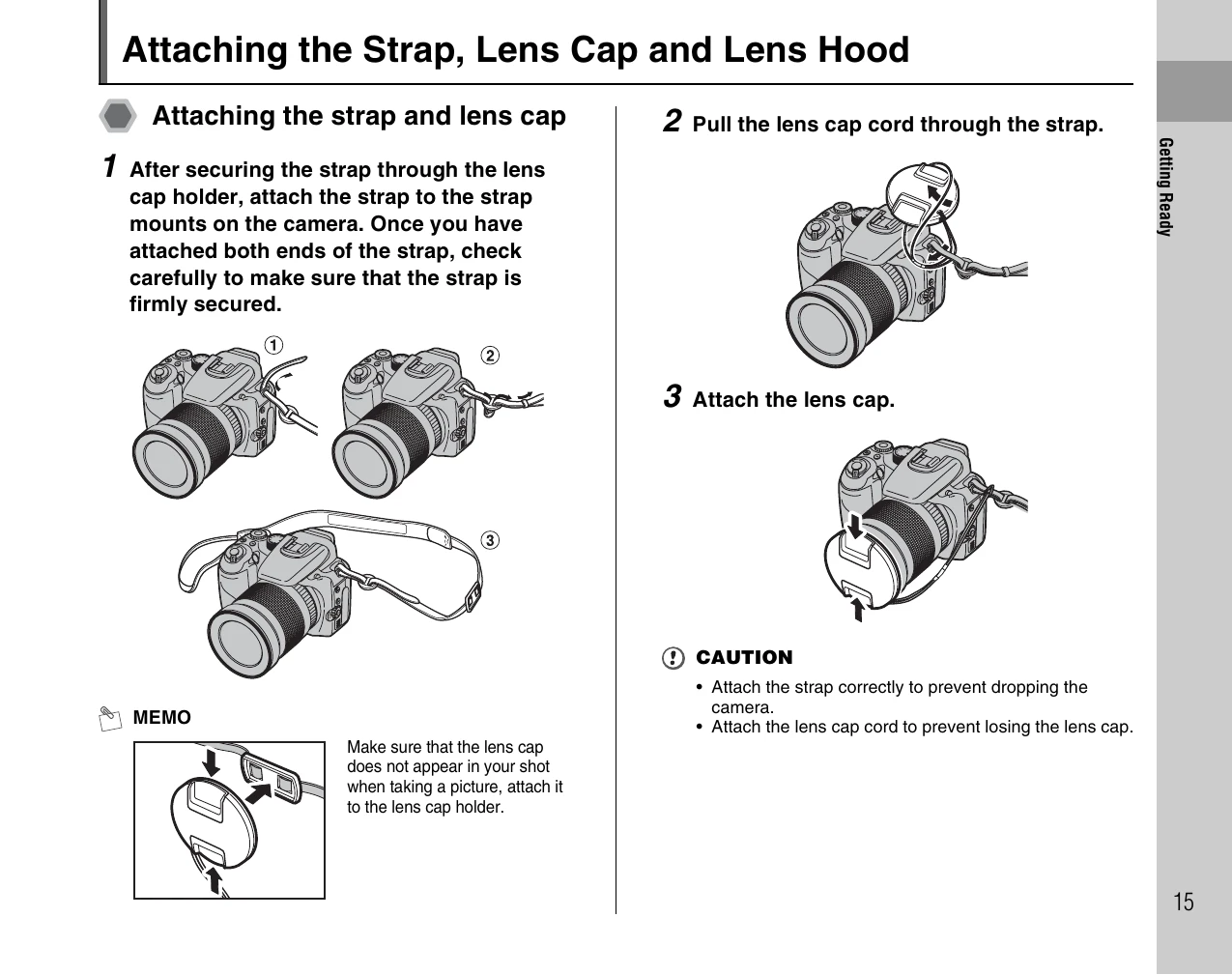
  • Getting Ready: Attach strap, lens cap, and lens hood. Charge the battery. Load the battery and memory card. Turn the camera on and off. Set the language, date, and time.
  • Using the Camera: Take pictures in AUTO mode, utilize Intelligent Face Detection and Dual Image Stabilizer. Lock focus and exposure. Adjust zoom, composition, and image brightness.
  • Advanced Features: Explore photography settings like shooting modes (Auto, FSB, SP, P, S, A, M, C1/C2), adjust white balance, ISO, exposure compensation, and flash settings. Discover playback features like viewing images, erasing, slideshows, and protecting images. Learn about movie recording and playback.
  • Camera Connection: Connect to TV, use AC adapter, and connect directly to a printer via PictBridge.
  • Software Installation: Install software on PC or Mac.
  • Troubleshooting: Consult the manual for common issues and solutions.

Troubleshooting and error codes

Problem Possible Cause Solution
Camera does not turn on Battery is not loaded or is depleted. Load a charged battery or recharge the battery.
Cannot record images Memory card is full, not inserted correctly, or locked. Insert a new memory card, check insertion, or unlock the card.
Blurry images Camera shake or subject movement. Use a tripod, increase shutter speed, or use image stabilization.
Poor image quality Incorrect settings or dirty lens. Adjust camera settings, clean the lens.
Privacy Policy