Manual for FinePix S5 Pro

Manual for FinePix S5 Pro

Brand: Fujifilm

Category: Camera

Document Type:

Language: EN
Uploaded: Aug. 9, 2025, 11:50 p.m.

Warranty Information

FUJIFILM warrants the Media to be free from defects for ninety (90) days from the date of receipt.

Getting Started:

  • Attaching the Strap and Lens: Connect the strap to the camera body and mount the lens by aligning the mounting marks.
  • Charging the Battery: Insert the rechargeable battery into the charger and plug it into a power outlet.
  • Inserting Memory Cards: Open the memory card slot cover and insert the card correctly.
  • Turning On and Off: Slide the power switch to turn the camera on or off.
  • Setting the Date and Time: Use the menu to set the current date and time.

Basic Operation:

  • Shooting: Frame your subject using the viewfinder or LCD monitor, and press the shutter button halfway to focus, then fully to take the picture.
  • Playback: Press the playback button to review captured images. Use the multi-selector to navigate through images.

Key Buttons and Controls:

  • Shutter Button: Takes the picture.
  • MENU/OK Button: Accesses menus and confirms selections.
  • DISP/BACK Button: Changes display information or cancels operations.
  • 4-direction Button: Navigates through menus and selects options.
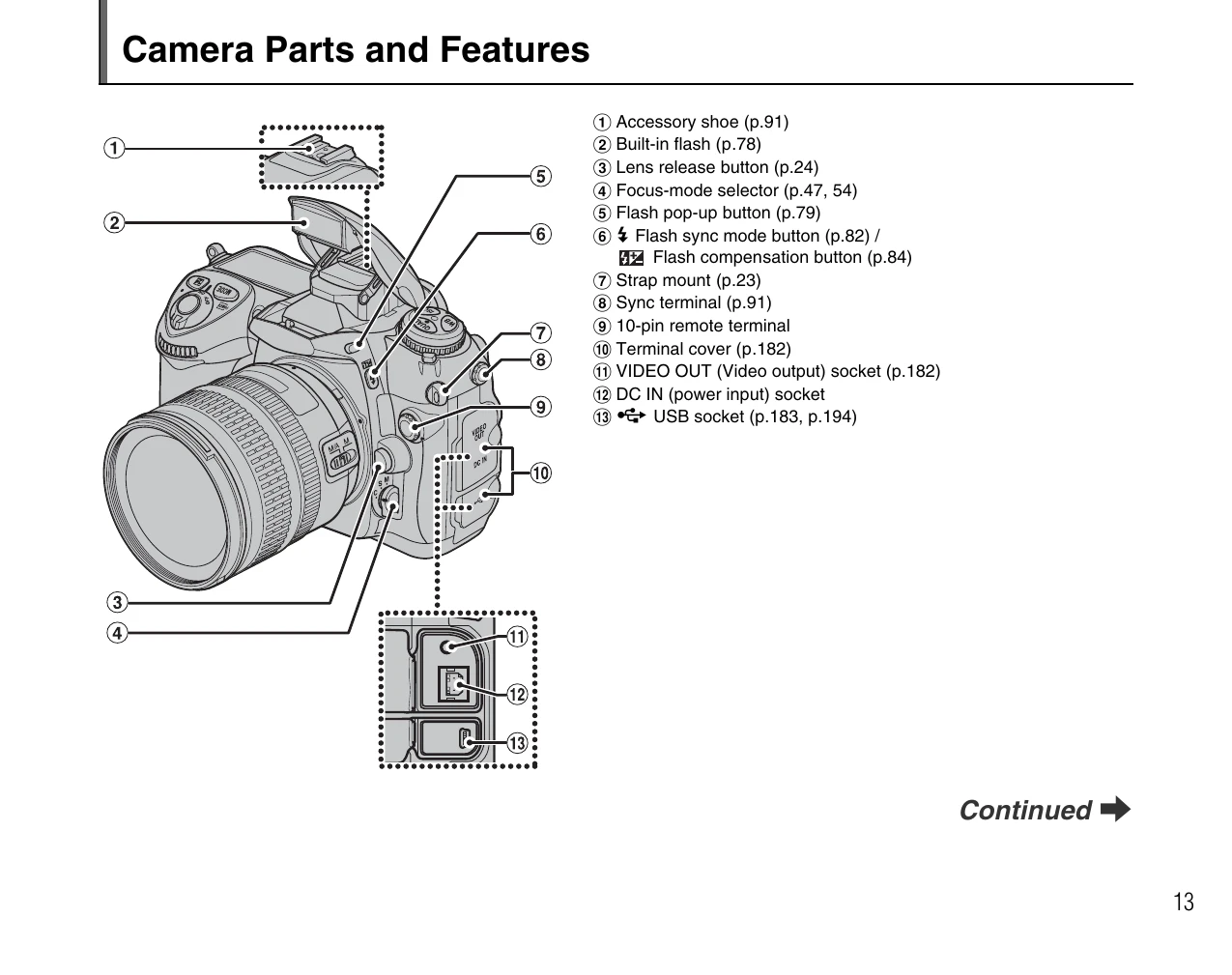
  • Viewfinder: The primary way to compose shots.
  • LCD Monitor: Displays menus, settings, and images.
  • Control Panel: Shows key shooting information.

Troubleshooting and error codes

Problem Possible Cause Solution
Camera does not turn on Battery is exhausted. Charge the battery.
Cannot record images Memory card is full. Replace or format the memory card.
Blurry images Camera shake or incorrect focus. Use a tripod, ensure correct focus, or adjust shutter speed.
Flash does not fire Flash is not ready or disabled. Wait for the flash to charge, check flash settings, or enable flash.
Error message displayed Refer to the error code list in the manual. Consult the manual for specific error code explanations and solutions.
Privacy Policy