Manual for FINEPIX Z900EXR

Manual for FINEPIX Z900EXR

Brand: FUJIFILM

Category: Camera

Document Type:

Language: EN
Uploaded: Aug. 9, 2025, 11:50 p.m.

Before You Begin

  • Symbols and Conventions: Learn about the icons used in the manual for clear understanding of instructions.
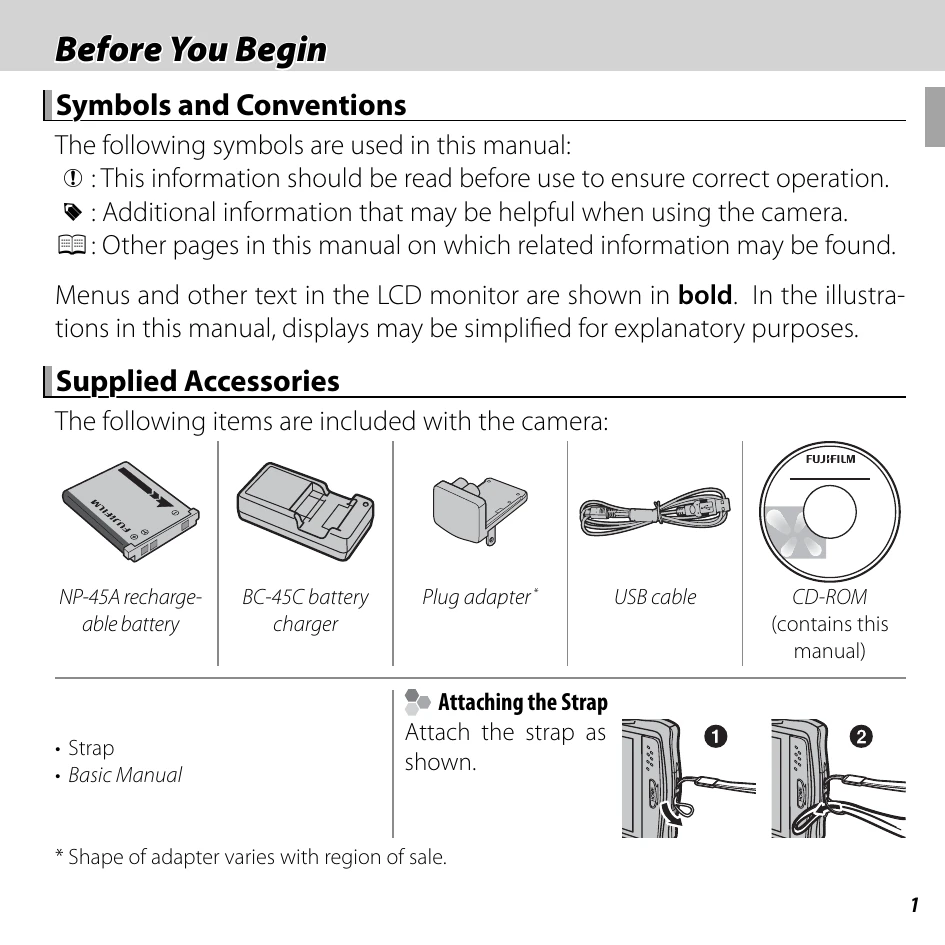
  • Supplied Accessories: Identify the items included with your camera, such as the battery, charger, USB cable, and CD-ROM.
  • Attaching the Strap: Follow the visual guide to attach the camera strap correctly.
  • Parts of the Camera: Familiarize yourself with the camera's components and their functions, referencing page numbers for detailed information.
  • The Indicator Lamp: Understand the different status indications provided by the camera's indicator lamp (green, orange, red).
  • Camera Displays (Touch Panel): Learn about the shooting and playback indicators shown on the LCD monitor, including battery level and focus warnings.
  • The Touch Panel Display: Discover how to operate the touch panel through tapping and scrolling for settings adjustment and picture navigation.
  • Rotating the Camera: Understand how the display rotates automatically when the camera is held in portrait orientation.

Troubleshooting and error codes

Indicator lamp Camera status
Glows green Focus locked.
Blinks green Blur, focus, or exposure warning. Picture can be taken.
Blinks green and orange Recording pictures. Additional pictures can be taken.
Glows orange Recording pictures. No additional pictures can be taken at this time.
Blinks orange Flash charging; flash will not fire when picture is taken.
Blinks red Lens or memory error.
Privacy Policy