Manual for XP140

Manual for XP140

Brand: Fujifilm

Category: Compact Camera

Document Type:

Language: EN
Uploaded: Aug. 9, 2025, 11:50 p.m.

Warranty Information

Warranty information is not explicitly stated, but manual suggests contacting retailer for service.

Introduction: Thank you for purchasing this Fujifilm camera. Please read the manual before use.
Getting Started: Attach the strap, insert battery and memory card, charge battery, turn on/off, and perform basic setup (language, date/time).
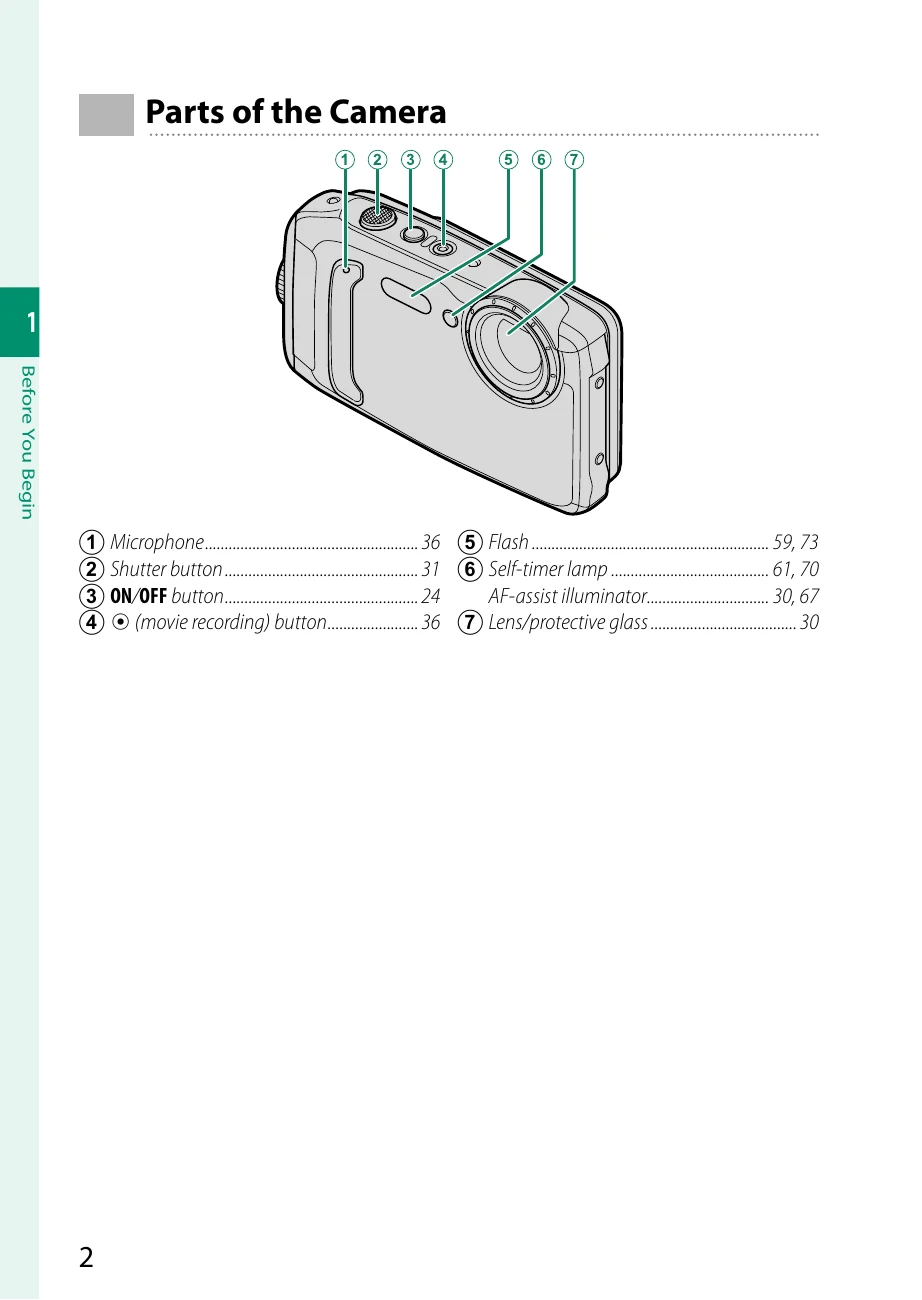
Photography: Learn about camera parts, selector, buttons, shooting modes, image settings, focus, white balance, flash, self-timer, etc.
Playback: View, delete, and manage pictures and movies.
Menus: Explore Shooting, Playback, and Setup menus for various settings.
Connectivity: Learn about wireless transfer, USB connections, and HDMI output.
Troubleshooting: Find solutions for common camera issues and warning messages.

Troubleshooting and error codes

The camera is unresponsive.
  • Temporary camera malfunction: Remove and reinsert the battery (15).
  • The battery is exhausted: Charge the battery or insert a fully-charged spare battery (20).
  • The camera is connected to a wireless LAN: End the connection.
The camera does not function as expected.
  • Remove and reinsert the battery (15). If the problem persists, contact your Fujifilm dealer.
No sound.
  • Adjust the volume (102).
  • Select ON for SOUND & FLASH (101).
Time and date stamps.
  • Time and date stamps are not correct: Set the camera clock (28, 100).
  • Time and date stamps appear on photographs: Time and date stamps cannot be deleted. To prevent stamps appearing on new photographs, select OFF for SAVE DATA SET-UP > DATE STAMP (107).
Privacy Policy