Manual for FinePix S1000fd

Manual for FinePix S1000fd

Brand: FUJIFILM

Category: Digital Camera

Document Type:

Language: EN
Uploaded: Aug. 9, 2025, 11:52 p.m.

Warranty Information

FUJIFILM warrants the Media to be free from defects in material and workmanship for ninety (90) days from the date of receipt.

Getting Started

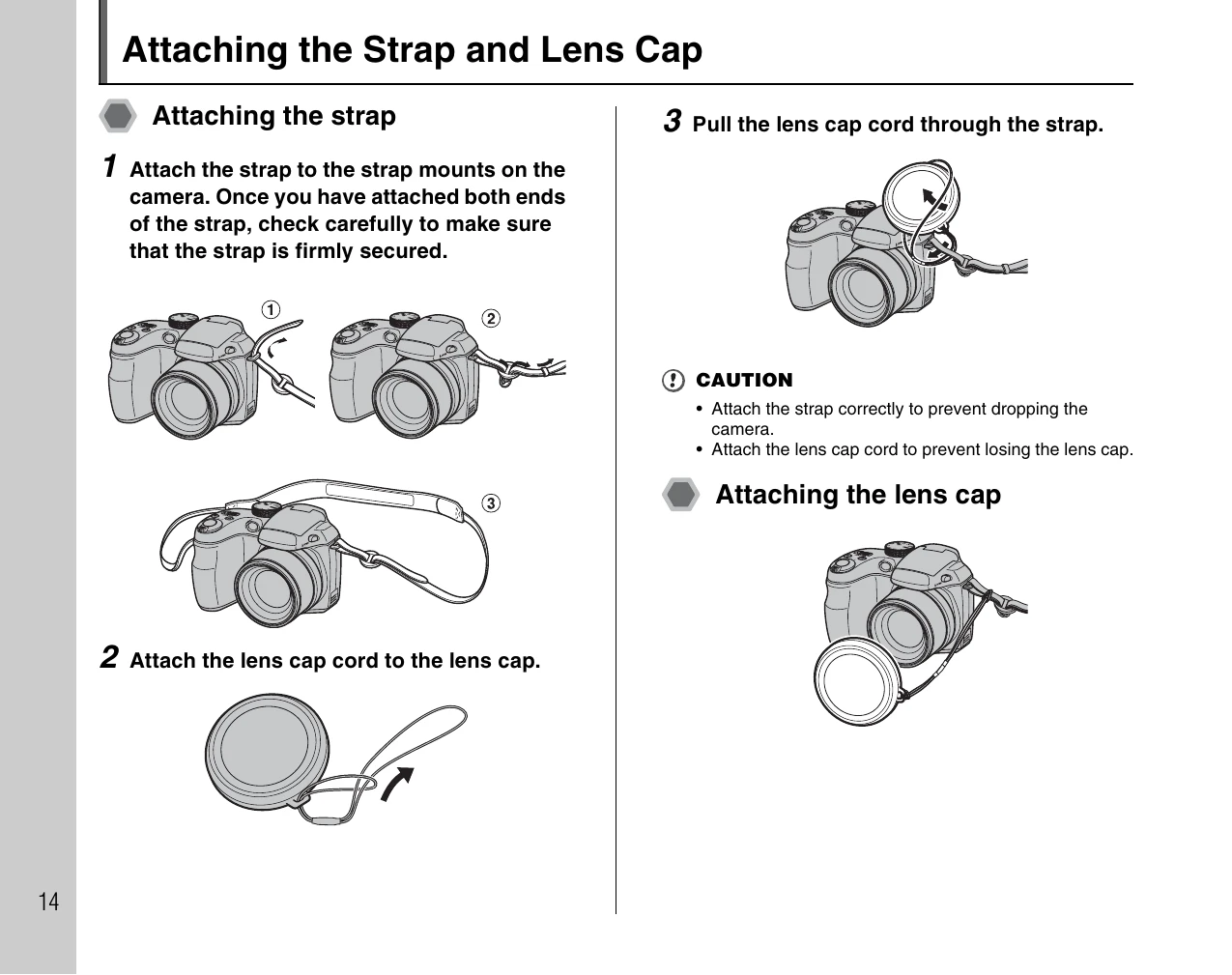
  • Attaching Strap and Lens Cap: Securely attach the strap to the camera and the lens cap cord to the cap.
  • Loading Batteries: Slide the lock release catch to open the battery cover, load AA batteries according to polarity, and close the cover securely.
  • Loading Memory Card: Open the battery cover, align the gold marking, and insert the xD-Picture Card or SD Memory Card until it clicks. Be sure to unlock SD cards first.
  • Turning On/Off: Slide the ON/OFF switch to turn the camera on/off in shooting mode. Press and hold the playback button for 1 second to turn on in playback mode.
  • Setting Language, Date, and Time: Follow the on-screen prompts to set the language, year, month, day, hour, and minute.

Troubleshooting and error codes

Problem Possible Cause Solution
Camera does not turn on Batteries are depleted. Replace or recharge the batteries.
No image can be recorded Memory Card is full or not inserted. Replace or insert a Memory Card. Format the Memory Card if necessary.
Image quality is poor Incorrect shooting mode or settings. Select appropriate shooting mode and settings. Clean the lens.
Privacy Policy