Brand: FUJIFILM
Category: Digital Camera
Document Type:
Language: EN
Brand: FUJIFILM
Category: Digital Camera
Document Type:
Language: EN
Uploaded: Aug. 9, 2025, 11:51 p.m.
None
1. Install the battery and memory card: Refer to pages 10-11 for instructions.
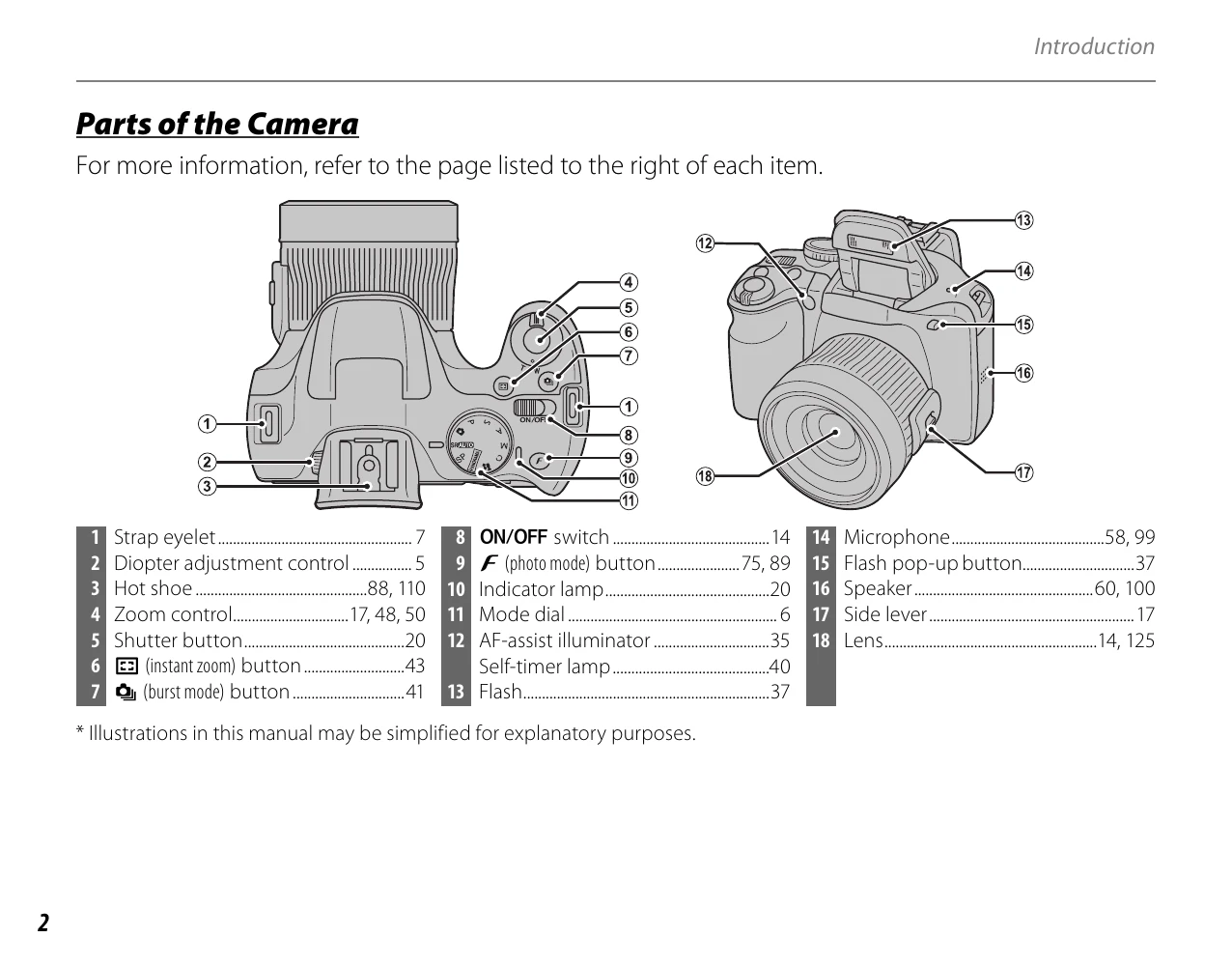
\n2. Turn on the camera: Press the ON/OFF switch (page 18, item 8).
\n3. Select shooting mode: Use the mode dial to choose your desired mode (page 22).
\n4. Take pictures: Compose your shot using the electronic viewfinder or LCD monitor and press the shutter button (page 18, item 5).
\n1. Enter playback mode: Press the playback button (page 19, item 23).
\n2. Navigate through images: Use the selector buttons (page 19, item 20) or playback zoom (page 12, item 'Playback zoom').
\n| Problem | Possible Cause | Solution |
|---|---|---|
| Camera does not turn on | Battery is not charged or is dead. | Charge or replace the battery. |
| Cannot record images | Memory card is full. | Insert a new memory card or delete unwanted images. |
| Blurry images | Subject moved during exposure. | Hold the camera steady or use a tripod. Use a faster shutter speed if possible. |
| "Card Error" message | Memory card is not inserted correctly or is faulty. | Reinsert the memory card. Try a different memory card. |
| Flash does not fire | Flash is set to OFF or the scene is too bright. | Set flash to AUTO or ON. Check shooting mode restrictions. |