Manual for FINEPIX Z1000EXR

Manual for FINEPIX Z1000EXR

Brand: Fujifilm

Category: Digital Camera

Document Type:

Language: EN
Uploaded: Aug. 9, 2025, 11:51 p.m.

Warranty Information

None

Getting Started with Your Fujifilm FINEPIX Z1000EXR

Follow these steps to begin using your camera:

First Steps

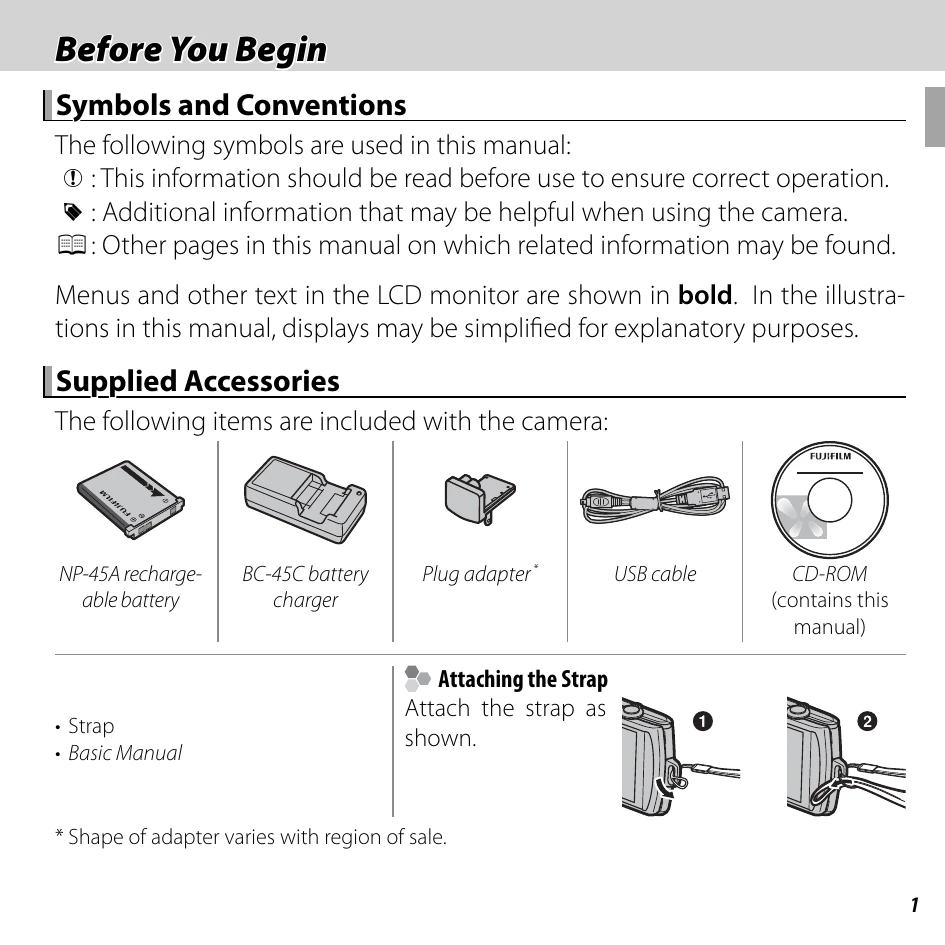
  • Charging the Battery: Connect the supplied battery charger and charge the NP-45A battery.
  • Inserting the Battery and Memory Card: Open the battery chamber cover and insert the battery and a compatible memory card (SD, SDHC, SDXC).
  • Turning the Camera On and Off: Press the power button to turn the camera on or off.
  • Shooting Mode: Select your desired shooting mode (e.g., EXR AUTO, P, SP).
  • Basic Setup: Configure initial settings like date and time.

Basic Photography

  • Taking Pictures: Frame your shot and press the shutter button.
  • Playback: Use the playback button to review your photos and use the touch panel to zoom and scroll.

Familiarize yourself with the touch panel operations for easy navigation.

Troubleshooting and error codes

The Indicator Lamp Shows Camera Status
Indicator Lamp Camera Status
Glows green Focus locked.
Blinks green Blur, focus, or exposure warning. Picture can be taken.
Blinks green and orange Recording pictures. Additional pictures can be taken.
Glows orange Recording pictures. No additional pictures can be taken at this time.
Blinks orange Flash charging; flash will not fire when picture is taken.
Blinks red Lens or memory error.
Privacy Policy