Brand: Fujifilm
Category: Digital Camera
Document Type:
Language: EN
Brand: Fujifilm
Category: Digital Camera
Document Type:
Language: EN
Uploaded: Aug. 9, 2025, 11:52 p.m.
FUJIFILM warrants that the Media is free from defects in material and workmanship for ninety (90) days from the date of receipt.
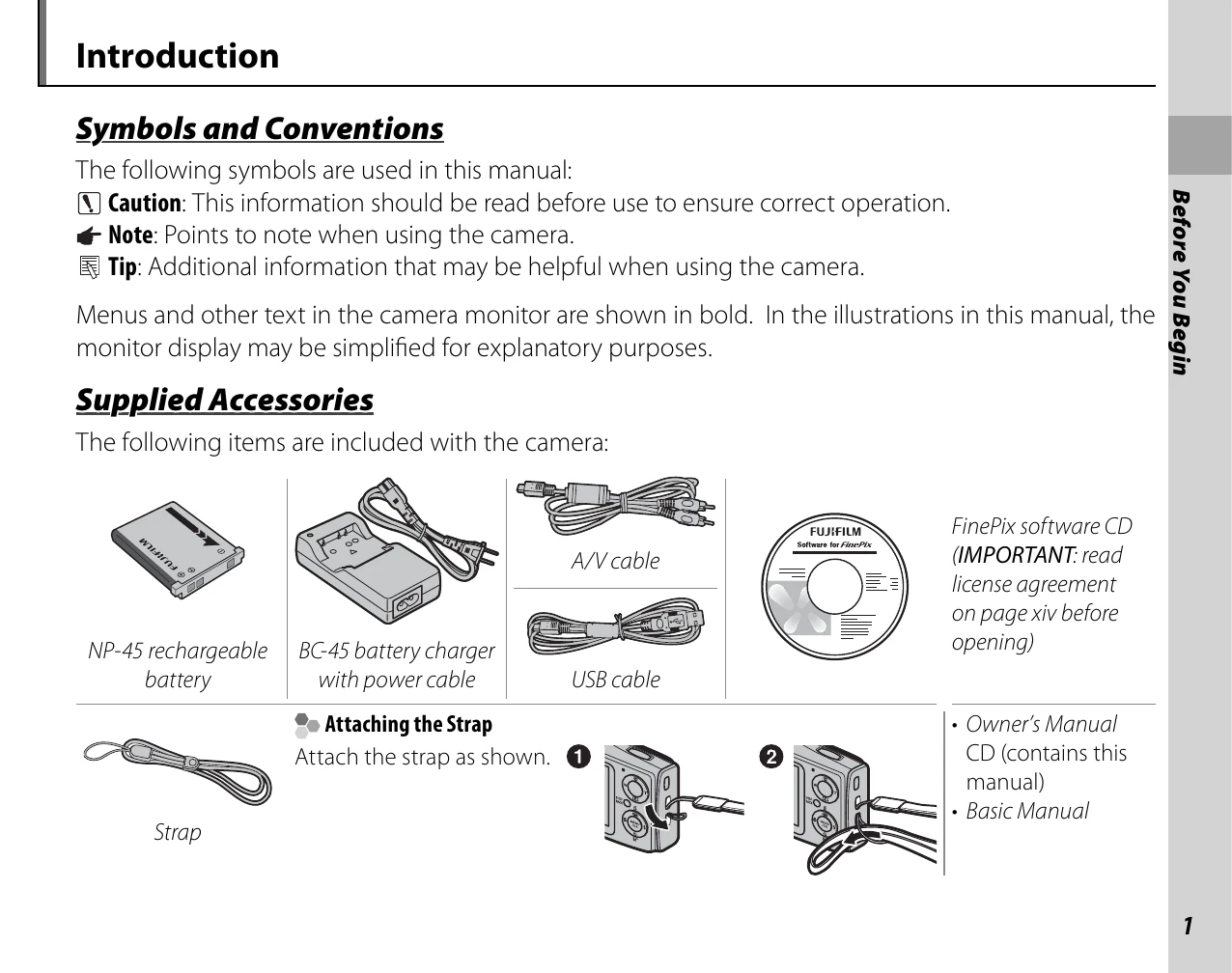
Charging the Battery: Insert the NP-45 rechargeable battery into the BC-45 battery charger, connect the power cable, and plug into a power outlet. The red charging indicator will light. Charging is complete when the indicator turns off. A fully exhausted battery takes about 180 minutes.
Inserting the Battery: Open the battery-chamber cover, align the orange stripe on the battery with the orange battery latch, and slide the battery into the camera, keeping the latch pressed. Confirm it is securely latched. Close the cover.
Inserting a Memory Card: If no memory card is inserted, the camera uses internal memory. To insert an xD-Picture Card or SD/SDHC memory card, align it with the slot and push it in until it clicks.
| Question | Key phrase | See page |
| How do I set the camera clock? | Date and time | 12 |
| Can I set the clock to local time when I travel? | Time difference | 88 |
| How do I keep the monitor from turning off automatically? | Auto power off | 87 |
| How do I make the monitor brighter or darker? | LCD brightness | 87 |
| How do I stop the camera beeping and clicking? | Silent mode | 25 |
| What are the parts of the camera called? | Parts of the camera | 2 |
| What do the icons in the monitor mean? | Monitor | 3 |
| How do I use the menus? | Menus | 64 |
| What's behind that flashing icon or error message in the monitor? | Messages and displays | 101 |
| How much charge is left in the battery? | Battery level | 14 |
| Can I print pictures on my home printer? | Printing pictures | 45 |
| Can I copy my pictures to my computer? | Viewing pictures on a computer | 50 |
| Can I copy pictures to a hand-held device? | Infrared (IR) | 56 |