Brand: Fujifilm
Category: Digital Camera
Document Type:
Language: EN
Brand: Fujifilm
Category: Digital Camera
Document Type:
Language: EN
Uploaded: Aug. 9, 2025, 11:52 p.m.
①: Read this information before use for correct operation.
◆: Additional helpful information.
■: Other pages with related information.
Menus and text in LCD are bold. Illustrations are simplified.
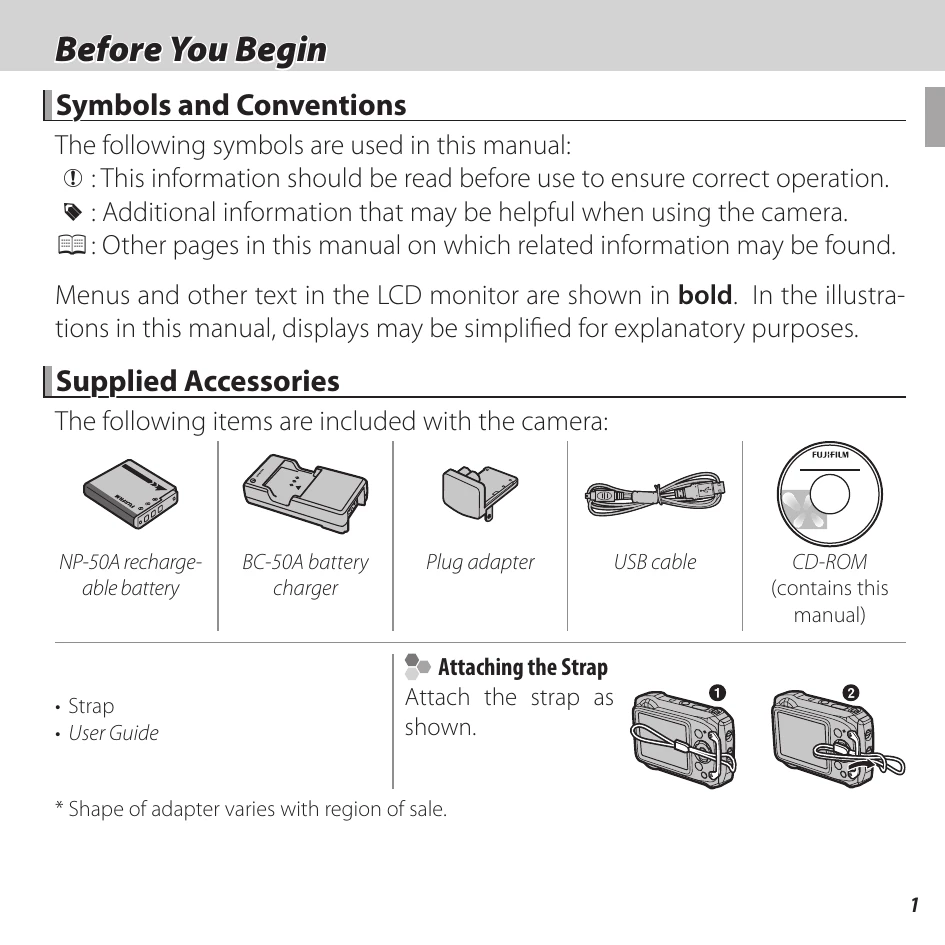
Supplied AccessoriesNP-50A rechargeable battery, BC-50A battery charger, Plug adapter, USB cable, CD-ROM (manual), Strap, User Guide.
Attaching the StrapFollow the diagram to attach the strap.
Parts of the CameraDiagrams show camera parts with page references for more information.
Selector ButtonInstructions for using the selector button for various functions (exposure compensation, delete, macro, flash, self-timer).
Camera DisplaysExplains various icons and indicators shown during shooting and playback.
| Problem | Solution |
|---|---|
| Problem connecting or uploading pictures to smartphone. | • The smartphone is too far away: Move the devices closer. • Nearby devices are causing radio interference: Move the camera and smartphone away from microwave ovens or cordless phones. |
| Can not upload images. | • The smartphone is connected to another device: The smartphone and camera can connect to only one device at a time. End the connection and try again. • Are there several smartphones in the vicinity: Try connecting again. The presence of multiple smartphones can make connection difficult. The current image is a movie or was created on another device and can not be uploaded to a smartphone. |
| Smartphone will not display pictures. | Select ON for WIRELESS SETTING > RESIZE IMAGE ON SENDING 3M. Select-ing OFF increases upload times for larger images; in addition, some phones may not display im-ages over a certain size. |