Brand: Fujitsu
Category: Computers
Document Type: Manual
Language: EN
Brand: Fujitsu
Category: Computers
Document Type: Manual
Language: EN
Uploaded: Nov. 21, 2025, 7:29 p.m.
Manual Publish Date: 2018-07-01
Refer to the 'Warranty' manual for warranty information.
This manual guides you through setting up and operating your Fujitsu CELSIUS workstation for daily use. It covers initial setup, connecting external devices, and basic operation. Refer to other provided manuals for detailed information on your operating system, mainboard, and specific components.
The initial setup involves selecting a location, connecting peripherals (mouse, keyboard, monitor), connecting to the power supply, and switching the device on. If you received additional drives or boards, install them after the first-time setup. External devices should also be connected after initial installation.
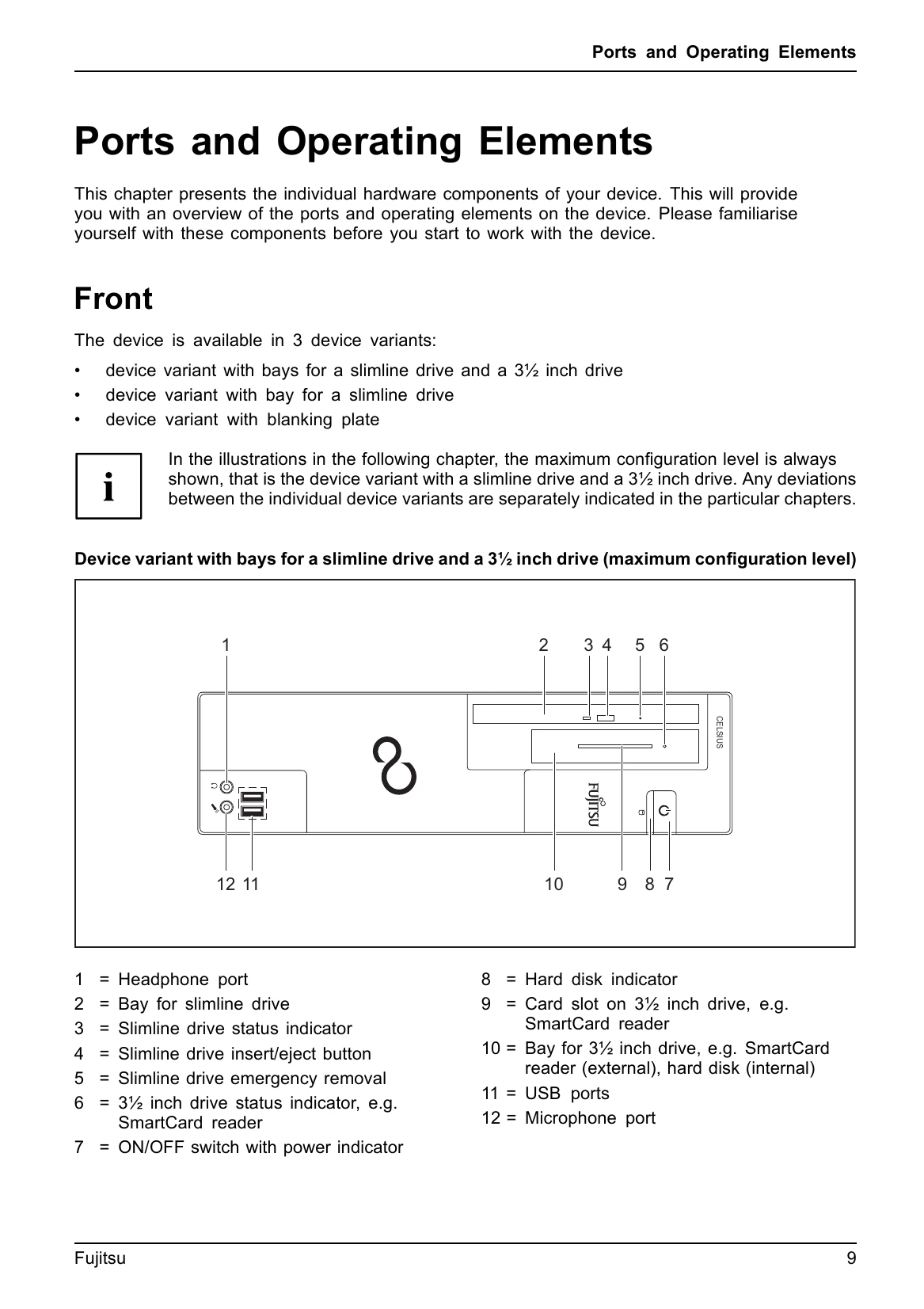
Familiarize yourself with the front and rear ports and operating elements, including USB ports, monitor sockets, audio jacks, and the power switch, before operating the device.
| Problem | Page |
|---|---|
| Power-on indicator remains unlit after you have switched on your device | 29 |
| The device cannot be switched off with the On/Off switch. | 30 |
| Monitor remains blank | 30 |
| No mouse pointer displayed on the screen | 31 |
| Time and/or date is not correct | 31 |
| SmartCard reader is not recognised | 31 |
| SmartCard PIN forgotten | 32 |
| Error messages on the screen | 32 |