Manual for fi-819PRB

Manual for fi-819PRB

Brand: FUJITSU

Category: Computers

Document Type: Manual

Language: EN
Uploaded: Nov. 21, 2025, 6:44 p.m.

Manual Publish Date: 2021-04-01

Introduction

This manual guides you through the installation, connection, basic operation, and maintenance of the FUJITSU fi-819PRB Imprinter, an optional unit for FUJITSU Image Scanners. It covers setup, using the imprinter for printing text on documents, and daily care.

Installation

Includes steps for installing the imprinter onto the scanner, installing the print cartridge, and performing a test print to verify functionality. Specific instructions are provided for different scanner models.

Basic Operation

Details how to set the print position, use paper guides, and configure imprinter settings via the scanner driver. It also covers replacing the print cartridge and removing jammed documents.

Daily Care

Provides instructions for cleaning the print cartridge nozzle, the imprinter itself, and the rollers to maintain print quality and prevent operational issues.

Error Messages

Lists common error codes, descriptions, and recommended actions for troubleshooting imprinter issues.

Specifications

Outlines technical specifications including printing method, character support, size limitations, and paper handling capabilities. Also lists consumables and their suggested replacement cycles.

Troubleshooting and error codes

Error Code (LCD) Error Code (Function Number Display) Error Description Action
J1:5A J1 Paper jam Paper is jammed in the imprinter. Take the following measures:
  • Remove the jammed document from the imprinter. (Refer to Removing Jammed Documents (page 32).)
  • Make sure that the document satisfies the requirements for documents that can be fed into the imprinter. (For more details, refer to Specifications (page 45).)
  • Clean the rollers. (For details about cleaning, refer to Cleaning the Rollers (page 37).)
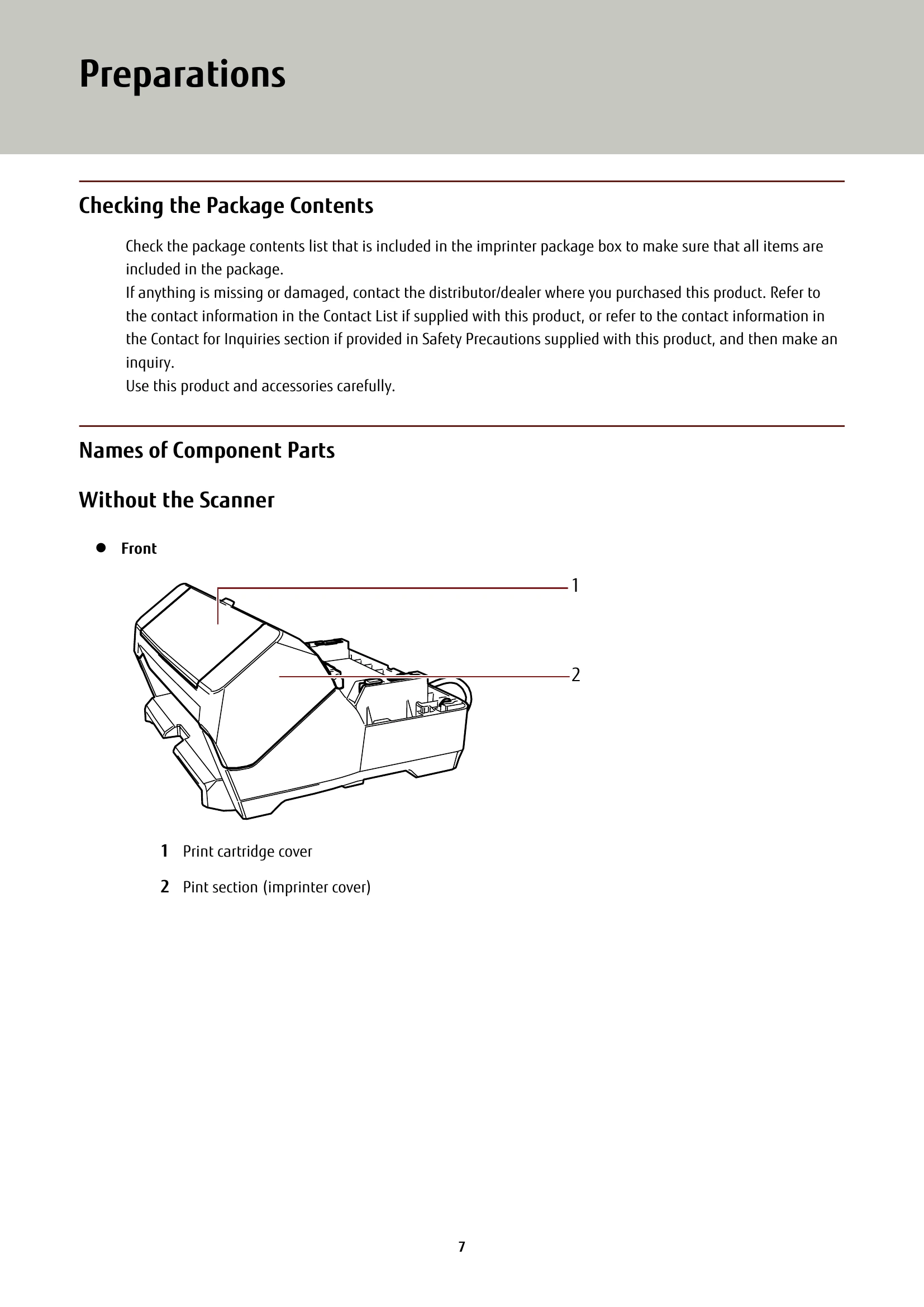
U5:4A (*1) U5 (*1) Imprinter cover open The print section (imprinter cover) was opened during scanning.
  • Remove the document from the ADF, and close the print section (imprinter cover). Confirm that the print section (imprinter cover) is closed properly.
U6:B4 U6 Print cartridge not installed The print cartridge is not installed in the imprinter correctly.
  • Check if the print cartridge is installed correctly. (For details about the installation, refer to Installing the Print Cartridge (page 16).)
  • If the problem still persists, write down the error code and contact the distributor/dealer where you purchased this product. Refer to the contact information in the Contact List if supplied with this product, or refer to the contact information in the Contact for Inquiries section if provided in Safety Precautions supplied with this product, and then make an inquiry.
U7:B9 U7 Imprinting area error An error occurred with the print start position in the imprinter. Adjust the print start position and character string for printing so that the print area is inside the document. (For details about the adjustment, refer to Setting the Position in Which to Print (page 24).)
A1:B3 A1 Imprinter error (communication timeout) An error occurred in the imprinter.
A2:B5 A2 Imprinter error (print head)
  • Check if the print cartridge is installed correctly. (For details about the installation, refer to Installing the Print Cartridge (page 16).)
A3:B6 A3 Imprinter error (EEPROM)
  • Reconnect the EXT cable.
  • Turn the scanner off then back on.
A4:B8 A4 Imprinter error (ROM)
  • Reconnect the EXT cable.
  • Turn the scanner off then back on.
H6:B1 H6 Imprinter system error An imprinter circuit error occurred. Turn the scanner off then back on. If the problem still persists, write down the error code and contact the distributor/dealer where you purchased this product. Refer to the contact information in the Contact List if supplied with this product, or refer to the contact information in the Contact for Inquiries section if provided in Safety Precautions supplied with this product, and then make an inquiry.
Privacy Policy